Last Updated: October 18, 2026
For a job interview, your webcam has one job: make you look sharp, in focus, and natural without distracting the interviewer. You do not need cinematic quality. You need reliable autofocus, clean skin tones, and no stutter when you move or gesture.
After testing dozens of setups for remote work, the pattern is clear. Most interview failures are not about resolution. They are about bad exposure, hunting autofocus, and noisy laptop microphones in echoey rooms. A mid-range 1080p webcam with good auto-exposure will beat a cheap 4K sensor in a dim bedroom every time.
📄 In This Review
What actually matters for interviews
Resolution is overrated. Zoom, Teams, and Google Meet compress your video to 720p or 1080p anyway, often lower if your Wi-Fi dips. What interviewers actually notice is whether your face is bright without being washed out, whether your eyes stay in focus when you lean in, and whether your audio is intelligible.
Prioritize these three things in order: autofocus that locks on and stays there, auto white balance and exposure that handles a window behind you or a warm desk lamp, and a wide but not too-wide field of view. For interviews, 65 to 78 degrees is ideal. It frames head and shoulders. Anything over 90 degrees shows too much room and makes you look distant.
Low-light performance matters more than 4K. Most interviews happen in home offices, bedrooms, and kitchens with one overhead light. Small sensors get noisy fast in that light. That shows up as grain, soft detail, and flicker. A good 1080p sensor with larger pixels will look cleaner than a budget 4K sensor in the same room.
Quick comparison: which type fits you
See also: Best Monitor for MacBook Air: Two USB-C 4K Screens and Six Adapter-Dependent Alternatives • Best Monitor for MacBook Pro: Eight Listings Sorted by Cable, Sharpness and Scaling
There are really only three buckets worth buying for interviews. This is not a case where you need to compare 15 models.
| Type | Best for | Strengths | Weaknesses |
|---|---|---|---|
| Budget 1080p fixed-focus | Laptop upgrade on a tight budget, well-lit room | Cheap, simple, better than built-in | Soft if you move, struggles in low light |
| Mid-range 1080p autofocus | Most interviewees, mixed lighting | Reliable focus, better exposure, good mics | Costs more, still needs decent light |
| Premium 1080p / 4K autofocus | Frequent interviews, coaching, content + calls | Sharper, better dynamic range, framing features | Overkill for Meet/Zoom, can expose bad lighting |
If you are on a budget: get a simple 1080p upgrade
If your laptop camera makes you look waxy, dark, or always slightly soft, a basic external 1080p webcam is fine for one or two interviews. It will give you a cleaner image and a more flattering angle because you can place it at eye level instead of looking down at a laptop.
The trade-off is focus and light. Most budget models are fixed-focus, meaning they are sharp at about 2 to 4 feet and soft outside that. If you lean back in your chair or fidget, you will drift out of focus. They also tend to blow out windows behind you, turning you into a silhouette. The fix is free: face a window or put a lamp behind your monitor, and do not sit with a bright window directly behind you.
Who this suits: students, quick screens, and anyone interviewing in a bright room who just needs to stop using a 720p laptop camera. If you already have decent light and a quiet room, stop here. A more expensive camera will not get you the job.
Shop this category as a basic 1080p webcam for laptop and look for dual microphones and a clip that actually grips a monitor. Expect plastic build and a narrow sweet spot for focus. Test it in the exact app you will use, because Teams and Meet handle exposure differently than the Camera app.
Best for most people: 1080p with real autofocus
This is the sweet spot for interviews. A mid-range 1080p webcam with autofocus and auto light correction solves the two most common interview problems: going soft when you move, and looking orange or gray under home lighting.
What you gain over budget is consistency. Autofocus locks on your eyes and holds when you lean forward to make a point. Better firmware holds skin tones steady instead of pumping brighter and darker every time you move your hands. Microphones are also a step up – still not studio quality, but less harsh than a thin laptop.
Failure modes to know: autofocus can hunt if there is movement behind you, like a ceiling fan or someone walking past. If that happens, move to a plain background or turn off background blur, which makes hunting worse on weaker laptops. Also, many of these default to 78-90 degrees. Set it to the narrower framing if the software allows it. You want head and shoulders, not your whole bookshelf.
This is the right pick if you have 2-5 interviews over a few weeks, interview in the evening, or use a MacBook with a mediocre built-in camera in low light. Mac users in particular benefit because macOS tends to be aggressive with noise reduction, and an external camera gives you manual control.
Look for an 1080p autofocus webcam with noise reduction with a physical privacy shutter. You will use that shutter. It prevents the classic hot-mic moment where you join early and do not realize video is on.
When a premium camera is worth it
A premium 1080p or 4K webcam makes sense if you interview constantly – recruiters, coaches, freelancers pitching clients – or if you also record Loom videos and presentations. You get better dynamic range for tricky backlight, sharper glasses and hair detail, and features like auto-framing that keeps you centered if you use a standing desk.
Be honest about the downsides. On Zoom, no one will see full 4K. The benefit is better downscaled 1080p: cleaner edges, less noise. But a high-resolution sensor also reveals bad lighting. If your room is dim and yellow, 4K will show dimmer, yellower grain in higher detail. You need at least a soft key light to get your money’s worth.
Another trade-off is CPU load. Background blur, auto-framing, and 4K processing can stutter on older laptops, especially MacBook Airs on battery. If your fan spins up during calls, turn off fancy effects in the camera app and let Meet or Zoom handle blur. Or drop to 1080p mode manually.
Consider a 4K webcam with autofocus for video calls only if you have good light and a relatively modern laptop. For a one-time dream-job interview, spend the difference on lighting and a wired headset instead. Audio clarity influences perceived confidence far more than going from good 1080p to 4K.
Setup matters more than the camera
You can make a $60 camera look better than a $200 camera with three minutes of setup. Put the camera at eye level. Stack your laptop on books or use a monitor mount. Looking slightly up at a laptop camera is unflattering and reads as disengaged.
Face your main light source. A window in front of you or a $25 daylight LED panel behind your monitor will do more than any sensor upgrade. Keep the light soft and diffuse, not a bare bulb. Turn off overhead-only lighting if it casts shadows under your eyes. Do a 30-second test recording at the same time of day as your interview – evening light looks nothing like morning light.
For audio, use a wired earbud mic or USB headset if your room echoes. Webcam mics pick up keyboards, HVAC, and room reverb. Interviewers will forgive 720p video. They will not forgive having to ask you to repeat yourself three times. Close Slack, kill cloud backup sync, and plug in if your Wi-Fi is flaky. Stutter reads as unprofessional even when it is not your fault.
FAQ
Is 4K necessary for a job interview?
No. Meet, Zoom, and Teams compress video heavily. A clean, well-lit 1080p image with stable focus looks identical to most interviewers. Buy 4K only if you also create video content or want better digital zoom and auto-framing.
Should I use background blur?
Only if your background is distracting and your laptop handles it smoothly. Blur can cause edge flicker around hair and glasses and can make autofocus hunt. A tidy real background usually looks more natural and uses less CPU.
Can I just use my MacBook or laptop camera?
Sometimes, yes. Recent MacBooks and high-end Windows laptops are acceptable in bright, front-lit rooms. They fail in low light and when angled up from a desk. If you look grainy or dark in a test call, an external webcam at eye level is a cheap fix.
What should I test the night before?
Join a test meeting in the same app, at the same time of day, with the same light. Record 30 seconds. Check focus when you lean in, check exposure with your window blinds as they will be, and listen to your mic with room noise. Charge your laptop and have a backup audio option ready.
Related Reviews & Guides
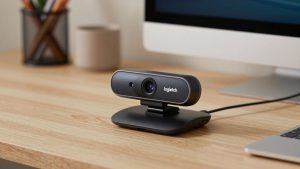
Best Logitech Webcam for Mac
Best Monitor for MacBook Pro: Eight Listings Sorted by Cable, Sharpness and Scaling