Last Updated: October 18, 2026
- What 30 dollars actually buys in a webcam
- When the cheap option is fine
- Quick comparison: the three types you will see
- Best for most home office calls: basic 1080p fixed-focus
- Best for showing things up close: budget autofocus 1080p
- Best for small rooms and shared desks: wide-angle budget cam
- What to check before you buy
- Setup matters more than the model
- FAQ
📄 In This Review
- What 30 dollars actually buys in a webcam
- When the cheap option is fine
- Quick comparison: the three types you will see
- Best for most home office calls: basic 1080p fixed-focus
- Best for showing things up close: budget autofocus 1080p
- Best for small rooms and shared desks: wide-angle budget cam
- What to check before you buy
- Setup matters more than the model
- FAQ
What 30 dollars actually buys in a webcam
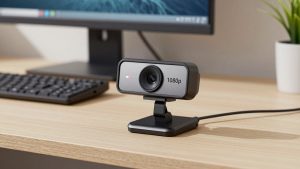
Under 30 dollars, you are shopping in the basic 720p to 1080p USB webcam market. Almost everything here is plug-and-play UVC, which means it works on Windows, Mac, and Chromebooks without drivers. For Zoom, Teams, Meet, and Webex, that is enough. You get a fixed lens, a small image sensor, one or two built-in mics, and a clip that sits on top of a monitor or laptop lid.
Do not expect great low-light performance, real autofocus at the very bottom of the price range, or a wide dynamic range. In a bright home office during the day, a 20 dollar webcam can look perfectly acceptable. In a dim bedroom at 7pm with one overhead light, the same camera will look soft, grainy, and a little washed out. That is the main trade-off. Resolution numbers on the box matter less than the sensor and the light in your room.
When the cheap option is fine
See also: Best Monitor for MacBook Air: Two USB-C 4K Screens and Six Adapter-Dependent Alternatives • Best Monitor for MacBook Pro: Eight Listings Sorted by Cable, Sharpness and Scaling
If your calls are mostly internal check-ins, classes, or job interviews where you just need to be clearly visible and audible, a cheap webcam is fine. This is especially true if you already use a laptop from the last 3-4 years. Many sub-30 dollar external webcams still beat older 720p laptop cameras because they sit higher, have a slightly larger lens, and do not overheat and throttle like an old built-in module.
The cheap option is also fine as a second camera: for a kids computer, a shared family desktop, or a travel kit you do not mind losing. What it is not good for is client-facing presenting, streaming, teaching on camera for hours, or rooms with tricky backlight. In those cases, better light or a step up to the 60 to 100 dollar range makes more difference than hunting for the best 25 dollar model.
Quick comparison: the three types you will see
Almost every listing under 30 dollars falls into one of these three buckets. The names change, the shells look identical, but the internals are very similar.
| Type | Typical price | Strengths | Weaknesses | Best for |
|---|---|---|---|---|
| Basic 720p / 1080p fixed-focus | 15-22 dollars | Cheap, reliable, no focus hunting, works on Mac | Soft detail, poor low light, thin mic audio | Daily Zoom and Teams calls in a bright room |
| Budget 1080p with autofocus | 23-30 dollars | Sharper up close, better for whiteboards and documents | Focus can pulse, slower in low light | Teachers, sellers, anyone who leans in and shows objects |
| Budget 2K / QHD marketed webcam | 27-30 dollars | Slightly more detail in good light, wider field of view | Often upscaled, larger files, more noise in dim rooms | Wide desks where you want more of the room in frame |
Best for most home office calls: basic 1080p fixed-focus
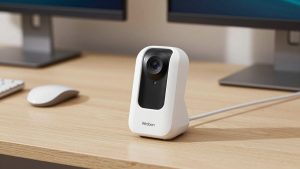
For a normal desk in front of a window or a decent desk lamp, get the simplest 1080p fixed focus webcam. Fixed focus sounds like a downgrade, but under 30 dollars it is usually an advantage. There is no motor to hunt, no breathing in and out of focus when you move your hands, and latency is lower.
Look for 1080p30, a 70 to 80 degree field of view, dual mics, and a physical privacy shutter. Skip digital zoom, beauty modes, and exaggerated low-light correction claims. Failure mode to know: if you sit more than 4-5 feet away, your face gets small and soft. These cameras are tuned for 2-3 feet. If your desk is deep, move the camera closer with a small tripod rather than using digital zoom, which just crops and smears the image.
Best for showing things up close: budget autofocus 1080p
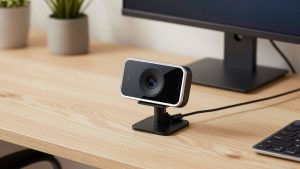
If you hold papers, products, crafts, or a whiteboard up to the camera, autofocus helps. A typical 1080p autofocus webcam with microphone will lock onto text at 8-12 inches better than fixed-focus models.
The trade-off is focus hunting. Cheap contrast autofocus pulses when light drops or when you gesture a lot. On long calls this is distracting. It also tends to prioritize the background if you have a bright window behind you. Who it suits: tutors, customer support showing hardware, Etsy and eBay sellers doing video calls. Who should skip it: anyone who sits still and types all day. You will not see a benefit and you add a failure point.
Mac note: most of these work fine on MacBook Air and Mac mini over USB-A with an adapter, but the bundled Windows-only utility for focus and exposure control usually will not run on macOS. Set your expectations to plug-and-play defaults on Mac.
Best for small rooms and shared desks: wide-angle budget cam
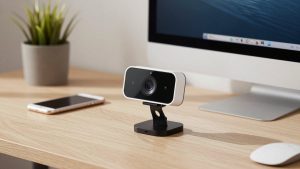
Some listings around 28-30 dollars offer a 90-degree or wider lens and market themselves as 2K or QHD. Treat the resolution claim with skepticism. Most are 1080p sensors upscaled in firmware. In good light they do look a bit wider and slightly cleaner than the cheapest models, which helps if two people share one desk or you use a large ultrawide monitor and sit back.
Failure modes: wider lenses make low light worse at the edges, straight lines bend a little, and your built-in mic picks up more room echo because you sit farther away. If you buy this type, plan to sit within 3-4 feet and use a headset or earbuds for audio. For a cramped dorm or a kitchen table setup, a wide angle 1080p webcam for desktop can make sense. For a solo worker in a quiet office, a narrower lens looks more flattering.
What to check before you buy
Mount and cable matter more than specs at this price. Check that the clip actually opens wide enough for your monitor. Many cheap clips struggle with thick curved gaming monitors and slip off Mac Studio Displays with no lip. A tripod thread on the bottom is useful. Cable length is often only 4-5 feet, which is too short if your tower or dock is on the floor.
For work calls, prioritize a privacy shutter, a mic mute indicator if possible, and 30 fps at 1080p rather than 60 fps claims that drop resolution or need perfect light. For laptops, confirm USB-A versus USB-C. Most sub-30 dollar cams are still USB-A, so MacBook owners will need a simple adapter or hub. Also check the return window. Sample variation is real in this bracket: two identical-looking units can have different focus calibration and mic loudness.
Setup matters more than the model
A 20 dollar webcam with good light beats a 29 dollar webcam in a dark room. Face a window or put a 30-40 dollar LED panel or desk lamp at 45 degrees in front of you, slightly above eye level. Do not sit with a bright window directly behind you. If you cannot move, close blinds and turn on room lights.
In Zoom or Teams, turn off auto-adjust for low light if your image looks waxy, and set exposure manually if your app allows it. Keep the camera at eye level. Stacking it on books or a small tripod avoids the unflattering up-the-nose laptop angle. Use the built-in mic only as a backup. Even cheap wired earbuds usually sound clearer and cut keyboard noise because the webcam mic sits 2-3 feet away and picks up the whole room.
FAQ
Is 720p enough for work calls in 2026?
Yes for internal calls. Zoom and Meet often transmit at 720p anyway after compression. A clean 720p image with good light looks better than a noisy 1080p image in a dark room. Buy 1080p if the price difference is only a few dollars, but do not stress about it.
Will a sub-30 dollar webcam work on Mac?
Usually yes. Most are standard UVC devices, so FaceTime, Zoom, Teams, and Photo Booth recognize them instantly on macOS. You just may not get the vendors focus or effects app, which is often Windows-only.
Why does my budget webcam look blurry at night?
Small sensors need light. In dim rooms the camera slows the shutter and raises gain, which creates blur and grain. Add a lamp in front of you and turn off bright lights behind you. That fixes about 80 percent of complaints.
Should I use the webcam mic or a headset?
Use a headset or earbuds for work. Budget webcam mics are usable in a quiet room, but they pick up typing, fans, and echo. If you have to use the built-in mic, sit close, reduce speaker volume to avoid feedback, and turn on noise suppression in your meeting app.