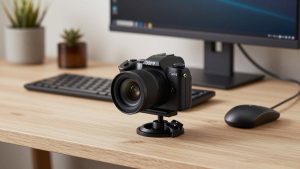
Last Updated: October 18, 2026
📄 In This Review
What makes group meetings different
A webcam that is fine for one person at a desk fails fast with three to six people around a table. The usual problems are predictable: people on the ends get cut off, faces are too dark because the camera exposes for the window behind you, and remote participants can’t hear the person farthest from the mic. If you have ever heard “can you lean in, we can’t see you,” you have had the wrong field of view.
For group meetings, you are not buying sharpness first. You are buying coverage, usable audio pickup at distance, and a camera that handles mixed office light without constant tweaking. A normal 78-degree laptop-style webcam covers about one person at arm’s length. For a small huddle of 2-3 people, you want 95-110 degrees. For 4-6 people around a conference table, you want 110-120 degrees or a dedicated conference camera placed closer to the group.
What to look for in a group webcam
See also: Best Monitor for MacBook Air: Two USB-C 4K Screens and Six Adapter-Dependent Alternatives • Best Monitor for MacBook Pro: Eight Listings Sorted by Cable, Sharpness and Scaling
Field of view is the first filter. Many listings say “wide angle” but mean 90 degrees. That still crops the end chairs. Check the spec for 110-degree diagonal or wider, and check if it has distortion correction. Cheap ultra-wide cameras often bow bookshelves and stretch faces at the edges, which gets tiring on a 45-minute call.
Second is microphone range. A single laptop-style mic array is tuned for 2-3 feet. In a group, you need dual or multi-mic with a stated pickup range of 10-13 feet, plus basic noise reduction. It will not match a separate table mic, but it is the difference between usable and useless. If your room has hard walls, echo, or HVAC noise, expect any built-in mic to struggle.
Third is autofocus and auto-framing. Fixed-focus webcams set for one face will leave the back row soft. Look for autofocus, and if you move around a whiteboard, consider auto-framing or speaker tracking. It is not perfect – it can hunt or crop too tight – but for stand-up huddles it saves someone from constantly adjusting the shot.
Finally, check mounting and cable length. A clip made for a laptop lid will not sit stable on a large monitor or TV. For conference rooms, a tripod thread and a long USB cable matter more than 4K on the box. Mac users should also confirm the camera is UVC plug-and-play with no driver required, especially on Apple Silicon.
Best options by room size
For 2-3 people at a desk or small table, a wide-angle webcam with autofocus is usually enough. Mount it on the monitor at eye level, about 6-8 feet back if you can. You get a 100 to 110-degree view that fits everyone without pushing people shoulder-to-shoulder. Trade-off: at that distance 1080p looks soft if someone screen-shares and expects to read facial expressions. Sit closer rather than buying more resolution to fix it.
For 4-6 people in a huddle room, step up to a wider 120-degree camera or a small conference camera with built-in speakerphone. A 4K webcam with wide field of view helps here because you can crop in slightly and still stay sharp, and the larger mic array picks up the far end of the table better. Failure mode to expect: auto-exposure hunting when someone shares a bright screen behind the group. Turn off overhead fluorescents directly above the table if you can and face the group toward a neutral wall.
For larger meeting rooms or teams that meet daily, a webcam alone is the wrong tool. You want an all-in-one video bar with camera, mics, and speaker in one unit under the TV. An all-in-one conference video bar for small rooms costs more and takes 10 minutes to mount, but it solves the two things webcams cannot: room-filling audio and consistent framing from 10-15 feet away. Who it suits: offices with a dedicated room, hybrid teams, anyone tired of passing a laptop down the table.
Be honest about budget: if you meet as a group once a week for 30 minutes in Teams or Zoom, the cheaper 1080p wide-angle option is fine. Spend the savings on light and placement. If clients or executives join regularly, the mid-range 4K wide camera or video bar is worth it for cleaner audio alone.
Quick comparison
Use this to match the camera type to how you actually meet, not to the spec sheet.
| Setup | Best fit | Field of view to get | Strength | Weakness |
|---|---|---|---|---|
| Single wide-angle webcam | 2-3 people at a desk | 95-110 degrees | Cheap, portable, works with any laptop or Mac | Mic fades past 6-8 ft, soft at distance |
| 4K wide webcam with dual mics | 3-5 people, huddle table | 110-120 degrees | Sharper crop, better pickup to ~12 ft | Needs good light, edge distortion on cheap models |
| Conference camera with speakerphone base | 4-6 people, frequent calls | 115-120 degrees + auto-framing | Best built-in audio, stable on table | Bulky, more cables, higher price |
| All-in-one video bar | Dedicated meeting room | 120 degrees or pan-tilt | Room audio, TV mounting, one-touch join | Overkill for occasional use, needs wall/TV setup |
Setup mistakes that ruin group calls
Most bad group video is placement, not hardware. Do not put the camera at the end of a long table – the far people become tiny and the mic has to fight distance. Put it in the middle of the long side or centered under the display, at eye level, with everyone within 12 feet. If you use a TV, mount the bar directly below it, not on top of a high shelf looking down.
Backlight is the second killer. If windows are behind the group, any webcam will silhouette faces. Close blinds or turn the table 90 degrees so light hits faces. If you cannot, turn on backlight compensation in the camera app and avoid auto HDR modes that pump noise.
Audio fails more calls than video. Mute HVAC vents near the mic if possible, keep laptops closed so fans do not compete, and set the conferencing app to the webcam mic explicitly – operating systems love to revert to the laptop mic. On Macs, check Sound Input after every macOS update. If people still sound distant, add a $30-50 USB boundary mic in the center of the table instead of buying a new camera. That often fixes intelligibility for less money.
For whiteboard sessions, do not rely on digital zoom from the back of the room. Text will smear even on 4K. Walk the camera closer on a small tripod or share a phone as a second camera for the board. It looks less elegant and works far better.
FAQ
What field of view do I need for 5 people?
Get 110 degrees minimum, ideally 115-120 degrees diagonal. Place the camera 6-9 feet from the center of the group. Anything under 100 degrees will cut off the end seats unless people squeeze together.
Is 4K worth it for group meetings?
Sometimes. 4K helps when you need to crop a wide shot and still look sharp, but it does not fix bad light or weak mics. If your calls are mostly internal, good 1080p with better audio is the smarter buy. Choose 4K if you present to clients or sit far from the camera.
Can I just use a laptop webcam for a group?
Only for two people leaning in close. The 75-80 degree lens is too narrow and the mic is tuned for one voice. You will spend the whole call repeating. A separate wide-angle camera pays for itself in one week of daily huddles.
Do these work with Mac and Zoom/Teams?
Most modern USB webcams and video bars are UVC standard and work plug-and-play on Mac, Windows, Zoom, Teams, and Meet. Avoid models that require Windows-only software for basic focus or framing. Advanced features like auto-tracking may need a vendor app that is limited on Mac, so check that before you buy.
Related Reviews & Guides
Best Monitor Hood: Six Listings Sorted by Frame Width, Fit and What They Actually Block
Best Webcam for Laptop Under 3000