Last Updated: October 18, 2026
If you searched for “Best Webcam 2022 Wirecutter” you probably want a short answer: what did Wirecutter actually recommend in 2022, and is it still worth buying now? In 2022, Wirecutter’s top picks centered on the Logitech C920s Pro HD as the best for most people, the Logitech Brio series for 4K, and budget options from Anker for tight home offices. That lineup made sense then, and for basic Zoom, Teams, and Google Meet calls, it still holds up.
The catch is that webcam prices and stock were chaotic in 2021-2022, and a lot of “2022 best webcam” roundups were rewritten without retesting. Autofocus hunting, bad low-light handling, and terrible built-in mics were common failure modes that specs alone don’t show. For work calls, 1080p with good autofocus and decent dynamic range matters far more than 4K on the box.
📄 In This Review
Quick comparison of 2022-era top picks
These were the three categories Wirecutter and most work-from-home reviewers kept returning to in 2022. They remain a useful way to shop used or on sale, especially for office laptops and Macs.
| Category | Typical example | Resolution / FOV | Best for | Main trade-off |
|---|---|---|---|---|
| Best overall 1080p | Logitech C920s Pro HD | 1080p30 / 78 degrees | Daily Zoom/Teams on Windows and Mac | Narrower frame, soft in very dim rooms |
| Budget 1080p | Anker PowerConf C200 series | 1080p / ~65-95 degrees adjustable | Second desk, kids’ laptop, spare office | Autofocus can pulse, colors run cool |
| 4K upgrade | Logitech Brio / Brio 4K | 4K30, 1080p60 / 65-90 degrees | Presenting, large monitor cropping, Windows Hello | Costs 2-3x more, needs good light to look 4K |
| Streaming-style 1080p60 | Logitech StreamCam | 1080p60 / 78 degrees | Smooth motion, hand demos, whiteboard | USB-C only, software can be finicky on Mac |
Best for most work calls: 1080p Logitech-style workhorse
See also: Best Monitor for MacBook Air: Two USB-C 4K Screens and Six Adapter-Dependent Alternatives • Best Monitor for MacBook Pro: Eight Listings Sorted by Cable, Sharpness and Scaling
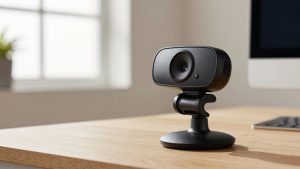
Wirecutter’s 2022 best overall was the Logitech C920s Pro HD webcam for a simple reason: it just worked. Plug it into a work laptop, and Zoom, Teams, Webex, and Meet recognized it without drivers. Dual mics were good enough for a quiet home office, the privacy shutter solved the tape-over-camera problem, and 1080p30 looked sharp in daylight or a decent overhead light.
Who it suits: anyone with a 9-to-5 call load who wants to mount once and forget it. It clamps well to external monitors and laptop lids, and the 78-degree field of view frames one person without showing your whole room. Failure modes to know: in warm lamplight it can look yellow-orange unless you lock white balance, and autofocus will occasionally hunt if you lean in and out or hold paper up to the lens. A $15-20 desk lamp in front of you fixes more than any upgrade.
Be honest about price: if you find a C920, C920e, C920s, or C925e under $70, buy on condition and cable length, not the letter. Image quality differences between them are small for video calls. The business “e” versions just add longer cables and Teams certifications IT departments like.
When the cheaper option is fine
For a second workstation, a kid’s school laptop, or a rarely used hot desk, you do not need the top pick. In 2022, Anker’s 1080p models undercut Logitech by $20-30 and were perfectly usable for talking-head calls. Look for real 1080p30, autofocus, and dual mics. Skip anything that advertises “4K” under $50 – it is almost always upscaled 1080p with worse low-light noise.
Who it suits: occasional users, travel kits, and anyone whose company laptop already has a decent 720p-1080p camera and just needs a better angle on an external monitor. Concrete trade-off: budget autofocus is slower, so if you move around, gesture a lot, or do product demos with your hands, your face will go soft for a second. If you sit still, most coworkers cannot tell the difference between a $45 and $85 webcam after compression.
One practical check: budget webcams often default to a very wide 95-degree view that makes you tiny and shows the messy office. Use the vendor app or OBS to crop to 70-78 degrees. That one change makes a cheap camera look professional.
Upgrade pick for presenting: 4K Logitech Brio-type camera
The 2022 upgrade answer was usually the Logitech Brio 4K webcam. On paper you get 4K30 or very smooth 1080p60, better dynamic range for backlit rooms, and infrared for Windows Hello face login. For managers who present all day, the ability to crop in without turning to mush is genuinely useful.
When it is not worth it: Zoom and Teams compress 4K to 720p-1080p for most participants anyway. Unless you record locally, stream, or sit far from the camera and need digital zoom, you are paying for detail no one receives. It also runs warm and demands USB 3.0 and good light – in a dim bedroom at night, a Brio on auto can look noisier than a good 1080p camera.
Who it suits: presenters, trainers, sellers doing demos, and Windows users who want Hello login on a desktop without a fingerprint reader. If you buy used, test the mechanicals: focus motor noise, mount hinge tightness, and that the mic array does not pick up your monitor fan. Those are the parts that age first.
For Macs and laptops: what actually matters
Wirecutter tested on both platforms, but Mac users in 2022 had specific headaches. Logitech’s older tuning software was inconsistent on macOS, StreamCam features like auto-framing required workarounds, and Apple’s Studio Display camera got criticized for looking soft despite the price. If you use a MacBook with an external display, prioritize UVC-compliant plug-and-play over fancy Windows-only features.
Practical setup: mount the webcam at eye level on the external monitor, not on the MacBook off to the side. Set the call app to 1080p if available, turn off “touch up appearance” plus auto low-light boost at the same time – stacking both creates wax-face. For laptop lids, choose a light camera under 150g with a flat clamp; heavy 4K bricks droop or cover the MacBook’s ambient light sensor.
If you want smoother motion for whiteboard work or live demos, a 1080p60 USB-C webcam for work demos is a better upgrade than 4K. The difference between 30fps and 60fps is immediately visible when you move your hands, while 4K often is not after call compression.
What to avoid from that era
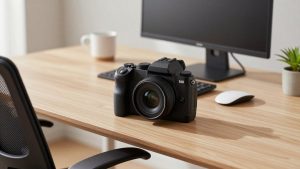
Three patterns failed a lot in 2022 and still show up in clearance bins. First, no-name “4K autofocus” sticks with tiny sensors – harsh sharpening, laggy focus, and mics that pick up keyboard like drums. Second, ultra-wide 120-degree conference cams marketed for solo desks – you look distant and distorted at arm’s length. Third, using a DSLR or GoPro as a webcam for 6 hours a day without a powered dummy battery and clean HDMI – overheating and shutdowns mid-meeting.
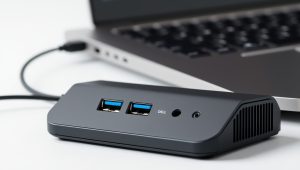
Also check cables and ports. Many 2022 4K models needed USB 3.0 and a direct port, not a cheap unpowered hub. If your office dock is USB 2.0 only, you will be stuck at 1080p or lower no matter what you bought. For work reliability, wired Ethernet, a front-facing light, and a $25 wired earbud mic will improve how you look and sound more than jumping from $80 to $200 on the camera alone.
FAQ
Is the Wirecutter 2022 best webcam still good to buy?
Yes for basic work calls, if the price is right. A 2022-era 1080p top pick still beats most built-in laptop cameras for sharpness and low-light. Just don’t pay 2021 shortage prices – anything over $90 for basic 1080p should be on sale or new-old stock.
Do I need 4K for Zoom or Teams?
No. Most calls are delivered at 720p to 1080p, and 1080p60 often looks better than 4K30 for motion. Buy 4K only if you record locally, need to crop, or want Windows Hello on a desktop.
Why do I look worse on my new webcam than my laptop?
Usually lighting and framing, not megapixels. Face a window or lamp, raise the camera to eye level, move back to arm’s length, and set field of view to 65-78 degrees. Turn off stacked beauty and low-light filters that smear detail.
What is the most reliable upgrade for MacBook home office use?
A plug-and-play UVC 1080p camera on your external monitor plus a simple front light. Avoid models that require Windows-only software for basic exposure and focus, and test mic echo in the actual call app before an important meeting.