Last Updated: October 18, 2026
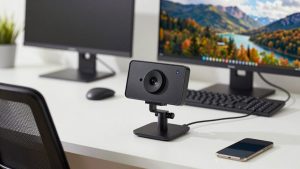
An office conference webcam has a different job than a home-office webcam. It’s not just about looking sharp on Zoom. It has to pick up two to six people at a table, handle harsh overhead lighting, and deliver audio your remote colleagues can actually follow for 45 minutes without fatigue.
I’ve set up cameras in small glass conference rooms, open bullpens, and hybrid offices where half the team is remote. The most common failure isn’t resolution. It’s buying a tight 78-degree personal webcam, putting it at the end of a 10-foot table, and then wondering why remote people can’t hear the person at the far end.
📄 In This Review
What an office conference actually needs
For one person at a desk joining a conference call, a standard 1080p webcam is fine. For two or more people in the same room, you need three things: a wider field of view (90 to 120 degrees), microphones with real range and noise handling, and autofocus that doesn’t hunt when someone leans forward.
Field of view matters most. A 78-degree camera frames one person perfectly. Put three people shoulder-to-shoulder in front of it and the people on the edges get cropped. A 90-degree camera handles 2-3 people. A 110-120 degree camera handles 4-6 people around a small table, but straight lines will bow out at the edges and faces look smaller. That’s the core trade-off: coverage versus presence.
Audio is the second decider. Built-in laptop mics and cheap webcam mics fall apart past 6 feet, especially with air conditioning, keyboard clatter, and room echo. If remote participants keep saying “you’re faint” or “it’s echoey,” a better camera alone won’t fix it.
What to look for before you buy
See also: Best Monitor for MacBook Air: Two USB-C 4K Screens and Six Adapter-Dependent Alternatives • Best Monitor for MacBook Pro: Eight Listings Sorted by Cable, Sharpness and Scaling
Prioritize 1080p at 30fps with good low-light processing over 4K on paper. Most conference platforms compress to 720p or 1080p anyway. A clean 1080p sensor with large pixels will beat a noisy 4K sensor under fluorescent lights. 4K helps if you want digital pan/tilt/zoom or auto-framing without the image falling apart.
Look for dual omnidirectional microphones with noise reduction and a pickup range listed at 10-13 feet, not 3-6 feet. Single-mic cameras are for solo use. For Mac offices, check explicitly for macOS support for the settings app. Many business webcams work as plug-and-play UVC cameras on Mac, but the utility to change field of view, autofocus, or firmware only runs on Windows. That’s a real failure mode in Mac-heavy offices.
Mounting and connection matter more than people expect. A heavy conference camera will tip a thin monitor if the clip is weak. For a shared room, a 1/4-inch tripod thread is useful for mounting on a mini-tripod or wall mount behind the TV. Stick to direct USB-A or USB-C into the room laptop. Running through an unpowered hub or a 15-foot passive extension is a classic cause of freezes and “camera not found” on Monday mornings.
Best options by room type
For a 1-2 person office or hot desk, don’t overbuy. A standard 1080p business webcam with dual microphone is usually enough. You get natural face size, reliable autofocus, and no edge distortion. It’s also easier for IT to support because there’s no remote control or framing modes to explain. The cheaper option is genuinely fine here unless your office is very dark.
For a 2-4 person huddle room, get a wide-angle camera with auto-framing. These use a high-resolution sensor and crop in to keep everyone centered when someone joins or leaves. In practice it works well for small tables and saves you from manually panning. The downside: framing can lag 1-2 seconds, and if someone walks behind the glass wall, the camera may reframe unnecessarily. You also need good overhead light; auto-framing looks noisy in dim rooms.
For a 4-8 person conference room, a personal webcam won’t cut it for audio. You need either a wide-angle wide angle conference webcam with speakerphone combo or a separate camera plus table speakerphone. The all-in-one bar is simpler for staff: one USB cable, one device to select in Teams or Zoom. The split setup sounds better in echoey rooms because the mics sit in the middle of the table, but it’s two devices to manage and someone will unplug the wrong one.
| Setup | Best field of view | Mic range that works | Trade-off |
|---|---|---|---|
| 1 person at desk joining meeting | 78-90 degrees | 3-6 ft, dual mic | Cheap and reliable; too tight for a group |
| 2-4 person huddle room | 90-110 degrees + auto-framing | 10-13 ft, noise reduction | Good coverage; framing can hunt in glass rooms |
| 4-8 person conference room | 110-120 degrees or pan-tilt-zoom | 13-20 ft or separate table mic | Hears the far end; faces look small, needs light |
| Laptop-only hot desking | 78-90 degrees | 3-6 ft | Portable; poor in large rooms, weak speakers |
Common failure modes I see in offices
Autofocus hunting is number one. The camera looks sharp, then pulses soft every 10 seconds because someone has a plant or whiteboard behind them. If your room has that issue, turn off continuous autofocus and lock focus, or move the camera so the background is plain. Fixed-focus wide cameras avoid this entirely, which is why IT departments like them.
Backlight blowout is number two. If the camera faces a window, faces go dark while the window looks perfect. No amount of 4K fixes bad placement. Put the camera with windows to the side, not behind the speakers, and turn on backlight compensation or HDR if the camera has it. It will add some noise, but faces will be visible.
Third is Teams/Zoom selecting the wrong mic. The room laptop sees the TV speakers, the table speakerphone, and the webcam mic as three inputs. Set the conference camera or speakerphone as both speaker and mic in the platform’s settings and lock it as default. Otherwise every update resets to laptop mic and remote people suffer.
Setup that makes a mid-priced camera look expensive
Mount the camera at eye level, centered under or on top of the display remote people appear on. Too high and you get foreheads; too low and you get chins. In a huddle room, a small tripod on the credenza under the TV is often better than clipping a heavy camera to a thin TV bezel.
Light the faces, not the room. A $40 LED panel bounced off the ceiling does more for image quality than jumping from 1080p to 4K. Keep overhead fluorescents on, close blinds behind speakers, and avoid mixed daylight plus warm office light, which turns skin tones green or orange.
If you run Macs in the room, test before you standardize. Plug into a MacBook, open Photo Booth, FaceTime, Zoom, and Teams, and confirm mic, speaker, and camera all show up. Download the vendor’s Mac utility in advance. If there isn’t one, assume the default field of view and image settings are what you’re stuck with. For shared rooms where you need remote control of pan and zoom, look specifically for a PTZ conference room camera with remote control that lists macOS and Teams/Zoom compatibility, not just Windows.
FAQ
Is 4K worth it for office conferences?
Sometimes. 4K doesn’t make Zoom sharper because the platform downscales it. It’s worth it if you need digital zoom or auto-framing in a huddle room, where cropping a 4K sensor still leaves a clean 1080p image. For solo desk use, save the money and get better lighting.
Do I need an external mic for a small conference room?
If everyone is within 6-8 feet and the room is quiet, a good dual-mic webcam is enough. Past 10 feet, or in echoey rooms with hard walls, get a table speakerphone or a camera bar with extended mic range. Remote comprehension drops fast when audio is faint.
Will these cameras work with MacBooks?
Basic video and mic usually work plug-and-play over USB. The catch is the settings app for field of view, zoom presets, and firmware updates — many are Windows-only. If you’re a Mac office, verify Mac software support before buying five of the same camera.
Wide-angle or PTZ for a 6-person room?
Wide-angle fixed is simpler and staff will actually use it: no remote to lose, no presets to set. PTZ is better if one person presents at a whiteboard while others sit, because you can zoom in. For most 6-person table meetings, wide-angle plus a decent table mic is the lower-hassle choice.
Related Reviews & Guides
Ergonomic Chair: Top Picks Compared in 2026
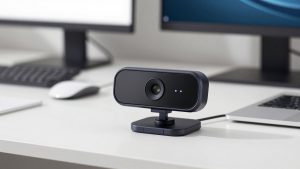
Best Webcam with Microphone and Speaker