Last Updated: October 18, 2026
- What matters more on Mac than on paper specs
- Quick comparison: which type fits you
- Best for most MacBook users: budget 1080p fixed-focus
- Best upgrade for daily calls: mid-range autofocus 1080p/2K
- Best for recording and bright rooms: premium 4K
- Before you buy: try your iPhone
- Setup tips that matter more than specs
- FAQ
If you use a MacBook for work, you have probably seen the problem: your built-in camera is fine in bright daylight and rough everywhere else. Faces go soft, backgrounds blow out, and low light turns grainy fast. An external HD webcam fixes most of that for less than most people expect, but only if you pick one that actually plays well with macOS.
MacBooks are pickier than Windows laptops about drivers, USB power, and how apps like FaceTime, Zoom, and Teams handle external cameras. The good news: most modern UVC-compliant webcams are plug-and-play on Mac. The bad news: autofocus hunting, harsh auto-exposure, and wobbly mounts are common. Here is how to avoid them.
📄 In This Review
- What matters more on Mac than on paper specs
- Quick comparison: which type fits you
- Best for most MacBook users: budget 1080p fixed-focus
- Best upgrade for daily calls: mid-range autofocus 1080p/2K
- Best for recording and bright rooms: premium 4K
- Before you buy: try your iPhone
- Setup tips that matter more than specs
- FAQ
What matters more on Mac than on paper specs
Resolution is the least important spec once you hit true 1080p. What separates a good MacBook webcam from an annoying one is lens quality, auto-exposure control, microphone pickup pattern, and USB compatibility.
Look for UVC plug-and-play with no driver required. Avoid anything that needs a Windows-only app to unlock 1080p, enable autofocus, or turn off beauty filters. On macOS Sonoma and later, those settings are often locked and you will be stuck with defaults. USB-C direct connection or a quality USB-C to USB-A adapter is also important. Many focus and disconnect issues on M1/M2/M3 MacBooks trace back to cheap hubs, not the camera.
Fixed-focus versus autofocus is the biggest trade-off. Fixed-focus 1080p cameras are sharp from about 40cm to 2 meters and never hunt during a call. Autofocus models look sharper for product demos and whiteboards, but cheap ones pulse in and out when you move. If you mostly sit still at a desk, fixed-focus is calmer and cheaper.
For microphones, expect usable, not great. A dual-mic webcam 50-70cm away will beat your MacBook mic for keyboard rejection, but it will still sound distant in a large room. If you take calls all day, budget for earbuds or a USB mic separately.
Quick comparison: which type fits you
See also: Best Monitor for MacBook Air: Two USB-C 4K Screens and Six Adapter-Dependent Alternatives • Best Monitor for MacBook Pro: Eight Listings Sorted by Cable, Sharpness and Scaling
| Type | Typical resolution | Best for | Main downside |
|---|---|---|---|
| Budget 1080p fixed-focus | 1080p / 30fps | Zoom, Teams, students, hot-desking | Weak low light, narrow dynamic range |
| Mid-range 1080p/2K autofocus | 1080p-1440p / 30-60fps | Home office, coaching, frequent presenters | Focus hunting on cheap models, needs good light |
| Premium 4K with large sensor | 2160p / 30fps | Streaming, recording, bright window offices | Price, more CPU load, needs USB 3.0 bandwidth |
| iPhone as webcam (Continuity Camera) | Up to 4K | Occasional calls, travel, zero extra cost | Mount hassle, battery drain, overheating on long calls |
Best for most MacBook users: budget 1080p fixed-focus
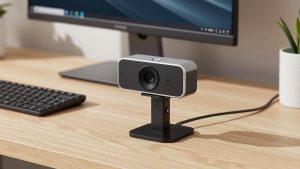
For 80 percent of office calls, a basic budget 1080p webcam with dual microphones is enough. You get a real glass lens, 78-90 degree field of view, and a privacy shutter for $30-$60. Image quality will be clearly cleaner than the built-in MacBook Air camera, especially for skin texture and text on screen shares behind you.
Trade-offs are real. Low-light performance is mediocre. Expect noise after 6pm without a desk lamp. Auto white balance can run warm under LEDs. Field of view is often wider than stated, so a messy room will show. Failure mode to watch: over-sharpening. Cheap sensors add edge halos to compensate, which looks harsh on Retina displays.
Who should buy this: students, remote workers doing 2-4 calls per day, anyone who wants a leave-it-in-the-bag camera for coworking spaces. Honestly, if your lighting is decent, stop here. A $120 camera will not look $90 better in Zoom, which compresses everything to 720p anyway.
Best upgrade for daily calls: mid-range autofocus 1080p/2K
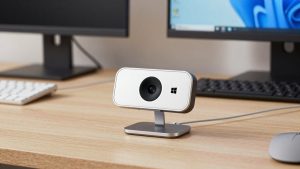
If you present, teach, or sit on video 5+ hours a day, step up to a mid-range autofocus webcam with microphone and privacy shutter in the $70-$130 range. You get faster exposure adjustment when a window is behind you, better microphones with noise reduction, and often 60fps at 1080p for smoother motion.
The difference is stability, not just sharpness. Good models in this class hold exposure when you lean forward, do not blow out your forehead under a ceiling light, and handle backlight without turning you into a silhouette. Many also include a proper tripod thread and longer cable, which helps if you mount on an external monitor.
Failure modes: autofocus breathing during hand gestures, aggressive noise reduction that makes you look waxy, and USB 2.0 fallback if you plug through a monitor hub. Test on a 30-minute call, not a 30-second preview. Move, hold up paper, turn your head. If focus pulses, return it. For MacBook Pro users with a Studio Display or dock, plug direct into the MacBook for the first test to rule out hub bandwidth issues.
Best for recording and bright rooms: premium 4K
A premium 4K webcam for Mac with USB-C makes sense in two cases: you record tutorials or you sit in front of bright windows. The larger sensor captures more detail for cropping to 1080p, and HDR modes preserve both face and window view. For live Zoom alone, most of that 4K is lost to compression, so do not buy it just for sharper meetings.
Expect heavier CPU use and heat. On an M1 MacBook Air, 4K at 30fps plus background blur in Teams can spin fans on Intel models or throttle older Airs. Most people are better off running a 4K camera in 1080p mode for calls and switching to 4K only for QuickTime or OBS recordings.
Mount fit matters more here because these cameras are heavier. MacBook lids are thin. A clamp with a front lip and rubber pads will hold; a gravity-only clip will tilt down slowly during the call. If you use a laptop stand, consider a small tripod behind the MacBook at eye level. It looks more natural and removes lid wobble when you type.
Before you buy: try your iPhone
Apple’s Continuity Camera turns a recent iPhone into a wireless or wired Mac webcam, and in good light it beats every sub-$150 webcam for detail and color. It is ideal for travel or for testing whether an external camera angle helps you.
It is not perfect for daily work. The phone gets hot after 45-60 minutes, notifications can interrupt, and you need a MagSafe or lid mount that holds alignment. Desk View and Center Stage are useful, but Center Stage cropping can look soft in Teams. If you do this daily, keep the phone plugged in and set Do Not Disturb. If that workflow annoys you after a week, buy a dedicated webcam.
Setup tips that matter more than specs
Put a soft light source in front of you, not behind. A $20 daylight LED panel or even a window in front beats any sensor upgrade. Raise the camera to eye level. A MacBook on a desk points up your nose; a $15 stand plus external keyboard fixes posture and framing at once. In Zoom and Teams settings, turn off touch-up and low-light boost first, then judge the camera. Those filters hide focus problems until you record.
If the image flickers under office LEDs, switch from 60fps to 30fps. That usually matches 50/60Hz lighting and stops banding. If audio echoes, you are monitoring speakers too loud for the webcam mic. Use earbuds.
FAQ
Do I need drivers or software on Mac?
No, for most HD webcams. Choose one labeled UVC-compliant / plug-and-play for macOS. If a listing requires a Windows .exe to change resolution or focus, skip it for MacBook use.
Will a 4K webcam work on an older MacBook Air?
Usually yes, but run it at 1080p for calls. Full 4K needs USB 3.0 bandwidth and more processing, which can stutter on Intel Airs or through cheap hubs. Plug direct into the MacBook if you see freezes.
Why do I look washed out with a window behind me?
That is auto-exposure prioritizing the bright background. Move so the window is to your side or in front, close blinds halfway, or choose a camera with backlight compensation. HDR models handle this best.
Is the MacBook built-in camera really that bad?
On newer MacBook Pro models with 1080p FaceTime cameras it is acceptable in good light. An external HD webcam still wins for low light, framing flexibility, and microphone directionality, especially on MacBook Air.