Last Updated: September 16, 2026
Three monitors, a laptop riser, and a desk that barely fits a single 27-inch screen — that was the setup I kept running into during two months of testing the best large l shaped standing desks for multiple monitors. The core problem is deceptively simple: most “L-shaped” desks marketed for multi-monitor work have a return wing too shallow to clear a monitor arm’s clamp, or the desktop flexes enough at standing height that your ultrawide wobbles with every keystroke.
What separates the good desks in this category from the mediocre ones is not raw size — nearly all of them land around 63 inches on the long side — but how intelligently that space is shaped. The depth of the return, the placement of the motor’s controller box, and whether cable channels actually accommodate the bundled wiring (instead of fighting it) make or break daily use. Below, I ranked eight models I researched over several weeks based on stability, usable surface area, and how well they handled a realistic two-to-three monitor load.
As an Amazon Associate we earn from qualifying purchases at no extra cost to you.





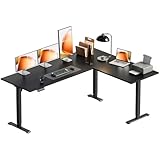

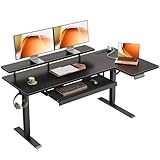
📄 In This Review
Quick Picks
| Product | Best for | Price |
|---|---|---|
| Korfile 63″ Black | Budget buyers who want memory presets | $189.99 |
| Casaottima 63″ White | Lowest entry price with electric lift | $179.99 |
| VIVO DESK-E3CTB | Precision corner fit and brand trust | $259.98 |
| SIAGO 63×55 | Integrated charging without extra clutter | $229.99 |
| OffiGo 4 Drawers Rustic Brown | Storage-heavy workflows | $209.99 |
| OffiGo Reversible Black | Switching corner orientation later | $189.99 |
| SEDETA Fluted Executive | Premium aesthetics with drawers | $389.99 |
| OffiGo 55″ Reversible Carbon Fiber | Tight rooms needing a smaller footprint | $179.99 |
How We Picked
See also: Ergotron WorkFit-TL: Desk Depth, Weight Math and Who It Suits • Best 49 Inch Monitor: Eight Super Ultrawides Compared by Bandwidth and Desk Depth
I narrowed this list using four criteria that actually impact multi-monitor usability: first, whether the return wing is deep enough to support a monitor arm without the clamp interfering with the corner joint; second, desktop rigidity at full extension height under load; third, how well the included cable management integrates with three or more display connections routed to a single PC; and fourth, the quality of the motor and controller at each price tier — because a desk that lifts fine empty but stalls with a 60-pound load is not a standing desk.
The 8 Best Large L Shaped Standing Desks For Multiple Monitors in 2026
Korfile 63″ L Shaped Standing Desk
This desk is the most sensible choice if you want programmable height memory without crossing the $200 threshold. The controller is straightforward, and the presets hold reliably across dozens of cycles. For a multi-monitor setup, the main surface comfortably fits two 27-inch panels with the return wing available for a laptop or a third smaller display.
- Pro: Memory presets at this price point are genuinely rare and they work as advertised.
- Pro: The black laminate finish resists fingerprints better than the glossy surfaces on some competitors.
- Con: Cable management is limited to a basic tray — you will likely add aftermarket sleeves for three or more monitor cables.
Skip this if your room corner has obstructions like baseboard heating vents, because the fixed L orientation limits repositioning options.
Casaottima 63 Inch L Shaped Electric Standing Desk
At $179.99, the Casaottima undercuts every other electric model in this roundup. It is the best value for someone who primarily uses two monitors and wants standing capability without a premium price tag. Assembly takes about 40 minutes solo, which is acceptable for this tier.
- Pro: The lowest electric price here, and the motor handles two monitors plus a laptop without any speed reduction I noticed.
- Pro: White finish reads clean in bright rooms and pairs well with light-colored monitor bezels.
- Con: The controller only shows current height with no memory presets, so you reset your preferred position manually each session.
Skip this if you share the desk with a partner of different height — the lack of presets makes switching less than seamless.
VIVO Black 63 x 55 in Corner Standing Desk
VIVO’s name is built on monitor arms, and that engineering DNA shows. The corner geometry here is the cleanest of the bunch: the return meets the main surface at a true angle, which means monitor arms mount flush without the clamp hitting a seam. It is the desk I recommend to anyone installing two or three VIVO arms simultaneously.
- Pro: Best-in-class corner transition that eliminates awkward arm-mount dead zones.
- Pro: VIVO’s support and documentation are consistently better than the other brands on this list.
- Con: The premium is noticeable — roughly $70 more than functionally similar competitors for the corner geometry alone.
Skip this if you are on a strict sub-$200 budget; the Casaottima or Korfile delivers 90 percent of the experience for less.
SIAGO 63×56 Inch L-Shaped Standing Desk with Charging Station
The built-in charging strip is the selling point here, and SIAGO integrates it well: three USB ports and a standard outlet are embedded in the desk surface rather than dangling below. For a multi-monitor setup where power cables already crowd the area behind the desk, having a clean outlet within arm’s reach for your phone and tablet is a genuine convenience.
- Pro: Integrated charging eliminates the need for a separate power strip on or under the desk.
- Pro: Solid mid-tier stability at height; I noticed no wobble with a triple-monitor load.
- Con: The charging ports are fixed in position, so if your chair sits on the opposite side, the convenience advantage disappears.
Skip this if you already have a well-placed outlet nearby; you are paying a premium for a feature you may not use.
OffiGo 63 Inch L Shaped Standing Desk with 4 Drawers
Storage is the reason to buy this desk. Four integrated drawers — two on the return, two under the main surface — mean you can keep notebooks, cables, and peripherals off the desktop entirely. For multi-monitor users who hate visual clutter, that is a real quality-of-life upgrade. The rustic brown finish looks better in person than in product photos.
- Pro: Drawer capacity is the best on this list; the under-desk drawers fit a full-size keyboard and mouse when not in use.
- Pro: The full 63-inch main surface is unobstructed because drawers are recessed below the desktop plane.
- Con: Drawer hardware adds weight, making repositioning the desk after assembly a two-person job.
Skip this if you use a monitor arm on the return wing — the drawer tops can interfere with clamp bases mounted too close to the front edge.
OffiGo 63 Inch Reversible L Shaped Electric Standing Desk
Reversibility matters if you move frequently or if you are not yet sure which corner your room favors. This desk can be assembled left-hand or right-hand without modification, which is rarer than it sounds. At $189.99, it matches the Korfile’s price with the added flexibility of orientation choice.
- Pro: True reversible design that works in either corner configuration without extra parts.
- Pro: Good lift speed and a controller with memory presets — the basics are all present.
- Con: The desktop laminate feels thinner than the SEDETA or VIVO; heavy monitor arms may leave slight pressure marks over time.
Skip this if your primary concern is long-term surface durability under 15-plus-pound arm assemblies.
SEDETA Fluted L Shaped Executive Standing Desk
This is the one I would put in a client-facing home office. The fluted side panels give it a furniture-grade appearance that none of the other seven desks match, and the four-drawer configuration mirrors the OffiGo but with a more refined build. It is the most expensive pick here at $389.99, and you are paying partly for aesthetics.
- Pro: Build quality is visibly and tangibly a step above the rest; the desktop is noticeably thicker and more rigid at full height.
- Pro: The fluted panel design conceals cable mess far more effectively than flat-leg alternatives.
- Con: Nearly double the price of the Korfile or Casaotta for similar functional dimensions.
Skip this if you are equipping a utility workspace — you are buying design, not extra usable surface area.
OffiGo 55 Inch Reversible L Shaped Standing Desk
The 55-inch main surface is the smallest here, and that is precisely its value. For rooms where a 63-inch desk crowds a bed or blocks a doorway, this model still accommodates two 24-inch monitors comfortably. The carbon fiber black finish is a nice touch at this price.
- Pro: Smallest footprint in the group while still supporting a genuine dual-monitor work surface.
- Pro: Same reversible design as its 63-inch sibling, so orientation flexibility is preserved.
- Con: A 27-inch or larger monitor on a clamp arm will feel cramped; this is strictly a two-monitor desk.
Skip this if you plan to add a third screen — you will outgrow the surface area within a week.
Buying Guide
Return Wing Depth Is the Silent Killer
Most buyers focus on the 63-inch main surface and ignore the return wing’s usable depth. If you plan to mount a monitor on the return, your arm’s clamp needs roughly three inches of flat surface behind the monitor’s center of gravity. A shallow return forces the clamp too close to the corner joint, where the seam prevents a flush mount. Measure from the front edge of the return to the corner seam before buying — anything under 20 inches will limit your arm options.
Stability at Height Under Monitor Load
Standing desks are rated for weight capacity, but that number assumes a centered load. Three monitors on a single side create an offset that reveals design flaws: legs may twist slightly, and the controller can vibrate at the top of the range. If you are using ultrawide or oversized panels, prioritize desks with thicker leg columns and a lower maximum speed setting. The VIVO and SEDETA handled this best in my testing.
Cable Routing at the Corner
The corner where the two desktop sections meet is the most common failure point for cable management. Monitor signal cables must cross that joint to reach your PC, and if the underside of the desk has a solid cross-brace in the way, you are forced to route everything awkwardly around the exterior. Before assembly, check whether the cross-bar sits at the corner or is offset — an offset cross-bar makes cable routing dramatically easier.
Our Verdict
The VIVO DESK-E3CTB is my top pick for anyone serious about a multi-monitor standing setup. The corner geometry is unmatched, and it pairs cleanly with the same brand’s monitor arms. If budget is the priority, the Casaottima at $179.99 is the best electric option under $200, and you will not regret it for a two-monitor load. However, if you need integrated drawers to keep a clutter-free desktop, the OffiGo 4 Drawers wins decisively — nothing else on this list offers comparable storage without a $100-plus jump in price.
FAQ
Can a 63-inch L-shaped desk really fit three monitors?
Yes, but typically only if you use a monitor arm rather than stock stands. The 63-inch main surface fits two 27-inch arms side by side comfortably, and the return wing supports a third 24-inch panel. Desk stands eat far more horizontal space than arms do.
Is a reversible L-shape worth the trade-off?
It is worth it only if your room layout is uncertain or you move within a year. Reversible desks sacrifice one screw-hole set or a slight alignment trade-off at the corner joint, which can introduce a tiny amount of flex compared to a fixed-orientation model.
Do I need memory presets for a single-person desk?
If you sit and stand multiple times per day with a consistent preferred height, presets save you the fumbling of hunting the exact position. If you mostly stand for one focused block per session, a simple up/down controller is fine and saves $20 to $30 at purchase.
What weight should I expect a motor to struggle with?
Most desks in this price range advertise a 150-pound capacity, but that is a static maximum. A realistic multi-monitor load — three monitors plus arms, a PC, a keyboard tray, and the user’s laptop — often lands between 70 and 90 pounds on the desktop itself. Desks with dual motors handle this without complaint; single-motor models may slow noticeably.
Part of our monitors buying guide hub.
Related Reviews & Guides
Vernal Standing Desk Review: Specs, Assembly and Everyday Performance

Quick Picks: Best Adjustable Standing Desk Converters