Last Updated: September 29, 2026
A heavy duty sit stand desk is built to lift 250 to 355 lbs safely, which is roughly double a standard sit-stand desk, using a steel C-frame or T-frame with dual motors and a 3-stage lifting column to handle multi-monitor arms, desktop PCs, and heavy solid-wood tops without wobble or motor strain.
If you run two to three 27-inch monitors on a clamp mount, a full-size PC, and a 1.5-inch thick top, your total load is already 150 to 200 lbs before you add books, speakers, or a printer. A standard 150-180 lb rated desk will struggle at that load, run slow, and fail early. This guide explains how to read weight capacity honestly, what construction actually matters, and which heavy duty sit stand desk type fits your setup.
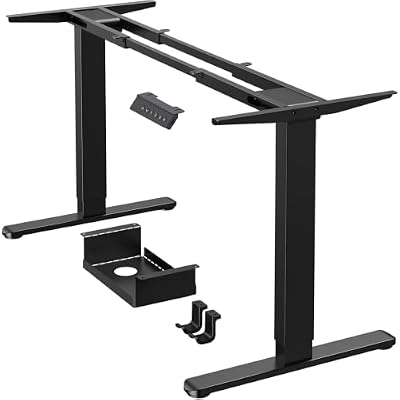
ErGear Dual Motor Standing Desk Legs for 44-90 inch Desktops, 264 lbs
Included for 'Heavy Duty Sit Stand Desk Guide: Weight Capacity and Best Picks' because the listing specifies 264 lbs, details this guide uses to compare options.
View on Amazon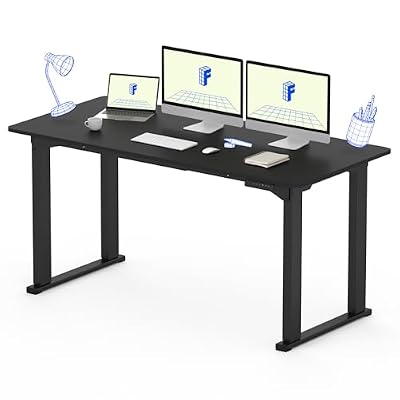
FLEXISPOT 4-Leg Standing Desk, 63"x28", Dual Motor Electric, Black
Included for 'Heavy Duty Sit Stand Desk Guide: Weight Capacity and Best Picks' because the listing specifies 63"x28" and Dual Motor Electric, details this guide uses to compare options.
View on Amazon
FLEXISPOT E6 Pro Large 72" x 30" Organic Modern Bamboo Standing Desk, Electric Dual Motor 3-Stage Height Adjustable Desk with Oval Legs, Heavy Duty 330lbs, Bamboo Desktop, White Frame
Included for 'Heavy Duty Sit Stand Desk Guide: Weight Capacity and Best Picks' because the listing specifies Heavy Duty 330lbs and Bamboo Desktop, details this guide uses to compare options.
View on Amazon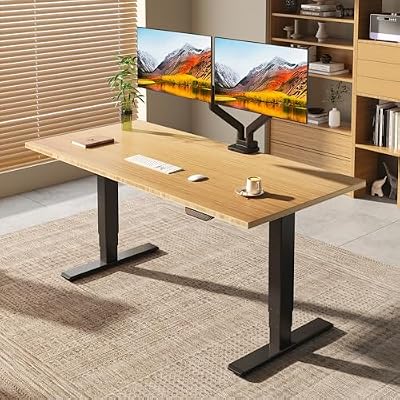
FLEXISPOT E6 MAX 55" x 28" Bamboo Standing Desk, Dual Motor 3-Stage
Included for 'Heavy Duty Sit Stand Desk Guide: Weight Capacity and Best Picks' because the listing specifies Dual Motor 3-Stage, details this guide uses to compare options.
View on Amazon📄 In This Review
How Weight Capacity Is Really Measured
Listed weight capacity is not the same as usable lifting capacity. Most brands list the maximum static load the frame can hold without collapsing, which is higher than the dynamic lifting capacity the motors can raise while moving. For a heavy duty sit stand desk, focus on these three numbers:
- Lifting capacity (dynamic): What the motors can lift while moving. For heavy duty, look for 250 lbs or higher. This is the number that matters for daily use.
- Static capacity: What the desk can hold when not moving. Often 350-500 lbs, but irrelevant if the motors stall at 180 lbs.
- Top weight included: The listed capacity includes the desktop itself. A 60×30 inch solid wood top can weigh 70-95 lbs alone. Subtract that first to get your true equipment budget.
Also check duty cycle: most dual-motor desks are rated for a 10% duty cycle, meaning 2 minutes of movement followed by 18 minutes of rest to prevent overheating. Overloading shortens that window and triggers thermal shutdown.
Frame Construction That Holds Heavy Loads
See also: Best 49 Inch Monitor: Eight Super Ultrawides Compared by Bandwidth and Desk Depth • Working Table for Home: Sit-Stand and L-Shaped Setups Compared
1. Frame Shape: C-Frame vs T-Frame
Both can be heavy duty if built with thick steel, but they behave differently under load. C-frame legs are offset to the back, giving more knee and chair clearance but requiring a heavier base to prevent front-tip. T-frame legs are centered and inherently more stable for front-heavy loads like leaning on the desk or a heavy keyboard tray.
For loads over 250 lbs, insist on a frame with a wide foot depth of 24 to 27 inches and a crossbar or sync rod between legs. Budget single-motor frames without a crossbar will rack and sway at standing height.
2. Column Stages and Height Range
Columns are the telescoping leg segments. Heavy duty desks almost always use 3-stage columns versus 2-stage:
- 2-stage (2 segments): Height range typically 28 to 47 inches, higher minimum height, more wobble at max height, usually cheaper.
- 3-stage (3 segments): Height range typically 22.5 to 48.5 inches, lower minimum for shorter users and more overlap between segments, which means less wobble when loaded and standing.
If anyone using the desk is under 5’6″ or you use an ergonomic chair with a low seat pan, the 22-23 inch minimum of a 3-stage is essential for proper seated elbow height.
3. Motor Power and Why Dual Motors Matter
Weight capacity is almost entirely about motors and control box amperage. A heavy duty sit stand desk needs dual motors – one per leg – each typically 150W to 200W. This provides balanced lifting, keeps the desk level under uneven loads, and halves the strain per motor.
Single-motor desks use a driveshaft to power both legs and are usually capped at 180-220 lbs lifting capacity. They will lift unevenly and slow noticeably with a heavy top. For any setup over 180 lbs total, dual motors are not optional.
Look for a control box rated at 5A to 7A or higher and a lift speed of 1.2 to 1.6 inches per second under full load. If a brand only advertises speed with no load, expect 30-40% slower when loaded.
Real Measurements: Clearance, Fit, and Ergonomics
Heavy duty desks are larger and heavier than standard models. Plan for the actual footprint and movement:
- Room fit: A common 60×30 inch heavy duty desk needs a 72×42 inch clear floor area to allow for chair rollback and leg cables. In a 10×12 ft home office, that leaves room for a bookcase and lateral file but not a second large desk. A 72×30 inch model needs at least 84×42 inches of clearance.
- Height setting: For seated use, top height should be 1-2 inches above your seated elbow height. For most adults 5’4″ to 6’0″, that is 28 to 30 inches. For standing, top height is your standing elbow height – typically 40 to 46 inches. If you are over 6’1″, verify the desk reaches at least 48 inches.
- Monitor clearance: Allow 20-30 inches from eyes to screen. With a 30-inch deep top and a clamp mount, you gain about 6-8 inches of depth versus a monitor stand, which is critical for dual 32-inch monitors.
- Doorway and delivery: The box for a heavy duty frame plus top ships in two boxes totaling 130 to 210 lbs. The longest box is often 58-62 inches long and will not navigate a 28-inch narrow doorway or tight apartment stairwell without being opened first.
Material and Construction Trade-Offs
The top material affects total weight, durability, and stability far more than people expect. A heavier top lowers your remaining equipment capacity but improves dampening and reduces vibration at standing height.
| Desktop Material | Typical Weight (60×30 in) | Durability Under Heavy Load | Best For |
|---|---|---|---|
| Solid Wood (Walnut, Oak, 1.5″) | 75 – 95 lbs | Very high rigidity, resists sag with heavy monitors, can be refinished, sensitive to humidity | Heavy permanent setups, premium home office |
| High-Pressure Laminate on Particleboard (1″) | 45 – 60 lbs | Good sag resistance if frame has center support, resists scratches and moisture, cannot be refinished | Balanced weight and cost, most heavy duty buyers |
| Bamboo (1.5″) | 60 – 75 lbs | Stiffer than particleboard, lighter than solid wood, sustainable, can dent with point loads | Mid-weight heavy setups, eco preference |
| Engineered Wood / MDF with Veneer (1″) | 50 – 65 lbs | Prone to sag over 55″ span without support beam, vulnerable to water damage on edges | Budget picks with full frame support only |
If you choose a 70+ inch top or solid wood, your frame must have an adjustable cross-support beam under the top. Without it, any particleboard top will sag 0.25 to 0.5 inches in the center within a year under 40+ lbs of centered equipment.
Best Picks by Situation
All prices below are general market ranges for frame plus top in 2026. Avoid buying on capacity alone; match the desk to your actual load profile.
For Triple Monitors and a Heavy PC: 300+ lbs Capacity
You need a true heavy duty sit stand desk rated at 310-355 lbs lifting capacity with dual motors and a 3-stage frame. Brands like UPLIFT Desk V2 Commercial and FlexiSpot E7 Plus regularly offer this spec with a 60×30 or 72×30 top, usually $650-$950 depending on top material. Look for a programmable keypad with 3-4 memory presets and anti-collision sensitivity, essential when lifting 200+ lbs near shelving or filing cabinets.
For a Small Apartment or Renter: Compact but Strong
Choose a 48×24 or 55×28 inch frame rated at 250-275 lbs. The smaller top saves 15-20 lbs, giving you more equipment headroom in a tight footprint. Models like the Vari Electric Standing Desk 60×30 and Branch Duo are designed for smaller spaces and usually $550-$800. A compact heavy duty frame still requires a 24-inch deep foot; measure your rug and baseboards first, as the feet will overhang a small mat.
For a Workshop or Creator Setup With Equipment
If you hold audio interfaces, 3D printers, or shop tools, prioritize a steel frame with a 355 lb rating and a solid wood or butcher-block top that can be drilled for clamps. The UPLIFT Desk 4-leg commercial frames and similar 4-leg industrial designs offer the highest stability for side-to-side loads and usually $900-$1,300. These desks need a 20-amp wall outlet nearby and a cable chain, not just zip ties, to manage thick power bricks during height changes.
For Back Pain and Frequent Position Changes
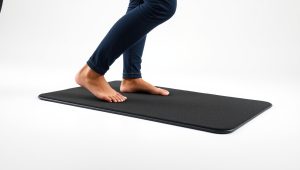
Prioritize height range and speed over max load unless you truly need it. A 3-stage dual-motor desk at 270-310 lbs that moves at 1.4+ inches per second encourages more frequent switches. Add a 0.75 to 1-inch anti-fatigue mat, which adds effective standing height. If your standing elbow height is 44 inches, set the desk to 44.75 inches when the mat is in use.
Decision Matrix: Which Heavy Duty Spec Do You Actually Need?
| Your Situation | Total Load Estimate | Recommended Spec | Why |
|---|---|---|---|
| Dual 27″ monitors + laptop + light accessories | 90 – 130 lbs | Dual motor, 250-270 lbs | More than enough headroom, lower cost and weight |
| Triple monitors on one arm + desktop PC + solid wood top | 160 – 220 lbs | Dual motor, 3-stage, 300-355 lbs | Prevents motor strain and wobble at standing height |
| Renter, 10×10 ft room, needs to move in 1-2 years | 100 – 150 lbs | Dual motor 48-55″ width, 250-275 lbs, 2-piece top option | Lighter boxes (under 140 lbs total), fits through 30″ doors |
| Kids and pets at home, frequent bumps | Any | T-frame, wide feet, low center of gravity, anti-collision | Resists tipping and stops if a chair or pet is underneath |
| Heavy equipment (printer, audio gear) stays on desk | 200+ lbs constant | 355 lbs, 4-leg or commercial C-frame with center beam | Distributes point loads and prevents top sag over time |
Assembly, Moving, and What Wears First
Heavy duty assembly takes 60 to 90 minutes with two people. The frame alone weighs 70 to 95 lbs before the top. You will need a drill for pilot holes if you buy a frame-only option with a custom top, and a 14mm wrench for leveling feet. Do not assemble alone; aligning a 72-inch top to the frame while holding it is a two-person job.
For moving, never drag the desk while standing. Lower it to seated height, remove monitors and PC, and lift from the frame, not the top. The motors and control box are the first failure points under chronic overload – signs are uneven lifting, grinding noise, or a desk that stops 2-3 inches short. The second wear point is the telescoping column glides, which develop lateral wobble after 5-7 years if constantly run at maximum height with a heavy off-center load. Keeping the desk 2-3 inches below its maximum standing height dramatically extends glide life.
Cable management is structural at these weights. Use a flexible cable spine rated for 15+ lbs of cables and mount the power strip to the underside of the top with screws, not adhesive, which fails under heat. Leave a 4-inch slack loop at the floor to avoid pulling the control box during transition.
FAQ
Can I put a 100+ lb solid wood top on any heavy duty frame?
Yes if the frame’s lifting capacity minus the top weight still covers your equipment. A 355 lb rated frame with a 90 lb top leaves 265 lbs for equipment, which is safe. A 250 lb rated frame with the same top leaves only 160 lbs, which may not be enough for a full multi-monitor setup.
Is a higher weight capacity always more stable?
Not automatically. Stability comes from steel gauge, foot depth, and column overlap. A 355 lb desk with narrow 22-inch feet will wobble more than a 275 lb desk with 27-inch feet. Check both numbers.
Do I need a 4-leg desk for heavy use?
Only for workstations over 72 inches wide, L-shaped returns, or loads over 300 lbs where equipment sits near the edges. For a standard 60×30 inch desk, a well-built 2-leg dual-motor frame at 300+ lbs is stable and much easier to fit and move.
Related Reviews & Guides

Best Standing Desks 2026: Top 7 Ranked for Every Budget
60-Inch Standing Desks With Drawers: What Fits Underneath Without Blocking Your Knees