Last Updated: September 29, 2026
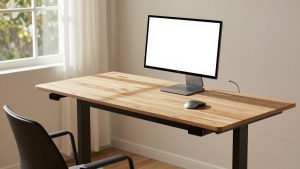
The FlexiSpot Pro Plus Standing Desk E7 is a dual-motor, 3-stage standing desk with a height range of 22.8 to 48.4 inches, a rated load capacity of 355 lbs, and a C-leg frame with an included crossbeam that significantly reduces front-to-back wobble at standing height compared to single-motor or non-crossbeam frames.
It sits in the upper-mid range of the home office market, usually $500–$800 for the frame plus desktop depending on size and material, and is designed for users who want daily sit-stand use with heavy setups like dual monitors on arms, desktop PCs, and larger desktops up to 80 inches wide.

FlexiSpot E6 Bamboo 3-Stage Dual Motor Electric Standing Desk 55 x 28 Sit Stand Up Desk, Holds 220 lbs, Adjustable Height w/ Memory Presets, Solid Bamboo Desktop & White Frame, Ships in 2 Boxes
Included for 'FlexiSpot Pro Plus E7 Standing Desk: Specs, Assembly, and Wobble' because the listing specifies Holds 220 lbs and Adjustable Height w/ Memory Presets, details this guide uses to compare options.
View on Amazon
FLEXISPOT E6 3-Stage Dual Motor Electric Standing Desk 55 x 28 Sit Stand Up Desk, Holds 220 lbs, Adjustable Height w/Memory Presets, One-Piece Black Desktop & Black Frame, Ships in 2 Boxes
Included for 'FlexiSpot Pro Plus E7 Standing Desk: Specs, Assembly, and Wobble' because the listing specifies Holds 220 lbs and Adjustable Height w/Memory Presets, details this guide uses to compare options.
View on Amazon📄 In This Review
FlexiSpot Pro Plus Standing Desk E7 specs at a glance
| Specification | FlexiSpot Pro Plus E7 |
|---|---|
| Leg type | 3-stage, dual motor (one per leg) |
| Height range (without desktop) | 22.8″ to 48.4″ (58 cm to 123 cm) |
| Height range with 1″ desktop | 23.8″ to 49.4″ |
| Load rating | 355 lbs (160 kg) including desktop |
| Travel speed | 1.5″ per second |
| Noise level | <50 dB |
| Frame width adjustment | 43.3″ to 74.8″ (fits 48″ to 80″ desktops) |
| Feet dimensions (per side) | 26.7″ deep x 2.8″ wide |
| Column size | ~2.75″ outer column, inverted design (larger segment at top) |
| Controller | Advanced keypad with 4 memory presets, child lock, anti-collision sensor |
| Desktop sizes offered | 48×24″, 55×28″, 60×30″, 72×30″, 80×30″ |
That 22.8-inch low height matters if you are under 5’4″ or use a low-profile task chair. Most 2-stage desks bottom out around 27-28 inches, which forces shorter users to raise their chair and use a footrest. The E7 can get low enough to keep elbows at 90 degrees without compensation. At the top end, 48.4 inches before adding the desktop is tall enough for users up to about 6’4″ to stand with correct elbow height, even with thick desktop and monitor riser.
Desktop options and what they actually change
See also: Best 49 Inch Monitor: Eight Super Ultrawides Compared by Bandwidth and Desk Depth • Working Table for Home: Sit-Stand and L-Shaped Setups Compared
FlexiSpot sells the E7 as frame-only or bundled with several desktop types. The choice affects weight, durability, and wobble more than the marketing photos suggest.
- Engineered wood (chipboard with laminate): Lightest and most affordable option, typically 45-60 lbs for a 60×30″ top. Flat, consistent finish and good scratch resistance. Less resistant to moisture at the edges if the seal is damaged and cannot be sanded or refinished. Best for controlled home office environments.
- Bamboo: Mid-weight, typically 55-70 lbs for 60×30″. Harder surface than chipboard, better dent resistance, and more sustainable sourcing. Natural variation in grain and color. Handles humidity changes better than solid rubberwood but can still show dents from sharp impacts.
- Solid wood (rubberwood): Heaviest, often 70-95 lbs for 60×30″. Can be sanded and resealed over time, most premium feel. Most sensitive to humidity and temperature swings, which can cause minor movement if not sealed on all sides. Adds mass, which helps dampen vibration at standing height.
Material trade-offs for desktops
| Material | Weight (60×30″) | Durability | Maintenance | Best For |
|---|---|---|---|---|
| Engineered wood / Laminate | 45-60 lbs | High scratch resistance, low dent resistance on edges | Wipe clean, cannot refinish | Budget builds, clean modern look, lighter moves |
| Bamboo | 55-70 lbs | High hardness (approx. 1400 Janka), good dent resistance | Occasional oiling, avoid standing water | Daily heavy use with balanced weight |
| Solid rubberwood | 70-95 lbs | Moderate hardness, repairable surface | Needs sealing, can refinish in 5-7 years | Long-term keep, maximum stability mass |
Heavier tops improve stability. An 80-lb solid wood top on an E7 will sway less when you type aggressively at 46 inches than a 48-lb laminate top of the same size, because the added mass lowers the center of vibration. If you plan a large 72×30″ or 80×30″ setup with two or three monitors on a single arm, prioritize bamboo or solid wood if your floor is not perfectly level.
How stable is the C-leg frame and crossbeam at standing height?
The E7 uses a C-leg design where the feet extend forward and back from the column, with a horizontal crossbeam connecting the two legs near the top of the frame. That crossbeam is the key difference between this and cheaper T-frame or beamless designs.
- Sitting height (28-30″): Virtually no perceptible wobble. The 3-stage columns are fully nested and overlap is at its maximum. Typing, writing, and monitor arm movement feel like a fixed desk.
- Standard standing height (40-44″): Minor front-to-back movement if you lean hard on the desk or type with heavy force. Side-to-side movement is well controlled by the crossbeam. For most people at 42 inches, a glass of water will not ripple from typing alone.
- Maximum height (47-49″): Noticeable sway if you apply lateral force, like pushing off the desk to stand or using a heavy monitor arm at full extension. This is true for almost all 3-stage desks at full extension due to column tolerance. The E7’s inverted leg (wider at the top) and crossbeam keep it better than two-stage, non-crossbeam models, but physics still applies. Avoid putting a desktop tower directly on a high, fully-extended top if you are sensitive to sway.
Clearance and room fit: Each foot is 26.7 inches deep. You need at least 30 inches of depth from the wall to allow the feet and anti-collision sensor to work, plus another 24-30 inches behind the desk if you use an office chair that reclines. In a typical 10×12 ft bedroom office, a 60×30″ E7 leaves about 36-42 inches of clearance on the sides for a bookshelf or filing cabinet and still allows the desk to traverse its full height without hitting window sills. An 80×30″ top in the same room will leave only about 16-20 inches on each end if centered on the 10-foot wall, which makes it difficult to access the side edges for cable management.
To reduce wobble further, keep the heaviest items centered over the legs, not at the front edge, and use a monitor arm clamped near the rear crossbeam line rather than at the extreme side. If your floor is uneven, adjust the leveling glides under the feet before calibrating the height; an unlevel frame amplifies sway dramatically.
Assembly: what is in the boxes, tools, and time
The E7 ships in two to three boxes: one long, heavy frame box and one or two desktop boxes if bundled. Expect real-world weights that affect how you move it.
- Frame box: Typically 75-85 lbs, about 45 x 15 x 9 inches. Requires two people to carry up stairs safely. It will fit through any standard 30-inch interior doorway but is awkward due to weight concentration.
- Desktop box (60×30″ example): 50-95 lbs depending on material, about 62 x 32 x 4 inches. This box does not fit around tight hallway corners easily. Measure stairwell turns and elevator doors before delivery if you live in an apartment.
- Tools included: Allen keys, wrench, and all screws. You will still need your own Phillips screwdriver and ideally a power drill with low torque for pilot holes in solid wood or bamboo tops.
Assembly steps in order
Plan for 60 to 90 minutes with two people, 90 to 120 minutes alone. A power drill will cut that by 20 minutes but is not required.
- Step 1 – Unpack and inventory: Lay out legs, feet, crossbeam, side brackets, controller, and hardware on carpet or cardboard to avoid scratching. Do not remove the protective end caps on the columns until installation.
- Step 2 – Assemble the base frame upside down: Attach feet to legs with the included bolts, then connect the crossbeam between the legs. The crossbeam telescopes to match your desktop width; set it to the marked length for your top size and tighten evenly on both sides.
- Step 3 – Mount side brackets and center support: Attach the two C-shaped side brackets that support the desktop. These determine front-to-back overhang.
- Step 4 – Attach desktop: With help, flip the desktop face-down and place the assembled frame on top. Align pre-drilled holes if using a FlexiSpot top. For frame-only builds with a custom top, you will need to drill your own pilot holes. Center the frame left-to-right and leave about 0.5 to 1 inch overhang on the sides and front for comfort.
- Step 5 – Install controller and cable management: Mount the keypad on your preferred side, clip the motor cables along the crossbeam, and connect the power supply. Keep cables away from the moving columns.
- Step 6 – Flip, level, and calibrate: With a second person, flip the desk upright. Adjust the leveling feet until the desk does not rock, plug in, and hold the down button until the desk lowers to its minimum and resets. Test the anti-collision by raising to mid-height and lightly blocking travel.
What wears first: The keypad membrane and cable clips are the most common wear points after 2-3 years of daily use. The motors and columns themselves are rated for thousands of cycles. Keep dust out of the columns and avoid exceeding the 355-lb rating including everything on the desk, not just equipment. Overloading shortens motor life and voids the warranty.
Should you choose the E7? A decision matrix
The E7 is not the right value for every situation. Use this to map your situation to the best choice.
| Your Situation | Is the E7 a Good Fit? | Why / Alternative |
|---|---|---|
| Small apartment, move yearly, tight doorways | Maybe not | Heavy frame and large desktop boxes are hard to move. Consider a 2-stage 48×24″ frame without crossbeam for lighter weight and smaller boxes. |
| Kids and pets, frequent bumps | Yes | Crossbeam and high load rating handle climbing, leaning, and accidental impacts better than lightweight frames. Choose bamboo or laminate for easier cleaning. |
| Renter, cannot damage floors | Yes | C-leg with large leveling glides distributes weight well. Add felt pads under glides to protect hardwood and allow height changes without floor marks. |
| Back pain, alternating sit-stand all day | Yes | Wide height range and 4 memory presets make frequent transitions easy. Low minimum height supports proper ergonomics for shorter users. |
| Ultra-budget or very light use (laptop only) | No | A single-motor desk in the $300–$450 range will handle a laptop and single monitor without the cost and weight of the E7. |
| Very tall user over 6’3″ or heavy multi-monitor setup over 200 lbs | Yes | 48.4-inch max height and 355-lb rating are among the highest in this price range. Pair with a 72″ or 80″ solid top for mass and stability. |
Durability and moving realities
The E7 frame is steel with a powder-coated finish. The finish resists scratches but will chip if dragged across concrete during a move. Always remove the desktop before moving the frame. The desktop attachment screws can loosen over time if you roll the desk or repeatedly adjust height with a heavy uneven load; check and retighten them every 6 to 12 months.
Cable management is essential for a standing desk. Leave a service loop of 6 to 8 inches of slack for power and monitor cables at the rear, and use the included tray or an aftermarket under-desk tray so cables never pull taut at full height. A cable that snags at 48 inches can tip a monitor arm or damage the controller.
FAQ
Do you need the crossbeam? The E7 includes it and it should be installed. It adds about 5 minutes to assembly and prevents the legs from independently flexing side-to-side. Removing it to save space under the desk increases wobble.
Can you use your own desktop? Yes, any top between 43 and 80 inches wide and 24 to 36 inches deep that can support the screw pattern will work, provided it is flat, at least 0.75 inches thick, and under the weight limit including equipment. Solid-core doors, butcher block, and office tops are common choices.
How much ceiling clearance do you need? Measure from the floor to the lowest obstruction like a shelf or sloped ceiling. Add the desk height at standing level plus monitor height. For a 72-inch-tall person standing at 44 inches with a 20-inch-tall monitor on the desk, you need at least 64 inches of clear height above the floor, more if you mount monitors on an arm.
Related Reviews & Guides
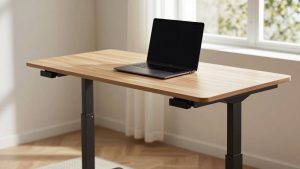
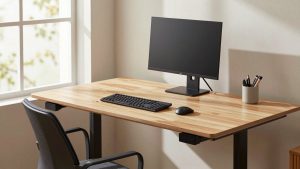
Electric Sit-Stand Height Adjustable Desks: What the Specs Mean
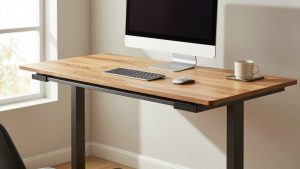
60-Inch Standing Desks With Drawers: What Fits Underneath Without Blocking Your Knees