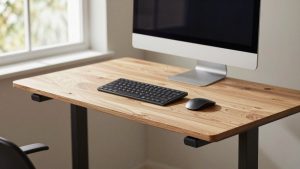
Last Updated: September 29, 2026
The Uplift V2 L-Shaped standing desk comes in two structurally different versions: a 3-leg configuration that shares a single center lifting column between the main surface and the return, and a 4-leg V2-Commercial configuration where each side has its own pair of legs. That difference changes weight capacity, wobble under load, and how much wall space you actually need — which matters more than the desk’s price when you’re fitting it into a real room corner.
📄 In This Review
3-Leg V2 vs 4-Leg V2-Commercial: what actually changes
Both versions use Uplift’s V2 lifting columns and the same electronic controller, so lift speed and height range are identical. The difference is in the frame that supports the corner.

UPLIFT DESK V3 2-Leg Black Laminate Wood Standing Desk – Adjustable Height, Advanced 1-Touch Memory Keypad, Under Desk Cable Management, Wire Grommets & Rocker Board (Black C-Frame, 60 x 30 inch)
Included for 'Uplift V2 L-Shaped Standing Desk: Corner Fit, Stability, and Setup' because the listing specifies Adjustable Height and Advanced 1-Touch Memory Keypad, details this guide uses to compare options.
View on Amazon
VIVO Black 63 x 55 in Corner Standing Desk, DESK-E3CTB
Included for 'Uplift V2 L-Shaped Standing Desk: Corner Fit, Stability, and Setup' because the listing specifies DESK-E3CTB, details this guide uses to compare options.
View on AmazonThe 3-leg version puts one leg at the outer corner of the main desktop, one at the far end, and relies on a diagonal support bracket to hold up the return (the shorter side piece). That bracket is rigid, but because the return is only anchored at one end, it flexes more under load — noticeable if you rest a forearm on the far edge of the return or stack monitor arms there.
The 4-leg V2-Commercial adds a second full leg pair under the return, so both the main desktop and the return are independently supported and can lift in sync without one side sagging. It also raises the per-leg weight rating, which matters if you’re mounting dual monitor arms, a monitor light bar, and a laptop dock all on the same surface.
| Spec | 3-Leg V2 L-Shaped | 4-Leg V2-Commercial |
|---|---|---|
| Legs | 3 (shared center column) | 4 (independent columns per side) |
| Weight capacity | ~200 lbs total | ~275–355 lbs (frame-dependent) |
| Return support | Diagonal bracket, single anchor point | Full leg pair, dual anchor points |
| Wobble at max height | Noticeable at desktop edges under load | Minimal, even loaded |
| Typical price range | Usually $700–$1,000 | Usually $950–$1,300 |
| Best for | Light dual-monitor setups, laptop + one screen | Multi-monitor arms, heavier gear, shared/commercial use |
If your setup is a laptop and a single monitor, the 3-leg version holds up fine. Once you’re clamping monitor arms directly to the desktop — especially near the return’s outer edge — the 4-leg frame is the better long-term choice because that’s the point where the 3-leg bracket flexes most.
Return dimensions: 60/72 x 30 and what they mean for your corner
See also: Best 49 Inch Monitor: Eight Super Ultrawides Compared by Bandwidth and Desk Depth • Working Table for Home: Sit-Stand and L-Shaped Setups Compared
The return (the perpendicular side piece that completes the L) ships in a 24″ x 24″ corner size on some configurations, but the more common Uplift return pairing is a 30″-deep return matched to a 60″ or 72″ main desktop. The numbers in “60/72 x 30″ refer to the main surface width (60″ or 72″) by its depth (30″), with the return itself typically running 24″–30” deep to match.
Depth matters more than most buyers expect. A 30″ desktop depth accommodates a standard keyboard tray plus monitor arm clamp space without the arm base hanging off the back edge — a common problem with 24″-deep desktops once you add a monitor arm.
Wall length needed by hand orientation
Because the L-shape is asymmetric, the wall space you need changes depending on whether you order a left-hand or right-hand return, and that determines which corner of a room the desk actually fits.
| Configuration | Wall A (main desktop) | Wall B (return) | Total corner footprint |
|---|---|---|---|
| 60″ main + 24″ return | 60″ | 24″ | ~64″ x 64″ usable corner |
| 60″ main + 30″ return | 60″ | 30″ | ~65″ x 65″ usable corner |
| 72″ main + 24″ return | 72″ | 24″ | ~75″ x 75″ usable corner |
| 72″ main + 30″ return | 72″ | 30″ | ~76″ x 76″ usable corner |
The “total corner footprint” numbers above include roughly 3″–4″ of clearance for the desk’s corner bracket overlap. In a 10×12 ft room (120″ x 144″), a 72″x30″ main with 30″ return leaves about 68″ of remaining wall on the long side and plenty of walking clearance if the desk sits in a corner rather than centered on a wall. In smaller rooms — anything under 10×10 ft — the 60″ main desktop is the safer fit, since the 72″ version starts to crowd a doorway swing or closet door in a standard bedroom-office.
Left-hand vs right-hand orientation doesn’t change the footprint math, but it does determine which wall the return sits against. Measure both candidate walls before ordering, because Uplift’s return orientation is set at purchase and isn’t reversible without buying a new return panel.
Why assembly runs 90+ minutes
Uplift lists assembly time around 45–60 minutes for the straight desks, but the L-shaped V2 routinely runs 90 minutes or more, and that’s not a knock on the instructions — it’s the corner bracket and the extra leg that add real steps.
- Two crossbars instead of one — the main desktop and return each need their own crossbar attached and leveled before the corner bracket can tie them together.
- Corner bracket alignment — this is the step that eats time. The bracket has to sit flush on both desktop pieces or you’ll get a visible gap or uneven seam at the corner, so most of the extra 30–45 minutes goes into shimming and re-checking this joint.
- 4-leg version adds a second lifting column wiring run — the V2-Commercial’s independent leg pairs mean routing the sync cable between two motor columns instead of one, plus a second column to plumb vertically before attaching the desktop.
- Box weight and count — the L-shaped kit ships in 2–3 boxes, with the heaviest (the steel frame box) running 50–70 lbs. Doorway clearance matters here too: those boxes are long and narrow, generally fitting through a standard 32″ interior door, but awkward to carry solo up stairs.
Budget the full 90 minutes with two people if possible — one to hold the corner bracket square while the other drives screws. Solo assembly is doable but the corner alignment step is genuinely easier with a second set of hands holding the return steady.
Adjustable height and keyboard tray considerations
Like most adjustable height L-shaped standing desks, the Uplift V2 lift range runs roughly 25.5″ to 51″, which covers sitting and standing use for most adult heights without an add-on riser. If you’re comparing against something like a Eureka Ergonomic L-shaped standing desk, the practical differences show up in frame rigidity and motor sync more than in the height range itself — most competing frames in this category cover a similar 25″–51″ span.
An L-shaped standing desk with a keyboard tray isn’t standard on the Uplift V2 — the keyboard tray is a separate accessory that clamps under the main desktop. Mounting it on the main surface rather than the return keeps the return free for a second monitor or a printer, which is generally the better layout since keyboard trays and corner brackets can conflict for clamp space if mounted too close to the corner seam.
Which version to pick
| Your situation | Pick |
|---|---|
| Single monitor + laptop, budget-conscious | 3-leg V2, 60″ main / 24″ return |
| Dual monitor arms, want zero wobble | 4-leg V2-Commercial, 72″ main / 30″ return |
| Room under 10×10 ft | 60″ main, either leg configuration |
| Shared or commercial workspace, daily heavy use | 4-leg V2-Commercial (higher duty cycle rating) |
| Renting, may need to disassemble and move | 3-leg V2 — fewer bolts, faster to break down |
For most home offices, the 60″x30″ main with a 24″ or 30″ return on the 3-leg frame is the balance point: enough surface for a real dual-monitor setup, a corner footprint that fits a standard bedroom-office, and an assembly job that, while still over an hour, doesn’t add the second lifting column’s wiring step.
Related Reviews & Guides


Electric vs Manual Standing Desk: Which Is Right for Your Home (2026)
Vari Electric Standing Desk 48×30: Specs, Features and Value