Last Updated: October 18, 2026
A laptop webcam does not work in a conference room. The field of view is too narrow, the microphone only hears the person typing, and remote people spend the whole call saying “can you repeat that?” A proper conference room webcam with microphone solves two problems at once: it gets everyone in frame without squeezing together, and it picks up voices from 10-15 feet away without a separate audio mess.
I have tested these setups in small huddle rooms and in larger office rooms with hard walls and HVAC noise. The pattern is consistent: the camera matters less than you think, the microphones and speaker matter more. Most returns happen because someone bought a wide-angle webcam meant for a desk and expected it to cover a 12-person table.
📄 In This Review
What makes a conference room webcam different
A desk webcam is built for one face, 2-3 feet away. A conference room unit is built for 3-10 people spread across a table. That means a 105 to 120-degree field of view, a microphone array with 12-20 foot pickup, and a loud enough speaker that you do not need a separate speakerphone. Many also have auto-framing or speaker-tracking, which digitally crops and pans to whoever is talking.
The main trade-off is USB plug-and-play versus a full room system. A USB all-in-one is simple: plug into the room laptop and join Zoom, Teams, or Meet. No IT setup, works on Mac and Windows. A full Teams Rooms or Zoom Rooms system is better for a company with 20 rooms, but it is overkill and expensive if you just need one room to work reliably.
Before you buy, measure two things: the distance from camera to the farthest chair, and how noisy the room is. Glass walls, concrete floors, and ceiling vents kill cheap mics. If your room echoes, prioritize noise reduction and an expandable mic over 4K resolution.
Quick comparison
See also: Best Monitor for MacBook Air: Two USB-C 4K Screens and Six Adapter-Dependent Alternatives • Best Monitor for MacBook Pro: Eight Listings Sorted by Cable, Sharpness and Scaling
Do not shop by resolution alone. A 1080p unit with good mics will beat a cheap 4K unit in a real meeting every time. Use this to match the hardware to your room size:
| Room type | What to buy | Field of view | Mic pickup | Watch out for |
|---|---|---|---|---|
| Huddle room, 2-4 people | Wide-angle USB webcam with dual mics | 105-110 degrees | 8-12 ft | Weak speaker, needs to sit close to table center |
| Small-medium, 4-7 people | All-in-one video bar with mic array + speaker | 110-120 degrees, auto-framing | 12-18 ft | Auto-framing can be jumpy in low light |
| Medium-large, 7-12 people | Video bar with expansion mic support | 120 degrees + pan/tilt/zoom | 20+ ft with add-on mic | Needs USB extension or hub planning for cable run |
| Flexible / hot-desk room | Portable 360 center-table camera | 360 degrees | 10-15 ft all around | Faces look distorted at edges, confusing for large groups |
Best for small huddle rooms: wide-angle USB webcam
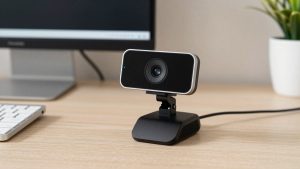
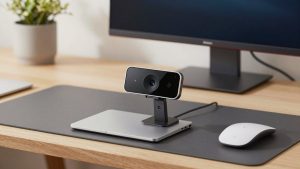
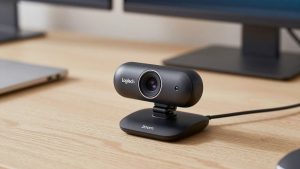
If your room is basically a small office with a round table for three people, you do not need a $800 video bar. A wide-angle USB webcam with a built-in stereo mic is fine, provided you place it correctly. Put it in the middle of the table on a small tripod or monitor-mounted at the far end, not 8 feet away on a shelf.
What to look for: 105-degree or wider lens, dual noise-canceling mics, autofocus, and Works with Teams / Zoom certification. 1080p at 30fps is enough. 4K helps if you use digital zoom, but in a small room you rarely zoom.
Failure mode: people put the camera on the display and sit 8 feet back. Then faces are tiny and mics sound hollow. In testing, moving the same camera 3 feet closer improved intelligibility more than upgrading to a more expensive model. If you browse wide angle conference webcams with microphone, stick to models that list mic pickup distance explicitly. No spec usually means short pickup.
Who suits: 2-4 person rooms, hybrid teams that bring their own laptop, Mac mini-based rooms. Cheaper option is genuinely fine here. Spend the savings on lighting or a table extension cable.
Best for most offices: all-in-one video bar
For a 4-7 person room, the sweet spot is an all-in-one video bar: wide camera, 4-6 mic array, and full-duplex speaker in one enclosure that sits under the TV. You plug one USB cable into the room computer and you are done. Good ones have auto-framing that zooms to the active speaker and noise suppression that cuts keyboard clatter and AC hum.
Trade-offs: auto-framing is useful but not perfect. In low light or with glass behind you, it can hunt back and forth. Turn off continuous tracking if it distracts remote viewers and use group framing instead. Speaker quality also varies a lot. Cheap bars sound tinny at full volume and cause echo when someone remote talks loudly. Look for full-duplex audio and acoustic echo cancellation, not just “built-in speaker.”
Mac compatibility is usually fine over USB, but check the companion app. Some auto-framing and firmware settings only adjust on Windows. If you run the room off a MacBook, set it up once on Windows or verify the web app supports it. When comparing options for all-in-one conference room video bars, prioritize mic beamforming count and speaker wattage over extra camera megapixels.
Best for large rooms: expandable system with add-on mic
Once you pass 8 feet from camera to farthest speaker, a single bar struggles. Voices get quiet, the room echo increases, and people start leaning in to talk. For medium-large rooms, buy a system that supports an expansion microphone or daisy-chained speakerphone.
The setup is still USB, but you run a wired pod mic to the middle or far end of the table. That shortens the distance to each mouth from 12 feet to 3 feet, which matters more than any AI noise removal. Some systems support two pods for U-shaped tables.
Failure modes here are cabling and power. Long passive USB cables cause dropouts. Plan for an active USB extension or a room PC close to the bar. Also confirm table grommets: no one wants a mic cable trailing across the floor. If you need this class, search for conference room cameras with expansion microphone and check what is in the box. Many brands sell the pod separately, which adds $100-$200.
Who suits: 7-12 person boardrooms, training rooms, town-hall style spaces. Do not try to stretch a huddle-room camera to cover this. You will end up buying twice.
Setup mistakes that ruin even good hardware
Most bad conference audio is placement, not product quality. Mount the camera at eye level, not high above the TV. People look unnatural and mics pick up more ceiling reflection when it is mounted at 7 feet. If you must mount high, tilt it down and bring a table mic closer.
Second, mute the laptop speakers when using the bar speaker. Double audio paths cause echo that Teams and Zoom can only partly cancel. Third, turn off heavy beauty filters and auto-exposure compensation in bright rooms with windows behind the table. Close blinds or face the table away from windows. A $400 camera backlit by a window will look worse than a $120 camera with controlled light.
For Mac rooms, test the exact adapter chain. USB-C hubs with HDMI plus camera plus Ethernet can starve the camera for bandwidth. Plug the conference webcam directly into the Mac where possible, especially for 4K modes.
FAQ
Do I need 4K for a conference room?
Not always. 1080p is fine for huddle rooms. 4K helps in larger rooms because auto-framing crops into the sensor without losing sharpness. Prioritize mic pickup and speaker quality first, then get 4K if the price gap is small.
Can I just use a laptop plus a separate speakerphone?
Yes, and it often sounds better than a cheap video bar in echoey rooms. The downside is two devices to manage and narrower camera angle. If you already own a good speakerphone, a wide-angle USB webcam can be the cheaper upgrade.
Will these work with Zoom, Teams, and Meet on Mac?
Most USB conference webcams are plug-and-play on Mac and Windows with all three platforms. Advanced features like presets, tracking modes, and firmware updates sometimes require a Windows app. Check the manufacturer’s support page before buying for a Mac-only room.
What pickup range do I actually need?
Add 3-4 feet to your farthest chair distance. If the farthest person sits 10 feet from the camera position, buy something rated for 13-15 feet. If no rating is listed, assume it is built for desktop use and will be too quiet.