Last Updated: September 4, 2026
- Quick Comparison
- Top Picks at a Glance
- How Mouse Bungees Work (and Why the Spring Stiffness Matters)
- Mouse Bungee Spec Comparison
- Bungee Placement: Getting the Height and Position Right
- Wired Mouse vs. Wireless: Is a Bungee Still Worth Buying?
- Cable Management Integration
- FAQ: Mouse Bungees
- Frequently Asked Questions
- About the Author
- Related Articles
- Top Pick: HOTLINEGAMES Mouse Bungee Mouse Cord Clip Cord Management System Fixer Holder for Esports FPS Game (3.0 Blue)
- Best Value: Hotline Games Mouse Bungee Mouse Cord Clip Cord Management System Fixer Holder for Esports FPS Game (3.0 Black)
- Premium Choice: Sisyphy Gaming Mouse Bungee, Mouse Cord Holder and Cable Management Device (Primium Version 360g, Black)
As an Amazon Associate we earn from qualifying purchases at no extra cost to you.

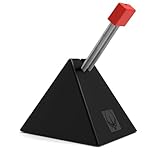

![HOTLINEGAMES [NEW] Mouse Bungee, Mouse Cord Clip Cord Management System Fixer Holder for Esports FPS Game (Black-Orange)](https://m.media-amazon.com/images/I/31NcLcJ-a3L._SL160_.jpg)

Best Mouse Bungee for Gaming and Office 2026: Why Serious Desk Workers Are Finally Paying Attention to This $15 Upgrade
Quick Answer / TL;DR
A mouse bungee holds your wired mouse cable off the desk surface, eliminating drag and snag that affects precise cursor movement. The Zowie Camade II is the benchmark for gaming. For office use where desk real estate and aesthetics matter more than competitive response time, the Razer Mouse Bungee V3 and ENHANCE bungee are cleaner solutions. Either way: if you use a wired mouse and it’s not on a bungee, you’re fighting friction you don’t notice but your wrist does.
Mouse bungees are a niche product that most office workers have never considered, even though they’ve probably felt the problem the bungee solves. The slight resistance when your mouse cable catches the desk edge, the microsecond of drag when the cable tension pulls back against a fast mouse movement, the unconscious adjustment your hand makes to compensate — all of this accumulates over 8+ hours into measurable wrist fatigue.
For gamers, this is well understood: competitive players have used bungees for years to eliminate cable interference that affects aim. For office workers using precision mice for design, video editing, or CAD work, the same principle applies. This guide covers both use cases, the specs that matter, and how bungee choice interacts with your desk mat setup.
🛒 Best Price Today on Amazon
Prime members get fast, free shipping on everything above, plus member-only deals. New members get a 30-day free trial — cancel anytime.
Start 30-Day Prime Free Trial →See Today’s Amazon Deals📄 In This Review
- Quick Comparison
- Top Picks at a Glance
- How Mouse Bungees Work (and Why the Spring Stiffness Matters)
- Mouse Bungee Spec Comparison
- Bungee Placement: Getting the Height and Position Right
- Wired Mouse vs. Wireless: Is a Bungee Still Worth Buying?
- Cable Management Integration
- FAQ: Mouse Bungees
- Frequently Asked Questions
- About the Author
- Related Articles
Quick Comparison
| Product | Brand | Price | Rating |
|---|---|---|---|
| TALONGAMES Mini Bungee PC Gaming Mouse Cable Cord Manag… | TALONGAMES | $9.99 | 4/5 |
| Razer Gaming Mouse Bungee v2: Drag-Free Wired Mouse Sup… | — | — | 4.8/5 |
| Razer Gaming Mouse Bungee V3 Chroma: Drag-Free Wired Mo… | — | $39.99 | 4.7/5 |
| Razer Gaming Mouse Bungee V3: Drag-Free Wired Mouse Sup… | — | $31.99 | 4.7/5 |
| DELTAHUB Carpio 2.0 – Right-Handed Truly Ergonomic Wris… | DELTAHUB | $39.9 | 4.2/5 |
Top Picks at a Glance
See also: Logitech K120 Full Size Wired Keyboard vs Amazon Basics Wired QWERTY Keyboard: Which Should You Buy? • How to Choose Wired Keyboards: What Actually Matters
BEST FOR GAMING
Zowie Camade II — stiff spring arm, flat base grips any surface, simple and reliable
~$29.99
BEST FOR OFFICE
Razer Mouse Bungee V3 — clean design, RGB optional, weighted base, works with any cable
~$24.99
BEST BUDGET
ENHANCE Mouse Bungee — flexible arm, rubberized base, cable clip included, under $15
~$13.99
How Mouse Bungees Work (and Why the Spring Stiffness Matters)
A mouse bungee holds your cable at a fixed elevated point using a spring-loaded arm. The cable runs from your mouse, up through the bungee clip, and then drops straight down to the USB port. The key physics: the cable hangs freely between the mouse and the bungee clip, so mouse movement doesn’t pull against a cable dragging on the desk surface.
Spring arm stiffness: This is the most important spec and the one most buyers don’t consider. A stiff spring arm (Zowie Camade II) keeps the cable consistently elevated regardless of direction — the cable never sags onto the desk surface even during fast lateral sweeps. A flexible arm (ENHANCE, most budget options) provides basic lifting but can deflect during aggressive mouse movements, briefly allowing cable drag. For gaming, stiff wins. For office work with moderate mouse speed, flexible is fine.
Base weight and grip: The bungee base needs to stay put when the cable pulls against it. Weighted bases (Razer at ~300g) don’t move. Light bases with rubber pads (ENHANCE) work on textured desk mats but can slide on polished glass or smooth wood desks. If you use a bare glass or acrylic desk, prioritize base weight over everything else.
Mouse Bungee Spec Comparison
| Spec | Zowie Camade II | Razer Bungee V3 | ENHANCE Bungee |
|---|---|---|---|
| Spring arm stiffness | High (rigid spring) | Medium | Low (flexible) |
| Base weight | ~180g | ~300g | ~90g |
| Base grip | Rubber feet | Rubber base | Rubber pads |
| Cable clip type | Adjustable hook | Locking clip | Spring clip |
| RGB | No | Optional (Chroma) | No |
| USB passthrough | No | No | No |
| Cable diameter range | Up to ~4mm | Up to ~5mm | Up to ~4mm |
| Best surface | Desk mat | Any surface | Desk mat |
| Price | ~$29.99 | ~$24.99 | ~$13.99 |
Bungee Placement: Getting the Height and Position Right
Placement is where most bungee users underperform the product’s potential. Position matters as much as the bungee itself.
- Horizontal position: Place the bungee directly above or slightly behind the cable exit point of your mouse (where the cable leaves the mouse body). For most right-handed users, this is slightly left-of-center on the desk. The cable should hang in a gentle U-curve from the mouse to the bungee — if it’s pulling taut upward, the bungee is too far away; if it loops back down and drags on the desk, it’s too close.
- Arm height: Adjust the arm so the cable hangs with approximately 2–3 inches of slack between the mouse and the bungee clip at your default hand position. Too much slack allows cable sag; too little creates constant upward tension on the mouse cable exit.
- On a desk mat: Position the bungee base entirely on the mat surface — the rubber base grips fabric mats without sliding. See the extended desk mat guide for sizing recommendations. An XL desk mat that covers the full mouse area simplifies bungee placement significantly.
Wired Mouse vs. Wireless: Is a Bungee Still Worth Buying?
The obvious question: if wireless mice eliminate cable drag, why buy a bungee? Valid point — wireless has improved dramatically. But wired mice remain the choice for:
- Zero latency guarantee: Premium wireless mice (Logitech G Pro X Superlight 2, Razer DeathAdder V3 Pro) have sub-1ms wireless that’s effectively imperceptible. Budget wireless mice have more variable latency.
- No battery management: Wired means never interrupting work for charging. For office users who work 10+ hour days, a dead mouse mid-afternoon is a workflow disruption.
- Price point: The best wired mice are $20–$50 cheaper than their wireless equivalents. The bungee cost is recovered immediately on hardware savings.
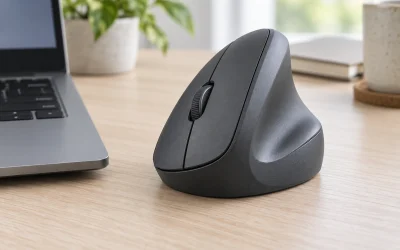
The ProtoArc ergonomic mouse is a wired option that benefits directly from bungee use — its vertical design creates specific cable management considerations that a bungee handles cleanly. For ergonomic wired mice specifically, a bungee is more valuable than for standard flat mice because the cable exit angle on vertical mice is often awkward.
Cable Management Integration
A mouse bungee is one piece of a complete cable management system. The cable runs: monitor/PC → cable managed under desk → up through desk surface grommet or along desk edge → into bungee → to mouse. For the under-desk segment, see the under-desk cable management guide for routing options. The bungee handles only the desk-surface portion of the cable run — everything before it still requires routing.
If your USB ports are on the front of a desktop case sitting on the floor, you’ll have more cable slack than needed. Coil excess cable under the desk using a hook-and-loop strap before running it up to the bungee — this prevents the excess from creating a dragging weight that counteracts the bungee’s lifting effect.
FAQ: Mouse Bungees
Does a mouse bungee make a noticeable difference?
Yes, if you move your mouse quickly or over large distances. The difference is most noticeable in competitive gaming (reduced cable drag improves aim consistency) and in precision design work (eliminates the slight cable tension that affects fine cursor positioning). For casual office use with a standard mouse at a fixed distance, the difference is smaller but cumulative wrist fatigue reduction is real over long workdays.
Do mouse bungees work with all wired mice?
Any wired mouse with a cable under approximately 5mm diameter. This covers 99% of standard wired mice. Braided cables (common on gaming mice) fit easily. The only edge case is very thick rubberized cables on older productivity mice — measure your cable diameter if unsure.
Where should I position a mouse bungee on my desk?
Directly above or slightly behind the mouse cable exit point, at a height that creates a gentle downward arc in the cable between the mouse and the bungee. For right-handed users: typically left-of-center, about 6–10 inches behind the mouse’s resting position. The bungee should be within your mouse’s movement range so the cable doesn’t pull taut at any point in your typical mousing motion.
Is the Zowie Camade II worth it over a $10 budget bungee?
For competitive gaming or precision creative work: yes. The rigid spring arm is meaningfully better at maintaining cable elevation during fast movements. For standard office mousing: the ENHANCE at $14 is indistinguishable in practice. The Zowie’s value is its spring stiffness, not its brand name — if cable drag during fast mouse movements is your problem, it’s worth it. If you’re just trying to prevent the cable from catching on desk objects, save the money.
Can I use a mouse bungee on a standing desk?
Yes, with one consideration: as the desk height changes, the cable length between USB port and bungee changes. Leave enough cable slack looped below the desk to accommodate the full height range without going taut at maximum standing height. The bungee itself functions identically at any desk height. This is similar to the monitor cable management consideration in the standing desk setup guide — plan cable length for the highest desk position.
Frequently Asked Questions
What does a mouse bungee actually do?
A mouse bungee holds your wired mouse’s cable in a raised, springy arm so the cord glides freely instead of dragging across the desk. This removes cable snag and friction, giving wired mice a smooth, almost wireless feel. It is popular with gamers but equally useful for precise office work.
Do I need a bungee if I use a wireless mouse?
No, a mouse bungee is designed for wired mice, so a fully wireless mouse gets no benefit. If you charge a wireless mouse with a cable while using it, a bungee can keep that charging cord out of the way. Otherwise it is unnecessary for cable-free setups.
Will a mouse bungee fit any cable thickness?
Most bungees use a flexible silicone or spring clip that grips a wide range of standard mouse cable diameters, including braided cords. Very thick paracord cables on some custom mice may need a bungee with a wider channel. Check the listed cable compatibility if you use an aftermarket cord.
Does a heavy base matter on a mouse bungee?
Yes, a weighted or rubberized base is what keeps the bungee anchored when the cable tugs during fast movements. A light base slides around and defeats the purpose. Look for non-slip feet or added weight so the bungee stays put through intense mouse sweeps.
Related Reviews & Guides


Best Vertical Mice in 2026: Compared and Ranked

Keychron Q8 Ergonomic Mechanical Keyboard Review 2026