Last Updated: September 7, 2026
- The Three Switch Families: Linear, Tactile, Clicky
- Switch Specs Decoded
- Top Picks at a Glance
- Popular Switch Variants by Use Case
- Hot-Swap vs Soldered: Why It Matters for Switch Selection
- Switch Lubing: The Mod That Changes Everything
- Ergonomic Layout and Switch Weight Interaction
- Switch Brands: A Quick Reference
- Frequently Asked Questions
- About the Author
- Related Articles
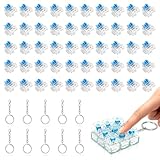
- Top Pick: Deftomo 50 Pcs Blue Keyboard Switches, 3-Pin Clicky Tactile Mechanical Keyboard Switches, Complete DIY Replacement Kit with Switch Puller & Brush
- Best Value: BlingKingdom 10 PCS Mechanical Keyboard Switches, MX Clicky Blue for Gaming
- Premium Choice: 72 Pieces Blue Mechanical Keyboard Switches, 3 Pin Pre-Lubricated Clicky Key Switches, Dustproof and Waterproof Keyboard Accessories for Mechanical Gaming Keyboard

TL;DR: Mechanical keyboard switches guide in plain terms: linear switches are smooth and quiet, tactile switches give bump feedback without a click, clicky switches are loud with audible confirmation. For home office typing, tactile or linear silent switches win. This guide maps switch types to work styles, explains key specs, and cuts through the jargon.
Mechanical Keyboard Switches Guide: Which Switch Is Right for Your Work Style?
Mechanical keyboard switches are the single biggest variable in how a keyboard feels and sounds — more than keycaps, case material, or board layout. Yet most buyers default to whatever came pre-installed. Understanding the three main switch families and their subvariants takes about 10 minutes and will inform every keyboard purchase for the rest of your career.
As an Amazon Associate we earn from qualifying purchases at no extra cost to you.






🛒 Best Price Today on Amazon
Prime members get fast, free shipping on everything above, plus member-only deals. New members get a 30-day free trial — cancel anytime.
📄 In This Review
- The Three Switch Families: Linear, Tactile, Clicky
- Switch Specs Decoded
- Top Picks at a Glance
- Popular Switch Variants by Use Case
- Hot-Swap vs Soldered: Why It Matters for Switch Selection
- Switch Lubing: The Mod That Changes Everything
- Ergonomic Layout and Switch Weight Interaction
- Switch Brands: A Quick Reference
- Frequently Asked Questions
- About the Author
- Related Articles
The Three Switch Families: Linear, Tactile, Clicky
Every mechanical switch falls into one of three actuation profiles. The profile describes what you feel (and hear) as the switch travels from resting position to registered keypress to bottom-out.
Linear Switches
Smooth, consistent resistance from top to bottom. No bump. No click. The keystroke is a single continuous motion with uniform force throughout. Linear switches are fast because there’s no tactile event to wait for — the key registers at the actuation point (roughly midway in the travel) without any physical cue. This makes them popular for gaming and fast typists who bottom out keys anyway. In a home office context, linear silent variants (dampened stems) are the best choice for shared spaces — near-silent operation at normal typing pace.
Tactile Switches
A distinct bump in the keystroke at the actuation point. You feel the bump as the key registers — a physical confirmation without any sound signature. Tactile switches are the home-office worker’s favorite for a reason: they reduce over-bottoming (slamming keys to the board), which is the primary driver of both typing noise and finger fatigue over long sessions. The bump tells you the key fired; you can release without pressing further.
Clicky Switches
Tactile bump plus an audible click mechanism — a small click bar or jacket that produces a sharp sound at actuation. The most satisfying typing experience for many users, and the worst choice for any shared office or home environment with family members or video call participants nearby. Clicky switches produce 50–60+ dB at normal typing speed, which microphones pick up clearly.
Switch Specs Decoded
See also: Logitech K120 Full Size Wired Keyboard vs Amazon Basics Wired QWERTY Keyboard: Which Should You Buy? • How to Choose Wired Keyboards: What Actually Matters
| Spec | What It Means | Typical Range |
|---|---|---|
| Actuation force | Force required to register a keypress (grams) | 35g (light) to 80g+ (heavy) |
| Actuation point | Distance traveled before keypress registers (mm) | 1.5mm (fast) to 2.2mm (standard) |
| Total travel | Full keystroke depth from top to bottom | 3.5mm to 4.5mm typical |
| Pre-travel | Distance before actuation point | 1.0–2.0mm |
| Bottom-out force | Force at full depression | 45g to 95g+ |
| Tactile position | Where in travel the bump occurs (tactile only) | At actuation or slightly above |
Top Picks at a Glance
13
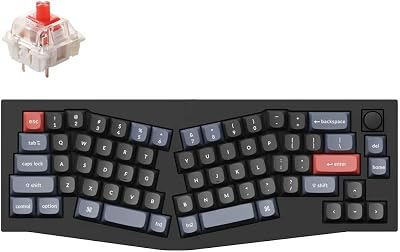
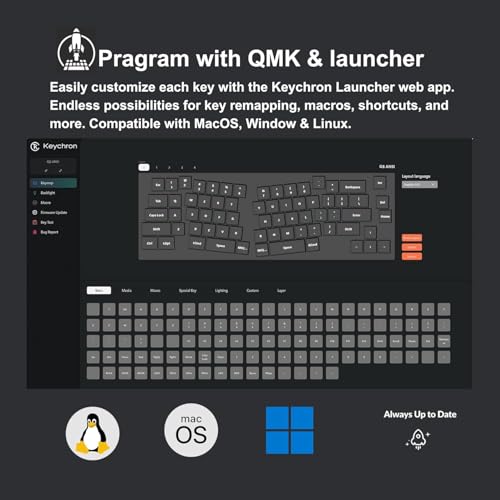
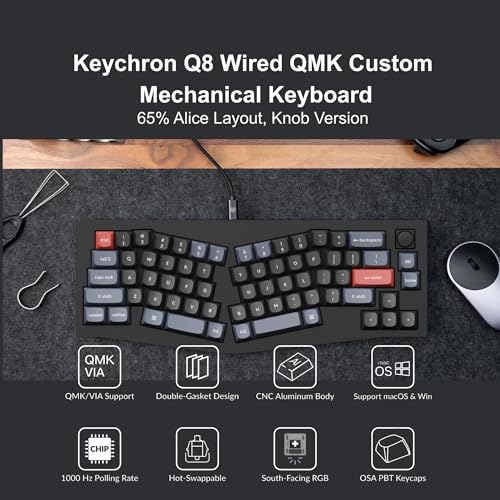
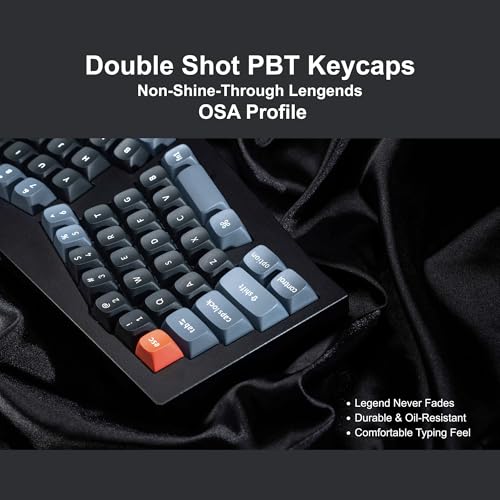
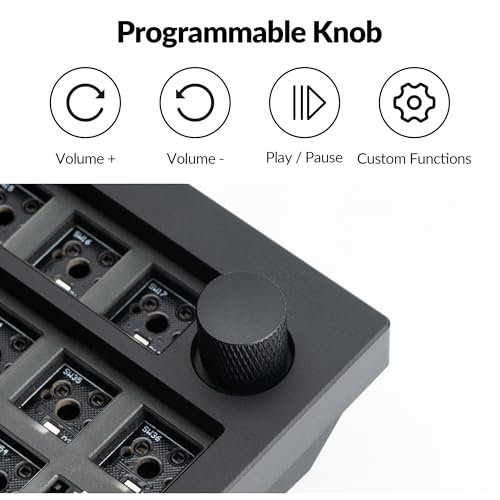
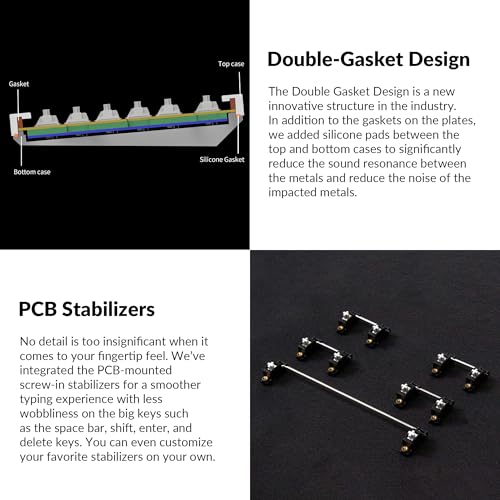
Keychron Q8 Wired Custom Mechanical Keyboard with Knob, 65% Alice Layout QMK/VIA Programmable, Hot-swappable Gateron G Pro Red Switch, Double Gasket Compatible with Mac Windows Linux (Black)
In Stock


As an Amazon Associate we earn from qualifying purchases. Product prices and availability are accurate as of the date/time indicated.

9





As an Amazon Associate we earn from qualifying purchases. Product prices and availability are accurate as of the date/time indicated.

8




As an Amazon Associate we earn from qualifying purchases. Product prices and availability are accurate as of the date/time indicated.
Popular Switch Variants by Use Case
Best for Home Office Typing (All-Day Use)
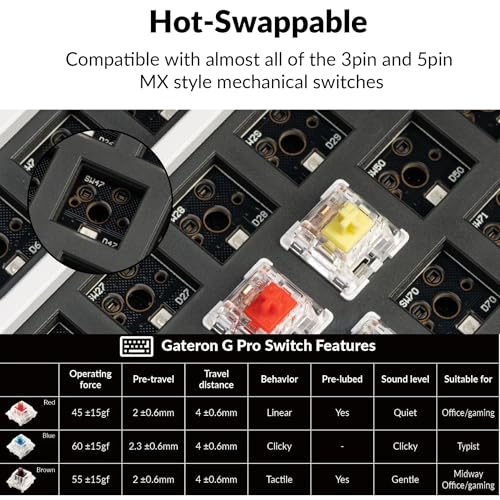
Tactile, 45–55g actuation: Enough resistance to prevent accidental keypresses, enough tactile feedback to reduce bottoming-out. Standard options: Gateron G Pro Brown, Gateron Yellow (linear silent if noise is a priority). The bump prevents the “clatter” of hard-bottom typing — audible to coworkers and microphones even without a click mechanism.
Best for Shared Spaces / Video Calls
Linear silent: Dampened stem and housing reduce both upstroke and downstroke noise. Gateron Silent Yellow, Gateron Silent Red, Akko CS Jelly variants are popular. Combined with a keyboard with a gasket or foam-dampened case, these produce near-laptop-level noise — undetectable on most video call microphones.
Best for Writers / Long-Form Content
Tactile, medium actuation (55–65g): Heavier switches reduce accidental keypresses during pauses — no phantom characters when hands rest lightly on keys. The bump provides rhythm feedback that many writers find improves typing cadence. Boba U4, Gateron G Pro Brown (heavier spring swap), Topre-style electrocapacitive (different mechanism, similar feel).
Best for Programmers (Code Entry)
Linear, light to medium (45–55g): Fast actuation without tactile interruption suits rapid, repetitive key combinations. No bump means no rhythm disruption during muscle-memory shortcuts. Gateron Yellow, Gateron Black (heavier for more resistance), Kailh Speed variants for minimal pre-travel.
Hot-Swap vs Soldered: Why It Matters for Switch Selection
Hot-swap sockets let you pull switches out and replace them without soldering — using a simple switch puller tool. Soldered keyboards lock you into whatever switches came pre-installed or require desoldering (15–30 minutes per switch) to change.
For anyone buying their first mechanical keyboard, hot-swap is a critical feature. Switch preference is personal and only becomes clear through use — what feels good in a 30-second store test feels different after 4 hours of actual typing. The Keychron Q8 (B09TXLVZS5, $79.99) ships with hot-swap PCB, meaning you can buy a switch tester, try five or six switch types, then populate the board with your actual preference without buying a new keyboard. Our full our keychron q8 mechanical keyboard review covers the hot-swap socket quality and compatible switches in detail.
Switch Lubing: The Mod That Changes Everything
Factory switches are unlubed or minimally lubed. Applying thin lubricant (Krytox 205g0 for linears, thinner 105 oil for springs) transforms the feel: scratchy linear switches become silky, tactile switches lose the scratchiness while preserving the bump. Lubing takes 1–3 hours for a full 65-key board but is almost universally recommended by enthusiasts as the highest-ROI keyboard modification.
Rule: never lube the tactile legs on tactile switches — it smooths away the bump you’re paying for. Lube the rails, stem body, and spring; avoid the legs.
Ergonomic Layout and Switch Weight Interaction
Keyboard layout affects how switch weight feels in practice. A standard layout with straight rows creates uniform reach distance — switch weight behaves as spec’d. An Alice/ergo-split layout (like the Keychron Q8) angles the halves outward, reducing ulnar deviation. In this position, lighter switches feel even lighter because your hands approach keys at a more natural angle — you may want to go slightly heavier to compensate.
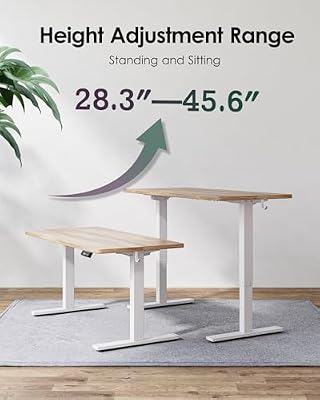
Desk height also affects perceived switch weight. Wrists bending upward to reach keyboard keys (when desk is too high) increase resistance felt at the finger — the same 45g switch feels harder when wrists are extended. Correct desk height matters for switch feel as much as specification. See our learn about best standing desks for correct keyboard height setup, and the $1,500 home office build for the full input ergonomics picture.
Switch Brands: A Quick Reference
Cherry MX — the original, widely compatible, slightly scratchy factory finish, excellent third-party support. Industry standard reference point for all other switches. Gateron — smoother than Cherry out of box, better value, very wide variant selection. Kailh — innovative designs including speed and box variants (box switches are more dust/water resistant). Akko CS — value-oriented, decent factory lube, good for budget builds. Topre — electrocapacitive, not traditional mechanical, unique soft-tactile feel, significantly more expensive, not compatible with standard hot-swap boards.
Frequently Asked Questions
Which mechanical keyboard switches are quietest for office use?
Linear silent switches — specifically Gateron Silent Yellow or Silent Red — are the quietest. Paired with a gasket-mounted keyboard case and desk mat, total typing noise drops to near-membrane keyboard levels. Tactile silent switches (Boba U4, Gateron Silent Brown) are second quietest while preserving bump feedback.
Are heavier or lighter switches better for reducing finger fatigue?
Neither extreme is ideal. Very light switches (35–40g) cause accidental keypresses and constant micro-corrections. Very heavy switches (70g+) cause finger muscle fatigue directly. The sweet spot for all-day typing is 45–55g actuation force. The tactile bump (in tactile switches) further reduces fatigue by teaching fingers to release at actuation rather than bottom-out every press.
Do mechanical keyboard switches wear out?
Quality switches are rated for 50–100 million keystrokes per switch. At typical office typing rates (6,000–10,000 keystrokes/hour, 8 hours/day), that’s 17–34 years of use. In practice, the keyboard frame, USB connector, or keycaps wear out before the switches. Switch wear is not a practical concern for office purchase decisions.
What’s the difference between Cherry MX Brown and Red?
MX Brown is tactile (bump at actuation point, 45g), MX Red is linear (no bump, 45g). Same actuation force, completely different feel. Brown gives the tactile confirmation of keypress; Red gives smooth, uninterrupted travel. For office typing, Brown is generally preferred; for gaming or fast repetitive coding, Red is the common choice.
Can you change switches on a keyboard you already own?
If your keyboard has hot-swap sockets, yes — pull old switches with a switch puller ($5–10) and press in new ones. If soldered, you need a soldering iron and desoldering pump or wick. The process is learnable but takes 2–3 hours for a full board on first attempt. Check your keyboard’s PCB spec before buying replacement switches.
Round out your mechanical keyboard setup with an ergonomic mouse or trackball and proper desk positioning. For the complete input device and desk setup in one guide, see our $1,500 home office build. And if you’re choosing between a fixed-height and adjustable desk for your new keyboard station, our see best standing desks and monitor positioning comparison complete the picture.
Related Reviews & Guides
6 Best Ergonomic Vertical Computer Mice 2026

10 Best Keyboard Typing Pad Mats