Last Updated: September 12, 2026


🛒 Best Price Today on Amazon
Prime members get fast, free shipping on everything above, plus member-only deals. New members get a 30-day free trial — cancel anytime.
As an Amazon Associate we earn from qualifying purchases at no extra cost to you.




📄 In This Review
Quick Comparison
| Product | Brand | Price | Rating |
|---|---|---|---|
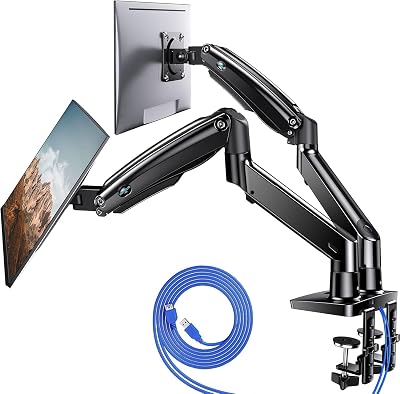
| HUANUO Dual Monitor Stand for 13″–40″ | HUANUO | $109.99 | 4.6/5 |
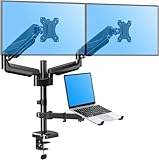
| HUANUO FlowLift™ Dual Monitor Stand | HUANUO | $59.99 | 4.6/5 |
| HUANUO 17-32 Inch Dual Monitor Stand | HUANUO | $59.99 | 4.6/5 |
Introduction
See also: Good Height for a Desk: Seated and Standing Numbers by Body Height • Best Desks for Posture: Height, Depth and Sit-Stand Options
A dual monitor arm is one of the most impactful purchases you can make for a multi-screen home office setup. By mounting both monitors on a single arm clamped to your desk, you eliminate two bulky monitor stands, reclaim significant desk real estate, and gain the ability to adjust each screen independently for perfect ergonomic positioning. The best dual monitor arms hold monitors firmly in place while still allowing smooth repositioning when needed.
What to Look For
- Weight Capacity per Arm: Check the maximum weight each individual arm can support. Most monitors weigh between 10-20 lbs, and the arm should support your specific monitors with capacity to spare to avoid drift over time.
- Adjustment Range: Full-motion arms with tilt, swivel, and height adjustment give you complete control over screen positioning. Gas-spring or spring-tension mechanisms allow effortless repositioning with one hand.
- Desk Compatibility: C-clamp mounts work on most desks. Grommet mounts require a pre-drilled hole and offer a cleaner look. Verify your desk thickness falls within the clamp's range (typically 0.4-3.15 inches).
Top Picks
Ergotron LX Dual Stacking Arm
The Ergotron LX Dual Stacking Arm is the benchmark for dual monitor mounts. Its Constant Force technology means monitors stay exactly where you place them with zero drift, and both screens can be adjusted independently for height, tilt, and rotation. It holds up to two 25-inch monitors and features integrated cable management channels that keep your setup clean. Built to last decades.
VIVO Dual Monitor Stand Mount
VIVO's dual monitor arm is a top-rated budget option that supports two monitors up to 32 inches each on fully adjustable arms. The single-pole design saves desk space while providing excellent reach and rotation for both screens. Integrated cable management keeps the setup tidy, and the heavy-duty steel construction ensures long-term stability without wobble during typing.
Amazon Basics Dual Monitor Stand
Amazon's own dual monitor stand delivers surprising quality at a very accessible price point. It accommodates two monitors up to 27 inches with full height, tilt, and swivel adjustment. The steel pole and base construction keeps both screens steady, and the C-clamp mount installs in minutes without tools. A solid entry-level option for those new to monitor arms.
Final Thoughts
A dual monitor arm pays for itself quickly in freed desk space and improved posture. The Ergotron LX is the definitive choice for a permanent, professional setup, while VIVO offers exceptional value for those wanting a reliable arm at a lower price point. Either option will dramatically improve your dual-monitor home office experience.
What to Look For in a Dual Monitor Arm
Choosing the right dual monitor arm comes down to matching the hardware to your specific screens and desk. Two identical-looking arms can behave very differently once you load them with heavy 27-inch panels and try to nudge them into place. Use these criteria to narrow your shortlist before you commit.
- Combined VESA load rating: Add the weight of both monitors together and confirm the arm’s total rating exceeds it with a margin. An arm rated for two 15-lb screens will sag if you mount two 20-lb panels.
- VESA pattern support: Most arms handle 75x75mm and 100x100mm patterns. Larger or curved ultrawide monitors sometimes use 200x100mm and need an adapter plate, so verify before buying.
- Independent vs. shared movement: Stacking and side-by-side designs let each screen move on its own, while some budget arms lock both monitors to one crossbar. Independent motion is far more flexible for mixed tasks.
- Gas-spring vs. spring-tension: Gas-spring arms glide smoothly and hold position without drift; cheaper spring-tension arms can sag over months and need re-tightening.
- Clamp depth and grommet option: Confirm the clamp fits your desk thickness, and check whether a grommet mount is included for a cleaner, more permanent install.
- Built-in cable routing: Channels or clips along the arm keep dangling video and power cables from undoing the tidy look you bought the arm for.
Tips for Your Dual Monitor Setup
Position your primary monitor directly in front of you at arm’s length, with the top of the screen at or just below eye level so your neck stays neutral. Place the secondary monitor to the side at the same height, angled slightly inward so you can glance over without leaning. If one screen sees far more use than the other, treat the busy one as your center and push the secondary monitor to a comfortable periphery.
Mount your monitors before routing cables, then run each cable along the arm and down a single channel to a desk grommet. Leave a small service loop at each joint so the arm can move through its full range without tugging a connector loose. Once everything is dressed, spend a few minutes cycling each arm through its tilt, swivel, and height range to confirm nothing snags.
Recheck the clamp torque after a week of use. New arms settle as the gas springs break in and the desk surface compresses slightly under the clamp, and a quick tightening pass prevents slow drift from creeping in later.
Common Mistakes to Avoid
The most frequent mistake is buying an arm rated for the wrong total weight. People check one monitor’s weight, forget they are mounting two, and end up with screens that slowly droop overnight. Always size for the combined load with headroom to spare.
The second mistake is mounting screens too high. A monitor arm makes it easy to crank both panels up, but the top of each screen should sit at or slightly below eye level. Screens mounted too high force you to tilt your head back all day, which defeats the ergonomic purpose of the arm entirely.
Frequently Asked Questions
Will a dual monitor arm fit my desk?
Most C-clamp arms fit desks between roughly 0.4 and 3.2 inches thick. Measure your desktop edge and check it falls within the clamp range. For thin glass or floating desks, look for a grommet or through-desk mount instead of a clamp.
Can I mount two different-sized monitors on one arm?
Yes, as long as each individual arm supports the heavier screen’s weight and VESA pattern. Independent arms let you set different heights so the tops of mismatched monitors still line up at eye level.
Do dual monitor arms work with curved or ultrawide screens?
They can, but check the weight and VESA pattern carefully. Heavy 34-inch ultrawides often exceed budget arm ratings and may need a heavy-duty single arm rather than a shared dual mount.
Will the clamp damage my desk?
A quality clamp spreads pressure across a wide pad and rarely marks a desk. For soft wood or laminate, place the included rubber gasket between the clamp and the surface and avoid overtightening.
Related Reviews & Guides




Portable Laptop Stand Adjustable Foldable
5 Best Footrests with Massage Feature for Office