Last Updated: September 1, 2026


🛒 Best Price Today on Amazon
Prime members get fast, free shipping on everything above, plus member-only deals. New members get a 30-day free trial — cancel anytime.
As an Amazon Associate we earn from qualifying purchases.



📄 In This Review
Quick Comparison
| Product | Brand | Price | Rating |
|---|---|---|---|
| Mount-It! Keyboard Tray Under Desk | Mount-It | $99.99 | 4.2/5 |
| Mount-It! Keyboard Tray Under Desk with Adjustable Mous… | Mount-It | — | 4.2/5 |
| Mount-It! Under Desk Keyboard Tray | Mount-It | $169.99 | 4/5 |
Why an Ergonomic Keyboard Tray Makes a Difference
See also: Good Height for a Desk: Seated and Standing Numbers by Body Height • Best Desks for Posture: Height, Depth and Sit-Stand Options
Most desk setups place keyboards too high, forcing you to lift your wrists and tension your forearms all day. An ergonomic keyboard tray mounts under your desk and pulls your keyboard and mouse down to the ideal height — where your arms hang naturally from relaxed shoulders and your wrists stay neutral. For desk workers prone to RSI, carpal tunnel, or shoulder tension, a keyboard tray is often the single most impactful ergonomic investment. Here are three top options.
1. Humanscale 6G Keyboard System
The Humanscale 6G is the reference standard for under-desk keyboard trays. Its unique single-lever mechanism adjusts height and angle simultaneously with one hand. The mousing surface is wide enough for a full-size mouse pad. Negative tilt positions the keyboard below horizontal, which is the optimal position for wrist neutrality. Installs on virtually any desk via an under-desk clamp or through-desk bolt system. Built to last with commercial-grade durability and a long warranty. The ergonomic choice of thousands of corporate setups and medical professionals.
26
Prime
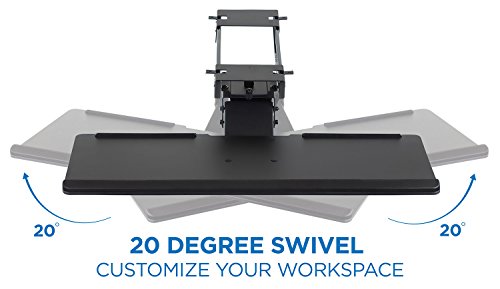
Mount-It! Keyboard Tray Under Desk, Full Motion Computer Keyboard and Mouse Tray, Slide Out Ergonomic Keyboard Drawer with Gel Wrist Pad, 26" Wide, Tilt, Swivel and Height Adjustment, Black
In Stock


As an Amazon Associate we earn from qualifying purchases. Product prices and availability are accurate as of the date/time indicated.
2. Mount-It! Keyboard Tray Under Desk
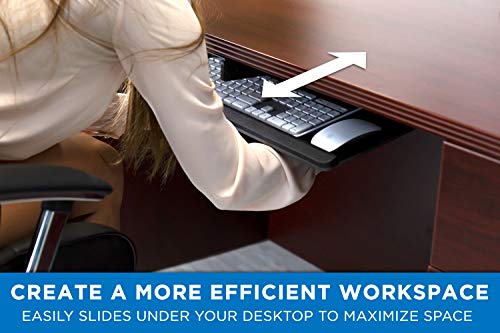
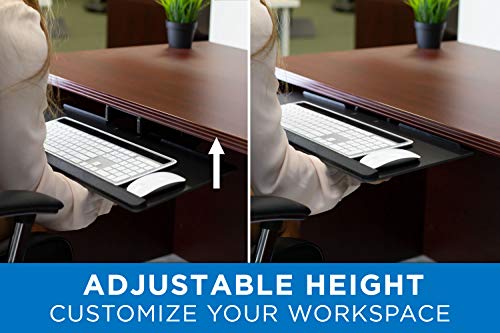
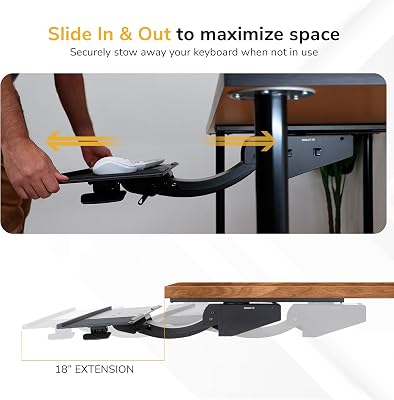
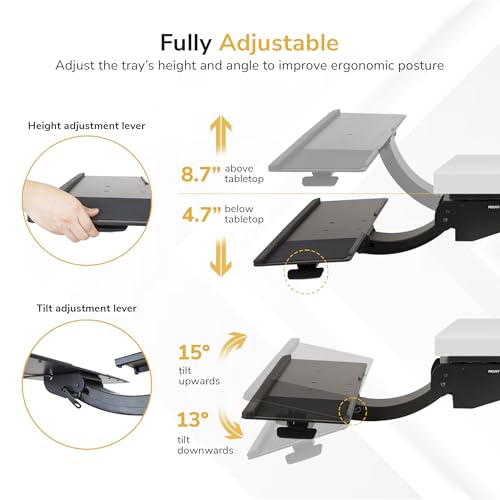
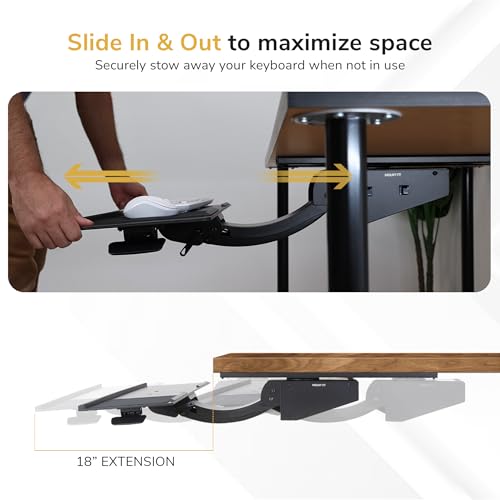
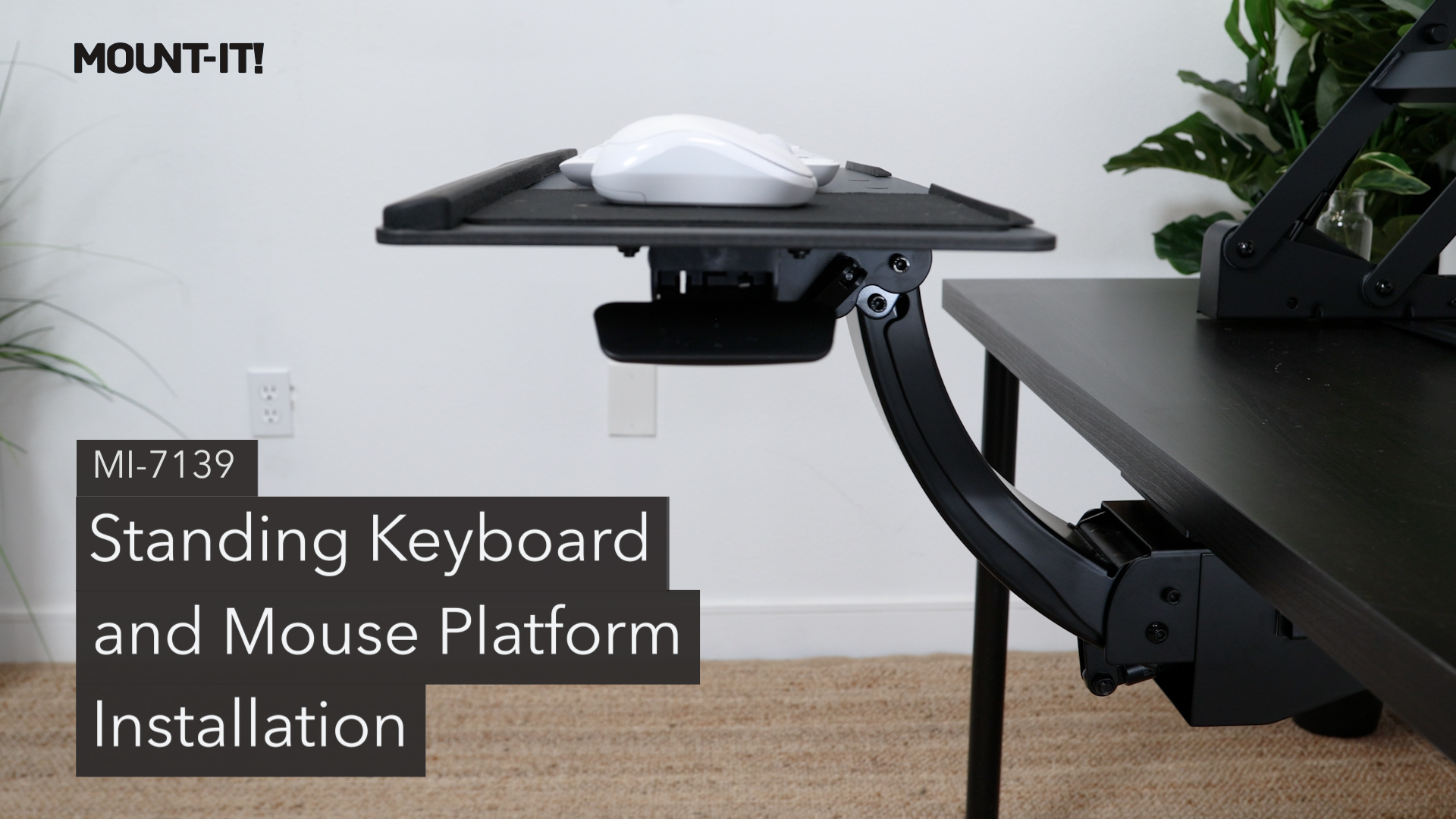
The Mount-It! tray is an excellent value option that delivers genuine ergonomic benefit at a fraction of premium brand pricing. The sliding track extends 18 inches from the desk, and height adjusts via a simple lever. The platform includes a pull-out mousing surface on the right or left side. Negative tilt is supported. It mounts to most desks with standard screws and holds keyboards and mice securely. A strong recommendation for home office users who want ergonomic improvement without the corporate price tag.
29
Prime
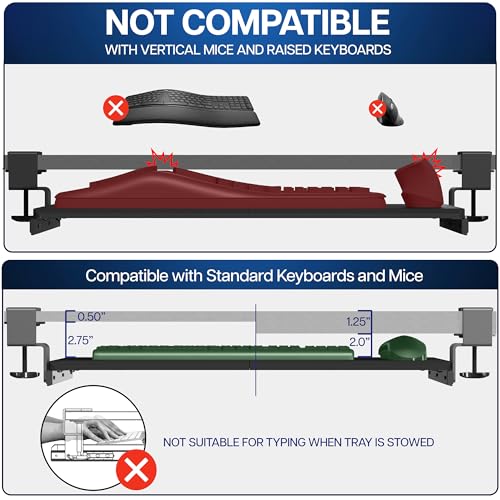
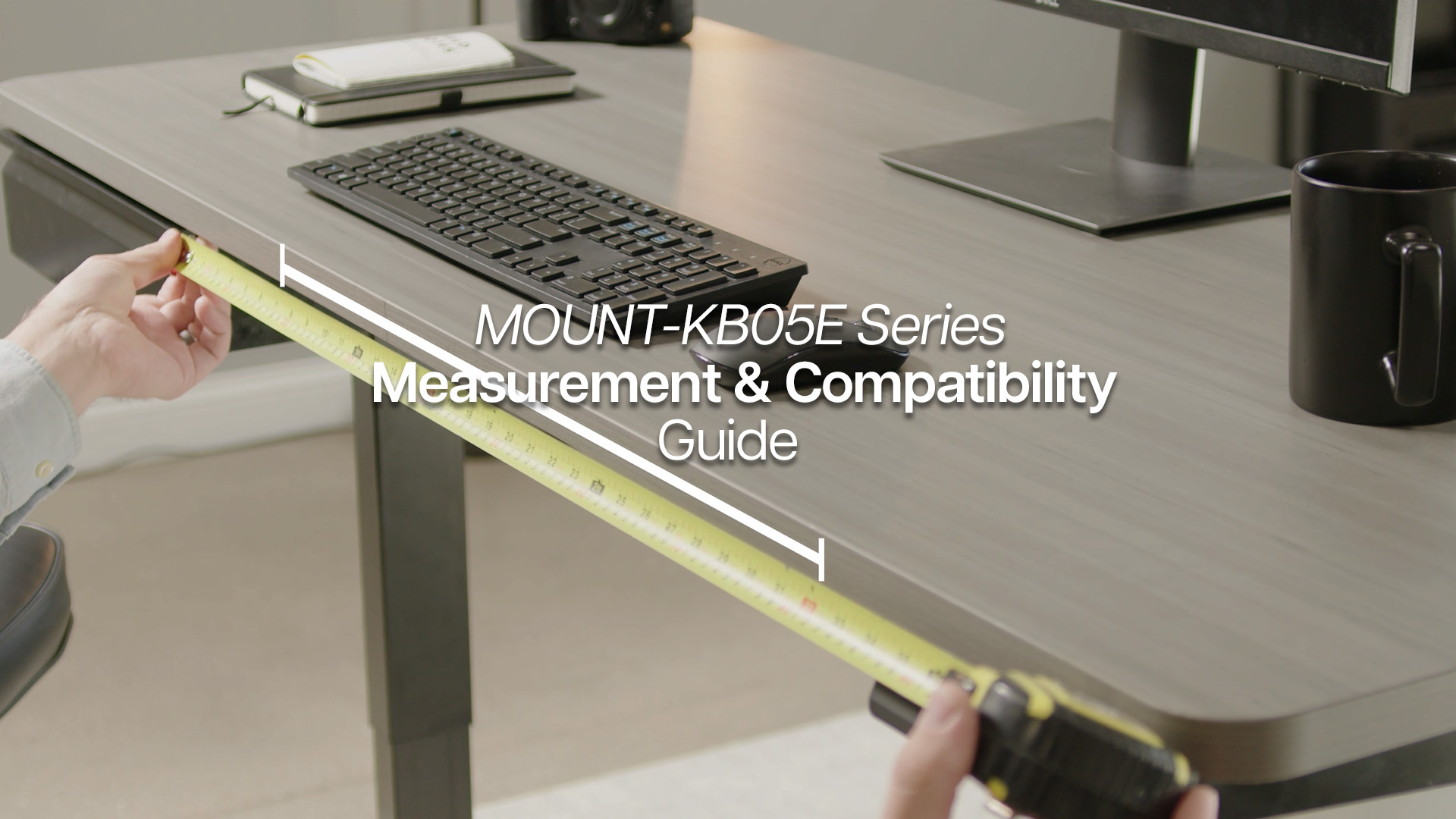
VIVO Large Keyboard Tray Under Desk Pull Out with Extra Sturdy C Clamp Mount System, 27 (33 Including Clamps) x 11 Inch Slide-Out Platform Computer Drawer for Typing, Black, MOUNT-KB05E | Keyboard Tray for Typing, Slide Out Platform, Extra Sturdy C-Clamp Mount System, Computer Drawer, Black Frame
In Stock




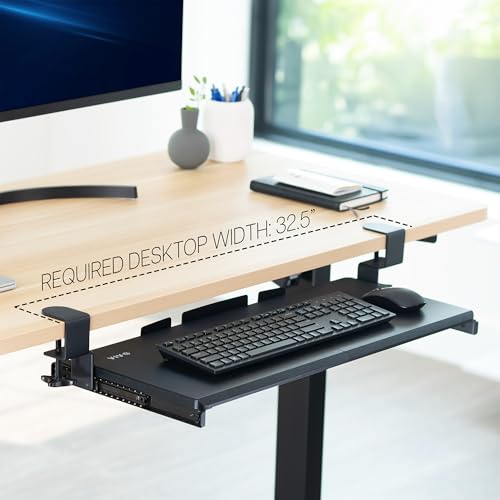
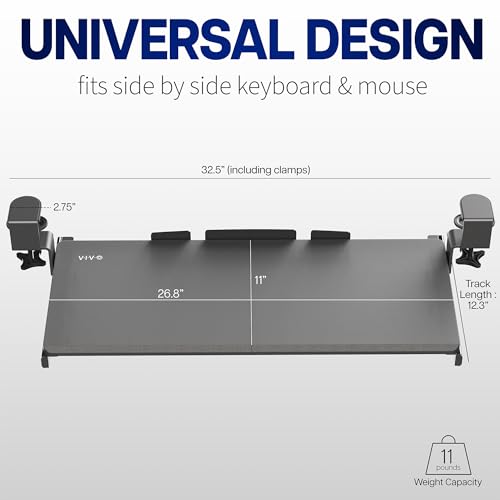
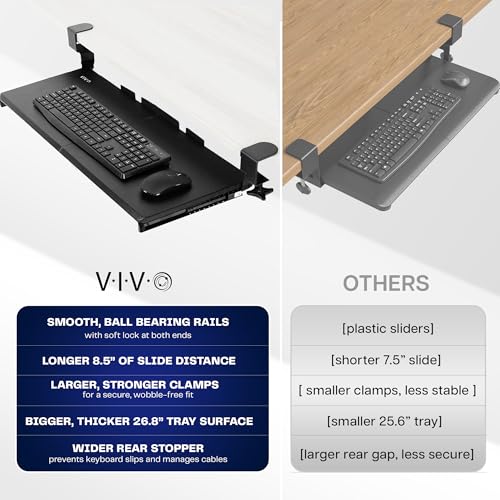
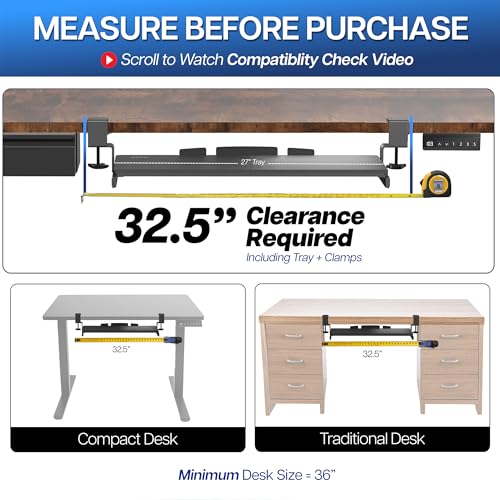
As an Amazon Associate we earn from qualifying purchases. Product prices and availability are accurate as of the date/time indicated.
3. Kinesis Freestyle Pro Keyboard with Tray
For users with existing RSI or who want the most ergonomically optimized input setup, the Kinesis Freestyle Pro split keyboard paired with an ergonomic tray takes wrist health to the next level. The split design allows each half to be positioned at shoulder width, eliminating ulnar deviation (the inward wrist bend caused by a standard keyboard’s narrow layout). Combine with a negative-tilt keyboard tray and a vertical mouse for a setup that dramatically reduces cumulative strain on forearms, wrists, and shoulders.
16
Prime
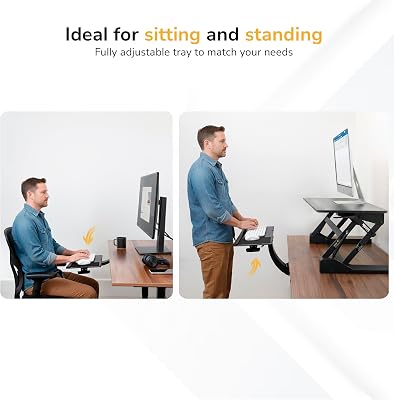
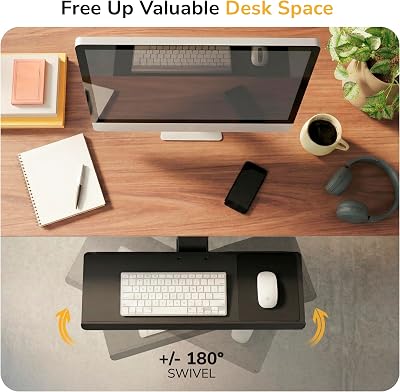
Mount-It! Under Desk Keyboard Tray, Adjustable Slide-Out Keyboard & Mouse Platform, 26.5" W × 10" D, Ergonomic Wrist Rest, Height Tilt & Swivel, Heavy-Duty Bolt-On Keyboard Drawer
In Stock




As an Amazon Associate we earn from qualifying purchases. Product prices and availability are accurate as of the date/time indicated.
Ergonomic Keyboard Tray Buying Guide
- Negative tilt: The single most important feature; your keyboard should tilt away from you (downward toward you), not toward you.
- Height range: Must bring the keyboard to elbow height when your arms hang relaxed; measure your seated elbow height from the floor.
- Mousing surface: A large integrated mousing platform avoids awkward mouse positioning on the desk surface.
- Extension length: Longer pull-out distance lets you position the keyboard farther from the desk edge for a more reclined, comfortable posture.
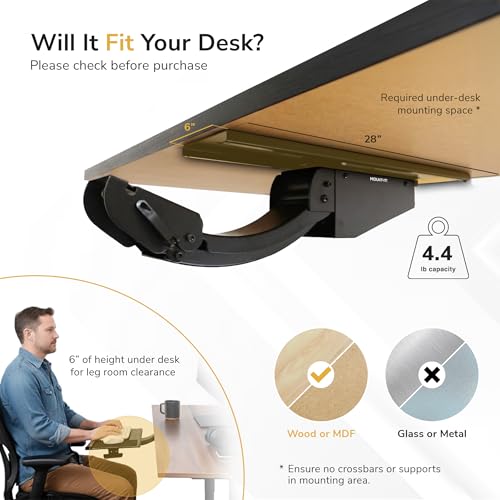
- Desk compatibility: Check the installation method and confirm it works with your desk thickness and frame material.
- Weight capacity: Most trays handle standard keyboards and mice comfortably; verify if you use a heavy mechanical keyboard.
Final Thoughts
An ergonomic keyboard tray is often the missing piece in setups where the chair and monitor are already optimized. The Humanscale 6G is the professional-grade standard, the Mount-It! is the value champion, and pairing a Kinesis Freestyle Pro split keyboard with any tray elevates the ergonomics further. If you’re spending 8+ hours a day typing, this upgrade protects your wrists and shoulders for the long haul.
Frequently Asked Questions
What are the benefits of an under-desk keyboard tray?
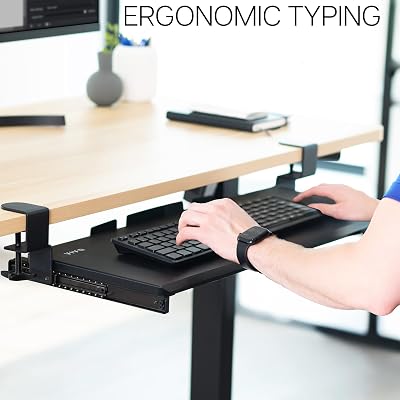
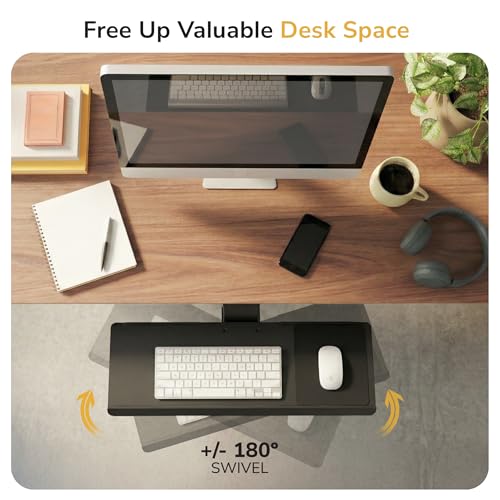
A keyboard tray drops your keyboard and mouse below desk height so your forearms can stay level and your wrists neutral, which reduces strain during long typing sessions. It also frees up the desktop surface and lets you push the keyboard out of the way when you need clear space. Many trays add a negative tilt that further relaxes the wrists.
Will a keyboard tray fit my desk?
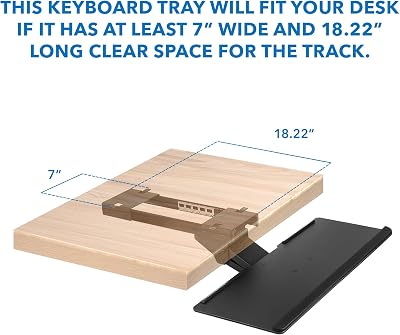
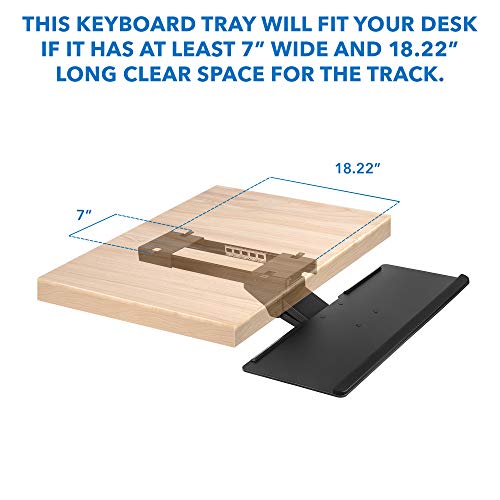
Most clamp-on or track-mounted trays require a flat underside with enough clearance and depth to mount the rails, so measure the space beneath your desktop before buying. Desks with center drawers or aprons close to the front edge can be tricky. Check the listed mounting requirements and the desk thickness the clamp supports.
Is a negative-tilt keyboard tray better for ergonomics?
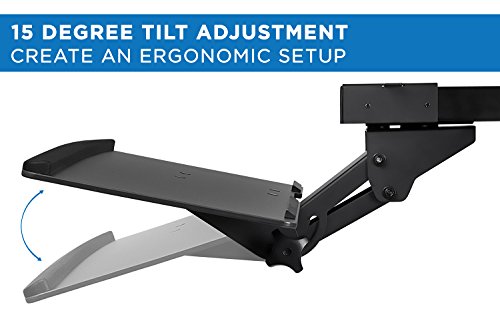
A slight negative tilt, where the back of the keyboard sits lower than the front, helps keep your wrists straight instead of bending them upward. Many ergonomic specialists recommend it for reducing wrist extension during typing. Look for a tray with adjustable tilt so you can dial in the angle that feels most natural to you.
Can I mount a keyboard tray on a standing desk?
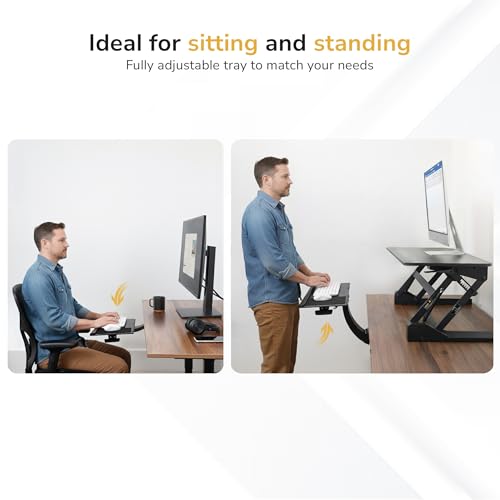
Some trays are compatible with sit-stand desks, but you need one rated for the desk’s frame and enough clearance under the surface when raised and lowered. Confirm that the tray does not interfere with the lift mechanism or crossbars. For frequent height changes, a tray that locks firmly in place keeps your keyboard stable as the desk moves.
How to Choose the Right Keyboard Tray
An ergonomic keyboard tray lowers your hands to a neutral, slightly downward position that your desktop alone rarely allows. The right tray depends on your desk construction, the keyboard and mouse you use, and how much you recline, so confirm those details before buying rather than assuming any tray bolts onto any desk.
- Mounting compatibility — Check your desk’s underside depth and material; clamp-on trays suit thin or glass tops, while track-mount trays need a flat wooden underside with clearance.
- Negative tilt range — A tray that tilts slightly downward away from you keeps wrists straight and is the core ergonomic benefit over a flat surface.
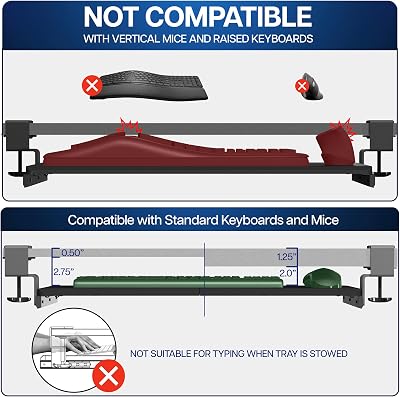
- Platform width — Make sure the tray fits both your keyboard and mouse side by side so you are not reaching up to the desk for the mouse.
- Height and depth adjustment — Look for a model that slides and lifts so you can dial in elbow angle near 90 degrees while seated.
Common Mistakes to Avoid
The most common error is buying a tray that holds only the keyboard, leaving the mouse stranded up on the desk. Reaching up and over for the mouse all day reintroduces the very shoulder and wrist strain you bought the tray to fix. Choose a platform wide enough for both, or add a side mouse extension so your hands stay on the same plane.
Buyers also overlook desk clearance and chair fit. A tray mounted too low forces a cramped lap, while a thick tray plus a tall chair arm can collide, blocking you from pulling in close. Measure the gap between your seated thighs and the desk underside first, and confirm your chair arms clear the tray so you can sit at a natural distance.
Related Reviews & Guides




Quick Picks: Best Wireless Charging Pads for Your Desk at…

Ergonomic Keyboard Tray Retractable