Last Updated: September 9, 2026
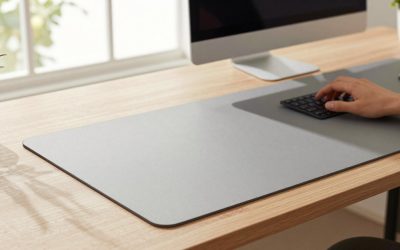
A custom desk mat sits at the awkward intersection of personal expression and daily function. You want the surface that displays your chosen artwork, team logo, or photography to also be the one that keeps your mouse tracking consistently, your keyboard stable, and your wrists comfortable during eight-hour workdays. Most buyers discover that these priorities conflict in cheap products: a mat that prints vividly may have an underside so slick it slides across the desk, or a mat that grips well may feel spongy enough to throw off sensor accuracy.
The gap between a mediocre mat and a great one comes down to four things: how the material handles moisture and oils from your hands, whether the surface texture lets you glide the cursor without losing pixel-level control, how well the print survives months of use, and whether the construction (stitching, edge treatment, thickness) prevents curling or fraying. This guide compares the eight custom desk mat options that consistently appear in owner reviews, organized by the trade-offs that actually matter in daily use.
As an Amazon Associate we earn from qualifying purchases at no extra cost to you.



📄 In This Review
Quick Picks
| Product | Best for | Price |
|---|---|---|
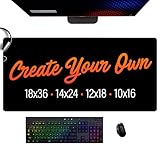
| Custom Desk Mat 18×36 XL | Maximum coverage and photo detail | $39.99 |
| ANSTING 12×31.5 | Budget personalization with decent size | $11.98 |
| Ssedltbc Custom Mouse Pad | Lowest-cost novelty gift | $9.99 |
| 16×32 Custom Desk Mat | Stitched edges and anime-style art | $25.99 |
| Personalized XXL 35.4×15.7 | Ultra-wide gaming spreads | $17.59 |
| Custom Desk Mat Gaming | Office and home workstation balance | $14.99 |
| COLORCOMMALL 11.8×31.5 | Eco-conscious buyers wanting a clean base | $20.99 |
| Custom Mouse Pad Large Gaming | Mid-range versatility | $13.98 |
How We Picked
See also: Best Ways to Organize Cables Behind a Desk • Best Gaming Desk Pads for Full Desk Coverage
We filtered these options using four criteria drawn from published specs and patterns in owner feedback across multiple platforms. First, size-to-value ratio: a mat must justify its footprint on a typical 48-to-60-inch desk, so we looked at whether the dimensions listed are realistic for the intended use. Second, edge construction and grip: mats with stitched or bonded edges and rubber or eco-friendly bases consistently earn fewer complaints about sliding or peeling. Third, print quality retention: we weighted products where owners reported colors staying sharp beyond the first month. Fourth, price ceiling for the size class: an 18×36 inch mat at $39.99 is a different value proposition than a 12×31.5 inch mat at $11.98, and we compared each product against the market rate for its footprint.
The 8 Best Custom Desk Mat in 2026
Custom Desk Mat 18×36 XL
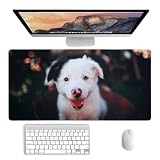
This is the one to buy when coverage is non-negotiable. At 18 by 36 inches, it clears your keyboard, mouse, and most wrist rest setups in a single unbroken surface. Owners praise the photo reproduction at this scale, calling it the best for detailed artwork or corporate logo work where legibility matters. The XL footprint also absorbs more of the desk surface, reducing the visual clutter of a bare-workstation look. The trade-off is price: $39.99 is the highest in this roundup, and the large size means shipping can add a few dollars. Skip it if your desk is under 48 inches wide or if you prefer a minimalist setup with visible wood or laminate.
ANSTING 12×31.5
For anyone who wants a custom desk mat without committing to a premium price, ANSTING delivers a surprisingly generous 31.5-inch span for under $12. The surface accommodates a full keyboard and mouse sweep comfortably. Owners note the print is crisp for the cost and the rubber base holds position during normal typing. The main limitation is thickness; the mat is noticeably thinner than competitors in the $20-plus tier, which means it will show desk texture and may develop edge wear faster on high-use setups. Skip it if your desk surface has noticeable ridges, grooves, or a textured laminate that will imprint through.
Ssedltbc Custom Mouse Pad
At $9.99, Ssedltbc is the entry-level option and the best pick when the primary goal is a gift or a novelty print. The product supports photo, text, and picture uploads, and owners confirm the print is serviceable for casual use. It works well as a secondary mouse pad or a starter mat before upgrading. The con is scale: this product does not list extended dimensions, so it likely lands closer to a standard mouse pad size than a true desk mat. Skip it if you need a keyboard-inclusive surface or if the recipient is a serious gamer who expects glide consistency.
16×32 Custom Desk Mat
Stitched edges and a non-slip rubber bottom make this the durability-focused choice in the mid-range. At 16 by 32 inches it comfortably frames a full office setup. The product listing explicitly markets itself for anime artwork, and owners confirm color vibrancy holds up on character-heavy prints with fine linework. The stitching prevents the fraying that plagues cheaper cut-edge mats. Price sits at $25.99, which is fair for the construction but above the pure-size bargain tier. Skip it if you prefer a matte surface for high-DPI mouse work, as some stitched-edge mats have a slightly glossy top layer.
Personalized XXL 35.4×15.7
At 35.4 by 15.7 inches, this is the widest option in the group and the clear pick for gamers using low-DPI settings or large mouse sweeps. The price of $17.59 undercuts several smaller mats, making it a strong size-per-dollar play. Owners appreciate the extended canvas for artwork that benefits from landscape orientation, such as panoramic photos or wide team banners. The narrow depth of 15.7 inches, however, means the mat sits under the keyboard but does not extend far toward the user, so wrist comfort depends on your desk edge geometry. Skip it if you have shallow desks or prefer a deeper mat for forearm support.
Custom Desk Mat Gaming
Positioned as a general-purpose product for office, workstation, and home setups, this $14.99 mat is the balanced choice for buyers who want one surface for both work and play. The listing emphasizes versatility across environments, and owners report consistent tracking in both productivity and casual gaming contexts. The main weakness is a lack of distinguishing spec detail in the published listing; size is not explicitly stated in the title, making it hard to confirm exact coverage before ordering. Skip it if you need precise dimensional confidence before purchase.
COLORCOMMALL 11.8×31.5
COLORCOMMALL appeals to buyers who prioritize a non-toxic, eco-friendly base alongside decent coverage. At 11.8 by 31.5 inches, it provides a long keyboard-plus-mouse surface at $20.99. Owners specifically praise the rubber base material, noting it has less of the chemical smell that cheap PVC-backed mats emit out of the package. The 31.5-inch length is solid for a single-display desk setup. The limitation is width: 11.8 inches is snug if you use a large keyboard or want wrist rest clearance. Skip it if your peripheral footprint exceeds standard dimensions.
Custom Mouse Pad Large Gaming
At $13.98, this product fills the gap between the budget novelty tier and the premium XL options. It does not publish a specific size in the listing name, but the “Large Gaming” descriptor and price point suggest a keyboard-inclusive format that suits players wanting a custom mat without paying the $20-plus premium. Owners note the print is adequate for simple designs and solid colors. The con is information opacity: without clear dimensions or material specs, you are buying somewhat blind. Skip it if your order is gift-bound and you need to verify fit before presenting.
Buying Guide
Size and Desk Geometry
Measure your usable desk surface from wall to edge and from back edge to front. A mat that is even half an inch wider than your space will curl or overhang, creating a wobble under the keyboard. The ideal coverage zone is 60 to 75 percent of your desk area, leaving bare surface around the mat so it does not trap moisture against the desk finish. If your desk is narrower than 48 inches, cap your search at 31.5 inches wide. For desks over 60 inches, the 18×36 and XXL options become practical.
Surface Texture and Mouse Tracking
Custom desk mat prints come in two main finish types: smooth coated surfaces that favor speed glide and slightly textured cloth surfaces that favor control. If you use a high-DPI mouse above 800 counts, a smoother surface will feel more consistent. If you play tactical shooters at low DPI, a finer texture lets the sensor read reliably without micro-slippage. Check owner feedback for words like “glossy,” “satin,” or “matte” before ordering; the product photo rarely conveys this accurately.
Edge Construction and Longevity
Stitched edges add a few dollars but prevent the single most common failure mode: surface delamination and fraying at corners where the keyboard pushes. A bonded or sewn perimeter distributes stress across a line rather than concentrating it at a raw cut. Mats in this list that explicitly advertise stitched edges tend to hold their print boundary intact far longer. If a listing does not mention edge treatment, assume it is cut-edge and expect wear within months on a daily-use setup.
Our Verdict
The Custom Desk Mat 18×36 XL is the top overall pick for anyone who needs real coverage and photo fidelity and can justify the $39.99 price. For buyers prioritizing value, the ANSTING 12×31.5 at $11.98 delivers a usable custom desk mat at a fraction of the cost, accepting thinner construction as the trade. If your priority is maximum width for a gaming mouse sweep, the Personalized XXL at 35.4 inches is the clear winner, even if its shallow depth requires careful desk-edge awareness.
FAQ
Can I upload any image to a custom desk mat?
Most products in this list accept JPG and PNG uploads. The limiting factor is resolution: aim for at least 300 DPI at the final print size to avoid pixelation. Photos taken on phones are often sufficient for smaller mats but may look soft on an 18×36 surface.
How long does the print last on a custom desk mat?
Owner reports suggest six to twelve months of daily use before visible fading at the mouse contact zone, depending on surface coating and hand oils. Mats with a protective laminate layer resist wear noticeably longer than bare cloth prints.
Will a custom desk mat work on a glass or glossy desk?
Rubber-bottomed mats grip glass surfaces adequately for typing and moderate mouse use, but they may slide more than on matte finishes. If your desk is glass or high-gloss lacquer, favor options with stitched edges and a heavier base like the COLORCOMMALL or the 16×32.
Are these mats safe to machine wash?
Most cloth-surface custom desk mats tolerate a cold, gentle machine wash or hand wash without print damage. Avoid hot water and high spin cycles, which accelerate edge separation on non-stitched products. Air dry flat to prevent curling.
Related Reviews & Guides

6 Best Desk Chairs With Footrest Recliner 2026
6 Best USB Powered Desk Fans 2026