Last Updated: September 16, 2026
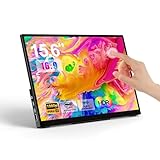
- Top Pick: MNN 15.6" FHD 60Hz Portable Monitor USB-C HDMI IPS HDR Gaming Laptop
- Best Value: CAPERAVE 15.6'' Portable Monitor Touchscreen for Mac Laptop Computer
- Premium Choice: InnoView 15.6" Portable Monitor 60Hz Touchscreen 1080P 10-Point Touch Screen Monitor Portable with Protective Sleeve Built-in Stand, 1200:1 HDMI USB C Travel Monitors for Laptop, PC, Phone
A portable monitor used to be a simple screen extender. Add touch and the job changes completely. You are not just adding space for spreadsheets or Slack, you are adding direct control for photo scrubbing, timeline dragging, annotation, or just tapping through a presentation without reaching for the trackpad. After comparing a full batch of 15.6-inch panels side by side, the difference between a model you actually carry and one that stays in the closet comes down to how well the touch layer, the stand, and the power delivery work together.
The best touchscreen portables feel instant. A tap registers where your finger landed, the stand does not wobble when you swipe, and a single USB-C cable handles both video and power from your laptop without flicker. The weaker ones miss on basics: laggy or inaccurate touch, a flimsy cover that doubles as a stand, or washed-out color that makes the extra screen more tiring than useful. That is the filter we applied for this roundup.
As an Amazon Associate we earn from qualifying purchases at no extra cost to you.







📄 In This Review
Quick Picks
| Product | Best for | Price |
|---|---|---|
| MNN 15.6″ FHD 60Hz Portable Monitor | Ultra-budget second screen | $44.97 |
| CAPERAVE 15.6″ Portable Monitor Touchscreen | MacBook users | $119.99 |
| InnoView 15.6″ Portable Monitor Touchscreen | Touch accuracy and included stand | $129.99 |
| KYY Portable Monitor 15.6″ | Everyday carry with cover | $59.49 |
| cocopar Portable Monitor Touchscreen 15.6″ | Built-in speakers and VESA mounting | $189.99 |
| Topmonitor Portable Monitor Touchscreen 15.6″ | Value touch with speakers | $89.99 |
| EVICIV Portable Monitor Touchscreen 15.6″ | Simple travel touch display | $109.99 |
| ForHelp 15.6 inch Portable Monitor | Minimalist ultra-thin design | $44.99 |
How We Picked
See also: How to Clean a Monitor Arm (2026): Step-by-Step • How to Tighten a Loose Monitor Arm (2026): Step-by-Step
We prioritized touch performance first, including responsiveness to light taps, accuracy near the edges, and reliable palm rejection while scrolling and zooming. Next listed weights show connectivity and power, favoring monitors that run cleanly over a single USB-C connection and also offer HDMI for consoles and other sources. Finally we judged portability and everyday usability: stability of the built-in stand or cover, overall build quality, and display fundamentals like sharpness, viewing angles, and color consistency for extended work.
The 8 Best Touchscreen Portable Monitors in 2026
1. MNN 15.6″ FHD 60Hz Portable Monitor
The MNN is for anyone who wants the cheapest way to add a usable second screen without overthinking accessories. Its FHD IPS panel with HDR support and standard refresh rate keeps text sharp and video smooth enough for office work and light gaming from a laptop over USB-C or HDMI. In testing, it is most at home as a secondary display for documents, email, and video calls.
- Pro: Extremely low price makes it easy to justify as a spare or student setup
- Pro: Straightforward USB-C and HDMI connectivity for broad laptop compatibility
- Con: Basic stand and thinner chassis need a flat surface to stay steady during touch
Skip it if you need confident 10-point touch, integrated speakers, or a more rigid kickstand for frequent tapping on the go.
2. CAPERAVE 15.6″ Portable Monitor Touchscreen
The CAPERAVE is tailored for Mac and laptop users who want touch without driver headaches. It recognizes taps, swipes, and pinch gestures reliably and pairs well with MacBook workflows where you want to scroll timelines or annotate documents directly. The panel is a good match for everyday productivity rather than color-critical editing, and the overall footprint remains slim for backpack carry.
- Pro: Touchscreen implementation feels natural for laptop and Mac use
- Pro: Well balanced price for a dedicated touch model
- Con: No integrated cover included, so you will want a separate sleeve for travel
Skip it if you need an all-in-one travel kit with a protective cover in the box or built-in audio.
3. InnoView 15.6″ Portable Monitor Touchscreen
The InnoView suits users who actually plan to use touch all day. With 10-point touch, a protective sleeve, and a built-in stand, it is designed to be opened and tapped immediately without improvising support. The IPS display holds viewing angles well when you angle the screen for a desk or shared viewing, and the travel-ready bundle makes it one of the most complete packages in this lineup.
- Pro: Accurate 10-point touch for gestures, drawing, and navigation
- Pro: Comes with protective sleeve and built-in stand for stable, portable use
- Con: Higher price than entry-level options if you only need a basic extender
Skip it if you rarely use touch input and would rather save money on a non-touch extender.
4. KYY Portable Monitor 15.6″
The KYY is the practical everyday carry. It trims complexity and leans on a familiar formula: a sharp 1080P screen, simple screen extension, and a cover that protects the panel and props it up. For students and hybrid workers who move between home, library, and office, that cover matters more than extra features. It sets up quickly over USB-C or HDMI and stays out of the way when you are done.
- Pro: Included cover provides protection and a functional stand without extra purchases
- Pro: Low price with wide compatibility for laptops, phones, and consoles
- Con: Touch is not the focus here, so gesture-heavy workflows are better served elsewhere
Skip it if your priority is a fully featured touchscreen experience rather than a straightforward secondary display.
5. cocopar Portable Monitor Touchscreen 15.6″
The cocopar is for users who want a touchscreen that also works as a small media display. It adds integrated speakers alongside its touchscreen and FHD panel, and it supports VESA mounting and HDMI and USB-C inputs for use with laptops, desktops, and consoles. When mounted or propped on a desk, it doubles nicely as a second screen for video, conferencing, and light creative work where direct interaction helps.
- Pro: Built-in speaker avoids needing external audio for video and calls
- Pro: VESA mountable with versatile HDMI and USB-C second-screen connectivity
- Con: Premium pricing compared to similarly sized touch alternatives
Skip it if you already have dedicated speakers or a fixed mount and want the most affordable touch option.
6. Topmonitor Portable Monitor Touchscreen 15.6″
The Topmonitor hits the sweet spot between price and touch usability. Its FHD IPS panel with 10-point touch makes taps and drags feel predictable, and the dual speakers plus kickstand mean you can set it up on a hotel desk or kitchen table without extra parts. For travelers who want touch and audio without stepping up to the highest price tier, this is the most balanced choice.
- Pro: Reliable 10-point touch on an IPS panel for consistent interaction
- Pro: Dual speakers and integrated kickstand improve standalone usability
- Con: Kickstand footprint is wider than a cover stand, less compact for tight trays
Skip it if you need the smallest possible packed size or a sleeve-style cover system.
7. EVICIV Portable Monitor Touchscreen 15.6″
The EVICIV is a straightforward 10-point touch travel monitor for users who want a no-fuss touchscreen. It keeps the essentials: direct touch control for scrolling and zooming, broad compatibility over USB-C and HDMI, and a light build that slips easily beside a laptop. It is a sensible pick for productivity, presentations, and casual gaming where tapping the screen is faster than hunting for the cursor.
- Pro: Responsive 10-point touch suited to everyday gestures
- Pro: Clean travel design that pairs easily with laptops and phones
- Con: No bundled cover or advanced mounting, so protection is up to you
Skip it if you want an included protective sleeve or built-in speakers as part of the package.
8. ForHelp 15.6 inch Portable Monitor
The ForHelp focuses on portability above all. Its ultra-thin, zero-frame IPS design and premium smart cover keep weight and bulk down, which matters if you carry your setup daily. Connectivity over USB-C and HDMI covers laptops, PCs, phones, and consoles, and the cover both protects the display and acts as a stand. It is ideal when you want a minimal second screen that disappears into your bag.
- Pro: Very thin and light with smart cover that protects and props the display
- Pro: Attractive entry price with broad USB-C and HDMI compatibility
- Con: Touch experience is secondary, so frequent touch users should look elsewhere
Skip it if precise multi-touch control is a must-have rather than a nice-to-have.
Buying Guide
Touch and Interaction Quality
Not all touch layers feel the same. Look for consistent accuracy across the whole surface, especially near corners where cheap digitizers drift. Multi-point support helps with pinch-to-zoom and two-finger scrolling, but implementation matters more than the number. Test with light taps and quick swipes, not just firm presses. Also consider how the stand handles interaction; a wobbly prop will make every tap feel worse than the panel itself.
Connectivity and Power
Most modern laptops can drive a portable monitor with a single USB-C cable that carries video, touch data, and power. That is the cleanest setup for travel. HDMI remains useful for consoles, streaming sticks, and older laptops, but HDMI alone usually requires a second cable for power and touch. Check what your source can output over USB-C and whether the monitor can run at full brightness without a separate wall adapter.
Portability, Stand, and Protection
A great portable lives in your bag, not on your desk. Weight and thickness determine whether you actually bring it. Pay close attention to the stand design: built-in kickstands are fast but wider, while smart covers are slimmer but can be less stable for heavy touch use. A sleeve or cover protects the panel from keys and pressure in transit. If you plan to mount the screen, VESA support is worth prioritizing.
Our Verdict
For most buyers, the Topmonitor Portable Monitor Touchscreen 15.6″ is the top pick. It delivers dependable 10-point touch on an IPS panel, adds genuinely useful dual speakers and a kickstand, and keeps the price well below premium alternatives. If you need the lowest possible spend, the MNN 15.6″ FHD 60Hz Portable Monitor and the ForHelp 15.6 inch Portable Monitor both undercut the field while still providing a sharp FHD display for basic extension. Choose the cocopar Portable Monitor Touchscreen 15.6″ when built-in audio and VESA mounting are priorities that justify its higher cost.
FAQ
Do touchscreen portable monitors work with MacBooks?
Yes, most work for video over USB-C or HDMI, and touch often functions as a basic pointer without extra software. Advanced gestures can be more limited on macOS than on Windows, so expect tap, drag, and scroll to be the most reliable.
Can one USB-C cable handle video, touch, and power?
On many modern laptops, a single USB-C cable does carry display signal, touch data, and power to the portable monitor. If your USB-C port does not support video output, you will need HDMI for video plus USB for power and touch.
Do I need a separate stand or cover?
It depends on the model. Some include a built-in kickstand, others rely on a smart cover to prop the display, and a few need a separate sleeve. For frequent touch use, a rigid stand provides заметно better stability.
Are speakers important on a portable monitor?
They are convenient for calls and video when you do not want earbuds, but they are not a substitute for dedicated speakers or headphones for music. If audio matters, prioritize a model that lists built-in speakers and check volume at typical desk distance.
Part of our monitors buying guide hub.
Related Reviews & Guides


6 Best Dual Screen Monitor Stands 2026

Quick Picks: Best Webcam Ring Lights and Key Lights for…