Last Updated: October 18, 2026
If you search for “best outdoor webcam wireless” expecting a weatherproof USB webcam you can take into the backyard for Zoom calls, you will be disappointed. That product basically does not exist. What you find instead are outdoor security cameras. They are wireless and outdoor-rated, but they are not designed for two-way work meetings on a laptop or Mac.
For work, video calls, and home office use, you need low latency, a decent microphone with noise control, and plug-and-play compatibility with Zoom, Teams, Meet, or FaceTime. Most outdoor wireless cameras fail on all three. Here is how to get it right anyway, depending on whether you want to join calls from outside, or monitor an outdoor area while you work.
📄 In This Review
Understand what you actually need
There are two completely different jobs hidden under “outdoor webcam wireless”:
1. Take work calls from outdoors. You sitting on a patio, jobsite trailer, balcony, or park and joining a meeting. For this, use your laptop’s built-in camera or a normal USB webcam. Add power and internet. Do not buy a security camera.
2. Watch an outdoor area from your desk. Front door, driveway, backyard, jobsite, or vacation cabin viewed in a browser tab while you work. For this, a battery or solar Wi-Fi security camera with two-way talk is correct, but do not expect it to work as a Zoom webcam.
Buying the wrong type is the most common failure mode. An IP security camera will give you 2-10 seconds of delay, choppy audio, and no direct way to join a Teams meeting. A laptop webcam will give you great meeting audio, but will overheat, glare out, or die in 90 minutes if you do not plan for power, shade, and connectivity.
Your realistic options compared
See also: Best Monitor for MacBook Air: Two USB-C 4K Screens and Six Adapter-Dependent Alternatives • Best Monitor for MacBook Pro: Eight Listings Sorted by Cable, Sharpness and Scaling
No single device does both jobs well. Pick your job first:
| Setup | Best for | Call quality | Main trade-off |
|---|---|---|---|
| Laptop built-in camera + phone hotspot | Occasional patio calls, travel | Good if light and wind are controlled | Glare, overheating, short battery in heat |
| Laptop/Mac + USB webcam + power bank + hotspot | Regular outdoor work, builders, field check-ins | Best image and mic for the money | More gear to carry, needs shade and tripod |
| Battery Wi-Fi security camera with 2-way audio | Monitoring door, yard, shed while you work inside | Poor for meetings, fine for “who’s there?” | Delay, subscription often needed, not UVC compatible |
| Action camera or phone as USB webcam | Creators who want wide outdoor view | Very good video, tricky audio | Overheating, battery drain, extra mounts and mics needed |
If you want to join meetings from outside: keep it simple
For most people, the cheaper option is fine: use what you already own. Your MacBook or Windows laptop camera from the last 3-4 years is better tuned for backlight and faces than any cheap “outdoor” USB camera. The problem outdoors is never resolution, it is light, wind, and Wi-Fi.
Sit with your back to a wall or fence so the camera is not fighting direct sun behind you. A shaded patio with bright ambient light looks 10x better than direct sun, which blows out your face and overheats a laptop in 20 minutes. Macs in particular will dim and throttle hard at 95F / 35C. If the keyboard is too hot to touch, close non-essential apps and get into shade.
Audio will fail before video does. Built-in mics pick up wind, traffic, leaf blowers, and echo. A $30-50 wired earbud with a mic or a basic USB headset beats any webcam mic outdoors. If you must use speakers, keep volume low to avoid echo and turn on noise suppression in Zoom or Teams.
For connectivity, a phone hotspot is usually enough for 1:1 calls, but group video with screen share needs a stable signal. Test upload speed where you will sit, not inside the house. If you drop below 3-5 Mbps up, turn off HD and virtual backgrounds. If you work outside regularly from a shed, garage, or ADU, a dedicated hotspot puck placed near a window is more stable than tethering to a phone in your pocket. You can browse options for a mobile hotspot for laptop use if your phone overheats or throttles.
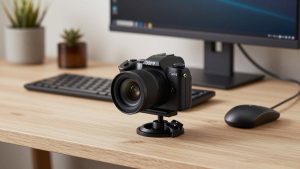
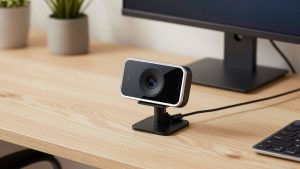
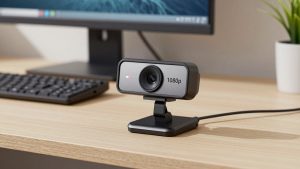
When does a separate USB webcam help outdoors? When your laptop angle is bad or you want to stand and show work. A normal 1080p USB webcam on a small tripod lets you place the camera at eye level while the laptop stays in shade. That is far more useful than weatherproofing. Look at a standard 1080p USB webcam for laptop rather than anything marketed as outdoor – you want good auto-exposure and a long cable, not IP65.
Failure modes to plan for: USB extension cables over 10 feet without active boosting drop out, power banks that cannot sustain 45-60W will slowly drain a work laptop even while plugged in, and glare makes your screen unreadable even if others see you fine. A laptop sun shade or even a cardboard box shield, plus a matte screen protector, matters more than camera specs.
If you want to monitor outdoors while you work: buy a security camera, not a webcam
This is the only case where “outdoor wireless” makes sense. You want a battery-powered Wi-Fi camera mounted under an eave, watching a door or yard, with motion alerts on your phone and occasional check-ins from your Mac or PC browser.
Do not expect to use it in Zoom. These cameras stream via a proprietary app or RTSP, not UVC, so Teams will not see them as a webcam. Two-way talk works through the vendor’s phone app with a half-second to several-second delay and walkie-talkie style push-to-talk. Fine for telling a delivery driver to leave a package, terrible for a standup meeting.
What matters for desk workers: 2.4GHz Wi-Fi range through exterior walls, battery life in cold, and whether you need a subscription to get recordings. Manufacturers advertise “3-6 months battery” based on 10 motion events per day. Point it at a busy street and you will get 10 days. Solar panels help only if they get 3+ hours of direct sun. If you can run one outdoor outlet or use an existing doorbell wire, a wired doorbell camera is dramatically more reliable than battery.
If that fits your use, search for a wireless outdoor security camera with two-way audio with a desktop web viewer, local storage option, and IP65 or IP66 rating. Prioritize models that explicitly support viewing from Mac/PC browsers without a phone emulator, and check whether 5GHz is supported – 2.4GHz reaches farther outside, but congested neighborhoods need careful channel placement.
What to avoid
Avoid cheap no-name “4K WiFi outdoor webcam USB” listings that promise PC, Mac, Zoom, and weatherproof in one. They are usually repackaged security cameras with MJPEG streams, no microphone noise cancellation, no autofocus tuned for faces, and drivers that break on macOS updates. Returns are painful once mounted outside.
Also avoid leaving a normal indoor USB webcam outside semi-permanently under a bag or eave. Morning condensation kills them faster than rain. USB connectors corrode, IR glare from windows blinds the sensor at night, and heat warps cheap plastic mounts. If it must live outside, it needs a real outdoor housing and you still will have cable-run problems.
Practical outdoor call setup that works
For a backyard office day: laptop in shade, USB webcam on a 3-foot tripod at eye level, wired earbuds, phone in shade tethering or hotspot nearby with line-of-sight to you, and a 65W+ power bank. Turn off HD video, enable noise removal, and bring a towel to drape over the laptop when idle – direct sun on a black lid adds 15 degrees fast. Keep calls to 30 minutes in heat over 90F.
For field work where you need to show something: flip the logic. Use your phone as the camera (rear camera via Continuity Camera on Mac or DroidCam / Teams mobile) and your laptop just for screen viewing. Phones handle bright light and have better stabilization when walking around a site. Just watch data use – an hour of outdoor video can burn 1-2GB.
FAQ
Can I use an outdoor security camera as a Zoom webcam on Mac?
Generally no. Most do not present as a standard UVC webcam to macOS or Windows, so Zoom and Teams cannot select them. Some offer RTSP that can be bridged with third-party software, but latency is high and audio is poor. Use a normal USB webcam for meetings.
What is the simplest wireless outdoor setup for work calls?
Your existing laptop plus phone hotspot plus earbuds with a mic. Sit in shade with a plain background. Only add gear if that fails – usually a basic USB webcam on a tripod and a higher-wattage power bank solve the remaining issues.
Do I need 4K for outdoors?
No. Outdoors, exposure handling, wind noise, and connection stability matter far more than resolution. A good 1080p webcam with solid auto-exposure and a separate mic will look better than a cheap 4K sensor that blows out highlights and drops frames on weak Wi-Fi.
How do I power a laptop outside all day?
You likely cannot on battery alone. Use an outdoor-rated extension to a 65W+ USB-C charger, or a large power station if no outlet is available. Small 10,000mAh phone banks will not sustain a work laptop. Keep batteries in shade – heat cuts capacity and triggers thermal shutdown.