Last Updated: October 8, 2026
- Quick picks by gaming budget
- Best gaming desktops for different buyers
- Graphics card, processor, RAM, and storage: what matters most?
- Upgrade access and cooling can outweigh a small performance advantage
- Fit the desktop to your room and furniture
- Compact, prebuilt, or custom: which construction is right?
- Moving, assembly, and durability realities
- Final buying recommendation
The best gaming desktops in 2026 are the ones whose graphics card matches your monitor, whose processor will not bottleneck it, and whose case has enough cooling and upgrade access for several years of use—not simply the one with the highest advertised frame rate.
📄 In This Review
- Quick picks by gaming budget
- Best gaming desktops for different buyers
- Graphics card, processor, RAM, and storage: what matters most?
- Upgrade access and cooling can outweigh a small performance advantage
- Fit the desktop to your room and furniture
- Compact, prebuilt, or custom: which construction is right?
- Moving, assembly, and durability realities
- Final buying recommendation
Quick picks by gaming budget
| Budget | Best target | Recommended core specification | Suitable resolution | Typical market range |
|---|---|---|---|---|
| $800–$1,100 | Entry-level gaming desktop | Modern six-core CPU, 16GB RAM, 1TB SSD, midrange graphics card | 1080p, often high settings | $800–$1,100 |
| $1,200–$1,700 | Balanced mainstream system | Six- or eight-core CPU, 16–32GB RAM, 1TB SSD, upper-midrange GPU | 1440p high settings | $1,200–$1,700 |
| $1,800–$2,700 | High-end 1440p system | Eight-core CPU, 32GB RAM, 1–2TB SSD, powerful ray-tracing-capable GPU | 1440p ultra or entry-level 4K | $1,800–$2,700 |
| $2,800 and above | Enthusiast workstation-gaming hybrid | High-end CPU, 32–64GB RAM, 2TB or larger SSD, flagship GPU | 4K high settings and demanding creative work | $2,800–$5,000+ |
Best gaming desktops for different buyers
See also: Can DDR5 Motherboards Use DDR4? Compatibility Guide • Best RTX 5060 Graphics Cards for Gaming in 2026
Best value: a midrange custom or configurable tower
For most players, the strongest choice is a tower with a current six- or eight-core processor, 32GB of memory, a 1TB NVMe SSD, and a graphics card designed for 1440p. This combination avoids spending too much on a processor while leaving enough budget for the component that affects gaming performance most: the GPU.

CyberPowerPC Gaming PC, Intel Core i5-14400F, GeForce RTX 5060 8GB
Included for 'Best Gaming Desktops for Smooth PC Gaming' because the listing specifies Intel Core i5-14400F and GeForce RTX 5060 8GB, details this guide uses to compare options.
View on Amazon
Alienware Aurora Gaming Desktop, RTX 5070, Intel Core Ultra 7 265F
Included for 'Best Gaming Desktops for Smooth PC Gaming' because the listing specifies RTX 5070 and Intel Core Ultra 7 265F, details this guide uses to compare options.
View on Amazon
msi Codex Z2 Gaming Desktop, AMD R7-8700F, RTX 5070, 32GB DDR5, 2TB SSD
Included for 'Best Gaming Desktops for Smooth PC Gaming' because the listing specifies AMD R7-8700F and RTX 5070, details this guide uses to compare options.
View on Amazon
HP OMEN 45L Gaming Desktop, 32GB RAM, 1TB SSD, Intel Core i7, Liquid Cooled
Included for 'Best Gaming Desktops for Smooth PC Gaming' because the listing specifies 32GB RAM and 1TB SSD, details this guide uses to compare options.
View on AmazonLook for a standard microATX or ATX motherboard, two accessible RAM slots, and at least one vacant M.2 storage slot. Configurable desktops from brands such as Lenovo Legion Tower, HP OMEN, NZXT Player, Corsair Vengeance, and CyberPowerPC commonly offer versions in this category, although the exact components change by configuration.
Best for competitive 1080p gaming: a fast CPU and high-refresh GPU
Players using a 240Hz or 360Hz monitor should prioritize strong CPU performance and low memory latency rather than paying for a flagship graphics card. A current gaming-focused six- or eight-core processor, 16GB or 32GB of dual-channel RAM, and a midrange GPU can deliver very high frame rates in esports games such as Counter-Strike 2, Valorant, Overwatch 2, and Fortnite.
For this use, spending $1,000–$1,500 on the tower is usually more sensible than buying a $2,500 4K-focused system. Confirm that the motherboard supports the memory at its advertised speed and that the CPU cooler is substantial enough to sustain high boost clocks.
Best for 1440p: the sensible sweet spot
A 1440p gaming desktop is the best fit for a large proportion of PC gamers. Choose an upper-midrange graphics card with at least 12GB of video memory when possible, 32GB of system RAM, and a modern eight-core processor if you play simulation, strategy, or open-world games.
Systems such as the Alienware Aurora, ASUS ROG G700, Lenovo Legion Tower 5i, and HP OMEN 35L can fit this role in suitable configurations. Compare the actual GPU and power supply rather than relying on the family name: one version may be an excellent 1440p computer while another is intended mainly for 1080p.
Best for 4K and ray tracing: prioritize the graphics card
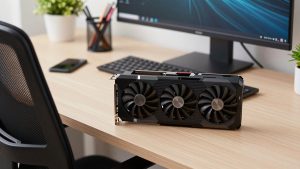
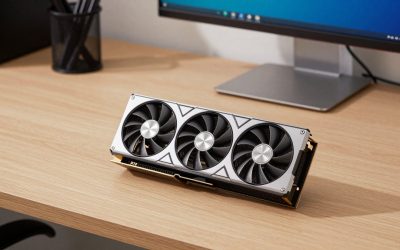
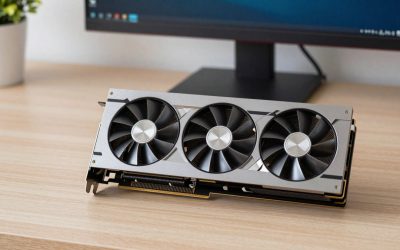
For 4K gaming, allocate the largest share of the budget to the GPU. Current high-end NVIDIA GeForce RTX 50-series and AMD Radeon RX 9000-series cards can support demanding 4K games, but performance varies considerably between models. Upscaling and frame-generation features can improve smoothness, but they do not make a weak graphics card equivalent to a flagship one.
Choose at least 32GB of RAM, a 2TB SSD if you install many large games, and a processor with enough cores for background applications and high minimum frame rates. A high-end GPU also needs adequate airflow and a power supply with suitable capacity and modern power connectors. Avoid a premium graphics card paired with a basic 500W or poorly documented power supply.
Graphics card, processor, RAM, and storage: what matters most?
- Graphics card: The primary factor in frame rate at 1440p and 4K. Check video-memory capacity, ray-tracing performance, upscaling support, and the outputs needed by your monitor.
- Processor: Important for minimum frame rates, simulation games, esports, and high-refresh gaming. Six cores is a practical starting point; eight cores offers more headroom for new games and multitasking.
- RAM: 16GB remains usable for a budget system, but 32GB is the better 2026 target. Two matching modules are preferable to one module because dual-channel memory improves performance.
- Storage: A 1TB NVMe SSD is the minimum comfortable capacity. Modern games can exceed 100GB, so a 2TB drive is worthwhile if the desktop will hold a large library.
Upgrade access and cooling can outweigh a small performance advantage
Before buying, remove the side-panel specifications from the marketing equation and inspect the internal layout. A good gaming desktop should provide tool-free or simple panel access, standard DIMM slots, a replaceable power supply, and enough room for a second SSD. Proprietary motherboards, unusual power connectors, and cramped cable routing can make future repairs expensive.
| Physical check | Useful minimum | Why it matters |
|---|---|---|
| GPU clearance | At least 30mm longer than the installed card | Allows a future card or a thicker replacement without immediately changing the case |
| Front and rear airflow | Two or three front intake fans plus one rear exhaust | Helps maintain performance during long gaming sessions |
| CPU cooler clearance | Approximately 160mm for a tower air cooler, or room for a 240mm radiator | Provides quieter cooling than a small stock cooler |
| Desk clearance | At least 75mm above and 50mm at the rear | Prevents hot exhaust air from being trapped under a desk |
| Power supply headroom | Roughly 20–30% above the system’s expected peak draw | Leaves room for transient spikes and later upgrades |
Fit the desktop to your room and furniture
Measure more than the computer’s listed height. A mid-tower can be about 18–21 inches tall, 8–10 inches wide, and 17–22 inches deep, while a compact gaming desktop may be substantially smaller. Leave airflow space around it and make sure the rear power cable can bend without pressing against the wall.
In a 10-by-12-foot room, a mid-tower normally fits comfortably beside or on a desk, but a full-size tower can consume valuable legroom. If the computer sits on the desktop, check that the work surface is at least 24 inches deep after allowing room for the monitor stand. If it sits on the floor, use a rigid platform rather than carpet, and keep it away from curtains, pet hair, and heater vents.
Compact, prebuilt, or custom: which construction is right?
- Compact desktop: Best for small apartments and clean desks. It saves space but may use smaller coolers, shorter graphics cards, and proprietary parts.
- Mainstream prebuilt tower: Usually the easiest balance of price, warranty, assembly, and upgradeability. Confirm that the power supply and motherboard are standard.
- Custom-built or configurable tower: Best when you want a particular GPU, quiet cooling, extra storage, or a longer upgrade path. It may cost more, but component transparency is usually better.
- Large enthusiast tower: Suitable for flagship graphics cards and multiple drives, but it is heavier, louder, and harder to move through narrow doorways.
Moving, assembly, and durability realities
A gaming desktop with a glass side panel and a large graphics card can weigh 35–55 pounds once packed, and its shipping carton may be several inches wider than the computer. Measure doorways, stair turns, and the space beneath the desk before ordering. For a desktop assembled at home, install the graphics card after transporting the case when possible; its weight can stress the expansion slot if the computer is carried on its side.
Fans, dust filters, front-panel connectors, and mechanical switches are common wear points. Keep intake filters clean every few months, avoid blocking the front panel, and use a surge-protected outlet. In households with children or pets, a closed-front case is less visually dusty but may run warmer; a mesh-front case cools better but requires more frequent cleaning.
Final buying recommendation
Choose a $1,200–$1,700 best gaming desktop with 32GB RAM, a 1TB or 2TB NVMe SSD, and a capable 1440p graphics card if you want the strongest balance of price and longevity. Spend less only when you have a 1080p monitor or mainly play lighter competitive games. Spend more when you already own a 4K high-refresh display, use ray tracing heavily, or need the desktop for demanding creative workloads. In every price range, favor standard parts, generous airflow, and accessible upgrades over decorative lighting or a slightly faster processor paired with a weaker GPU.
Related Reviews & Guides



Best Desktop Chargers in 2026: Compared and Ranked
Anker Desktop Charger vs USB C Charger Block: Which Should You Buy?