Last Updated: October 7, 2026
- Quick picks by office situation
- Intel Core Ultra 5 225: best all-round office choice
- AMD Ryzen 5 8600G: best compact and efficient option
- AMD Ryzen 7 8700G: integrated graphics for demanding displays
- Intel Core Ultra 7 265: best for heavy multitasking
- AMD Ryzen 7 9700X: efficient power for a discrete-GPU workstation
- What matters beyond benchmark speed
- Plan the computer around the desk
- Recommended configurations
- Bottom line
- Related Guides
For most people, the best CPU for office work in 2026 is the Intel Core Ultra 5 225: it delivers quick everyday performance, useful integrated graphics, low platform cost, and modest cooling requirements without paying for workstation-level hardware.
The right choice changes with your workload. A small, quiet desk setup favors an efficient six- or ten-core chip; heavy spreadsheets and virtual machines benefit from more cores; and a computer that must drive several monitors without a graphics card needs stronger integrated graphics. The comparisons below focus on the complete platform—not just the processor price.
📄 In This Review
- Quick picks by office situation
- Intel Core Ultra 5 225: best all-round office choice
- AMD Ryzen 5 8600G: best compact and efficient option
- AMD Ryzen 7 8700G: integrated graphics for demanding displays
- Intel Core Ultra 7 265: best for heavy multitasking
- AMD Ryzen 7 9700X: efficient power for a discrete-GPU workstation
- What matters beyond benchmark speed
- Plan the computer around the desk
- Recommended configurations
- Bottom line
- Related Guides
Quick picks by office situation
| Office situation | Recommended CPU type | Why it fits | Typical complete desktop cost |
|---|---|---|---|
| General documents, browser tabs, video calls | Intel Core Ultra 5 225 | Fast single-core response, integrated graphics, efficient cooling | Usually $650–$950 |
| Small apartment or quiet home office | AMD Ryzen 5 8600G | Low-power six-core design with capable integrated graphics | Usually $550–$850 |
| Large spreadsheets, coding, and many applications | Intel Core Ultra 7 265 | More cores and threads for sustained multitasking | Usually $850–$1,250 |
| Office work plus light gaming or creative work | AMD Ryzen 7 8700G | Strong integrated graphics and eight-core multitasking | Usually $750–$1,100 |
| Office PC with a separate graphics card | AMD Ryzen 7 9700X | Excellent efficiency and processing performance when graphics are discrete | Usually $1,000–$1,600 |
Intel Core Ultra 5 225: best all-round office choice
See also: Can DDR5 Motherboards Use DDR4? Compatibility Guide • Best Gaming Desktops for Smooth PC Gaming
The Core Ultra 5 225 is a sensible center point for an office desktop. Its hybrid design combines performance and efficiency cores, giving Windows, Microsoft 365, browser applications, and video conferencing plenty of responsiveness while avoiding the cost and cooling demands of higher-end processors. Its integrated Intel graphics can handle ordinary desktop output and multiple monitors, depending on the motherboard’s video connections.
Choose a motherboard with the display outputs you actually need. Two monitors may be easy, but three displays, USB-C video, or high-resolution screens depend on the board rather than the CPU alone. A 32GB memory kit is a worthwhile pairing for long-lived office use, especially if you routinely keep dozens of browser tabs open.
For a quiet desk, use a tower cooler with a 120mm fan rather than the smallest possible low-profile cooler. The extra heatsink area lets the fan spin slowly during calls and document work. Allow roughly 25mm of open space above the computer case and at least 75mm at the rear so warm air is not trapped against a wall or desk panel.
AMD Ryzen 5 8600G: best compact and efficient option
The Ryzen 5 8600G makes particular sense when the computer must remain small, inexpensive, and independent of a graphics card. Its integrated Radeon graphics are substantially more capable than the basic display engines found in many mainstream office CPUs, so it can handle office monitors and occasional light gaming without adding a graphics card, extra power draw, or another source of fan noise.
It is a strong fit for a small apartment, a shared study, or a sit-stand desk where the computer needs to fit in a compact enclosure. A complete system can use a modest power supply, but do not place a small-form-factor case inside a closed cabinet. Leave at least 50mm on the ventilation sides and 100mm behind the exhaust.
The trade-off is expansion. A compact AM5 system may have fewer storage slots and less room for future upgrades than a mid-tower. If you expect to add several drives, a capture card, or a discrete graphics card later, check the case and motherboard dimensions before choosing the CPU.
AMD Ryzen 7 8700G: integrated graphics for demanding displays
The Ryzen 7 8700G is the better integrated-graphics choice when office work overlaps with light creative applications, casual gaming, or several high-resolution displays. Eight cores and sixteen threads also provide more headroom for code compilation, photo organization, large spreadsheets, and simultaneous communication apps.
Its integrated graphics use system memory, so install two matching memory modules rather than one. DDR5-6000-class memory is a common balanced target for an AM5 build, provided the motherboard and memory kit support it. Increasing memory from 16GB to 32GB often improves the overall office experience more than moving from a midrange CPU to a premium one.
The 8700G is not a substitute for a modern discrete graphics card in professional 3D work or demanding games. For ordinary office monitors, however, its graphics capability can eliminate a $200–$500 graphics-card purchase and reduce both platform cost and case heat.
Intel Core Ultra 7 265: best for heavy multitasking
Choose the Core Ultra 7 265 when “office work” means enormous spreadsheets, local databases, multiple virtual machines, software development, or constant multitasking across several displays. Its higher core count is useful when many tasks run at once, particularly background exports, code builds, compression, or virtualized test environments.
For ordinary email and word processing, it will not feel dramatically faster than the Core Ultra 5 225. The benefit appears during sustained workloads. It also raises the value of a larger cooler and a motherboard with reliable power delivery. A 140mm-class tower cooler or a well-designed 120mm tower is generally a better quiet-office choice than a cramped stock-style cooler.
Avoid paying for this class of processor if your main applications are a browser, documents, accounting software, and video meetings. Put the money into 32GB or 64GB of memory, a larger solid-state drive, a better monitor, or an ergonomic desk setup instead.
AMD Ryzen 7 9700X: efficient power for a discrete-GPU workstation
The Ryzen 7 9700X is a strong option when the computer will use a separate graphics card or when CPU-intensive work matters more than integrated graphics. It offers excellent general processing performance with a comparatively manageable thermal profile, making it easier to build a quiet workstation than with a high-power enthusiast processor.
Its integrated graphics are intended mainly for basic display output, not for meaningful gaming or graphics acceleration. That makes the 9700X less attractive for a simple office PC, because the additional graphics card increases purchase price, power use, and noise. It becomes more logical for users who already own a graphics card or need one for CAD, video editing, or GPU-accelerated applications.
What matters beyond benchmark speed
| Decision factor | What to look for | Practical office consequence |
|---|---|---|
| Everyday speed | Strong single-core performance and an NVMe SSD | Faster application launches, browsing, and document response |
| Multitasking | At least 6 cores; 8 or more for virtual machines and heavy spreadsheets | Less slowdown when calls, browsers, and background jobs overlap |
| Memory | 32GB for a long-term mainstream system; 64GB for professional multitasking | Fewer reloads and less swapping with many tabs and large files |
| Noise | Efficient CPU, tower cooler, ventilated case, and quiet 120mm or 140mm fans | Less fan ramping during calls and concentrated work |
| Platform cost | CPU, motherboard, cooler, memory, graphics, and power supply together | A cheaper processor may become expensive if it requires a graphics card |
| Desk fit | Case clearance, cable space, and ventilation | Prevents heat buildup and awkward access under or beside the desk |
Plan the computer around the desk
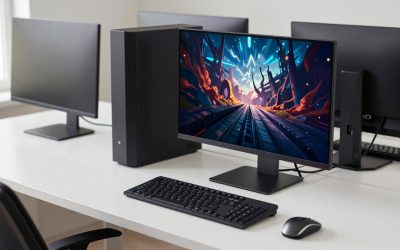
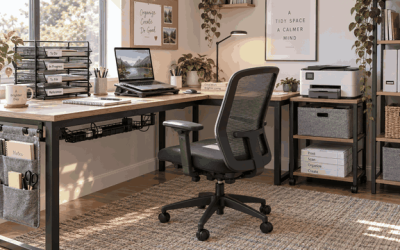
Before buying a case, measure the furniture rather than relying on a product photograph. A typical desktop tower is about 200mm wide, 450mm deep, and 430mm tall, but compact cases can be much smaller and workstation cases considerably larger. For an under-desk installation, leave at least 75mm behind the case for cables and exhaust, plus enough side clearance for unrestricted intake. Never place the exhaust directly against a solid desk side panel.
A desk with a 720–760mm work surface height usually leaves comfortable legroom for most seated users, but a tower under the desk can reduce foot space. Keep at least 600mm of clear width for the legs and avoid positioning the case where it blocks a chair’s five-star base. If the desk is a sit-stand model, secure cables with a flexible loop and check that the computer or monitor leads do not become taut at maximum height.
For a 10-by-12-foot room, a quiet mid-tower beside the desk is usually easier to cool and service than a sealed cabinet-mounted computer. In a smaller room, a compact Ryzen 5 8600G or Core Ultra 5 225 system can reduce heat and fan noise without sacrificing office responsiveness.
Recommended configurations
- Quiet everyday build: Core Ultra 5 225, 32GB DDR5, 1TB NVMe SSD, integrated graphics, a 120mm tower cooler, and a ventilated micro-ATX case.
- Compact no-graphics-card build: Ryzen 5 8600G, 32GB dual-channel DDR5, 1TB NVMe SSD, and a small case with mesh intake and a replaceable dust filter.
- Heavy multitasking build: Core Ultra 7 265, 64GB DDR5, 2TB NVMe SSD, a larger tower cooler, and a motherboard with four memory slots and multiple storage connections.
- Light creative workstation: Ryzen 7 9700X with a discrete graphics card, 64GB memory, and a power supply sized for the graphics card rather than the CPU alone.
Bottom line
Buy the Core Ultra 5 225 for the most balanced office desktop, the Ryzen 5 8600G for a compact and efficient system with useful integrated graphics, and the Ryzen 7 8700G when graphics capability matters more. Step up to the Core Ultra 7 265 for sustained multitasking, or choose the Ryzen 7 9700X when a discrete graphics card is already part of the plan. In every case, budget for 32GB of memory, a fast SSD, sensible cooling, and enough clearance around the computer to keep the workspace quiet and comfortable.
Related Reviews & Guides
Best Desktop Chargers in 2026: Compared and Ranked
Best Desktop File Organizer in 2026: Buying Guide