Last Updated: October 7, 2026
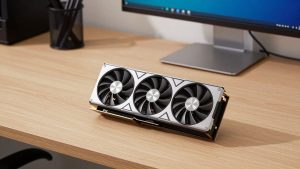
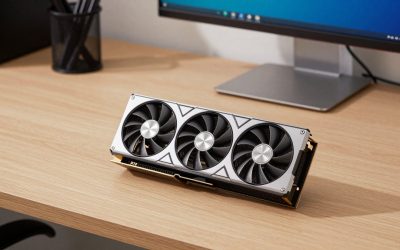
The best DDR4 graphics cards and GPUs for value builds in 2026 are the Radeon RX 6600, the GeForce RTX 3050 6GB, the Radeon RX 7600, and the GeForce RTX 4060 — all of which pair well with DDR4 systems because graphics cards use their own dedicated GDDR memory and never touch your system RAM. That’s the single most important thing to understand before shopping: “DDR4 graphics card” is a category that doesn’t really exist. Your motherboard’s DDR4 slots hold system memory, while every modern GPU carries GDDR5, GDDR6, or GDDR6X soldered directly onto the card.
📄 In This Review
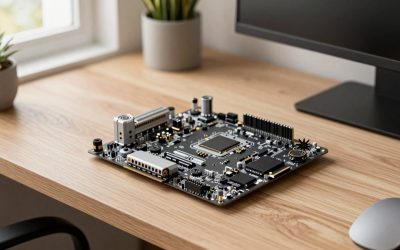
DDR4 System Memory vs. GDDR Graphics Memory
These two memory types share letters but do completely different jobs, and mixing them up is the most common source of confusion in budget PC building.
- DDR4 (and DDR5) is system RAM. It lives in DIMM slots on the motherboard, feeds the CPU, and handles everything from your browser tabs to game assets waiting to be processed.
- GDDR6/GDDR6X is video memory (VRAM). It’s soldered onto the graphics card’s PCB, sits right next to the GPU chip, and is optimized for massive bandwidth rather than low latency.
The practical takeaway: any modern graphics card works in a DDR4 system. A GPU with GDDR6 memory does not require DDR4 or DDR5 motherboard RAM — the two are independent. So the real question isn’t “which DDR4 GPU should I buy,” it’s “which GPU gives me the most frames per dollar on a DDR4 platform without being bottlenecked by an older CPU.”
What Actually Limits GPU Choice on a DDR4 Build
See also: Can DDR5 Motherboards Use DDR4? Compatibility Guide • Best Gaming Desktops for Smooth PC Gaming
Three constraints matter more than memory type when you’re upgrading a DDR4 machine:
CPU bottleneck
A Ryzen 5 3600 or Core i5-10400 will comfortably feed a mid-range card but starts holding back anything faster around the RTX 4070 tier in CPU-heavy games. Pairing a $500+ GPU with a 2020-era quad or six-core DDR4 system wastes money — the CPU becomes the ceiling.
PCIe generation
Most DDR4 platforms run PCIe 3.0 or 4.0. Cards with a narrow x8 or x4 interface — notably the RX 6600 (x8) and RTX 4060 (x8) — lose roughly 3–8% performance on PCIe 3.0 compared to PCIe 4.0. On a B450 or H410 board, factor that small penalty into your decision.
Power supply headroom
Budget DDR4 builds often shipped with 400–500W units. Check the GPU’s board power before buying, and note whether the card needs an 8-pin connector or none at all.
| GPU | VRAM | Board Power | PCIe Interface | Typical 2026 Price Range | Best For |
|---|---|---|---|---|---|
| RTX 3050 6GB | 6GB GDDR6 | 70W | PCIe 4.0 x8 | $130–$170 | Prebuilts with weak PSUs, no extra power cable needed |
| RX 6600 | 8GB GDDR6 | 132W | PCIe 4.0 x8 | $170–$210 | Best pure value for 1080p gaming |
| Intel Arc A580 | 8GB GDDR6 | 175W | PCIe 4.0 x8 | $160–$200 | Tinkerers; needs Resizable BAR enabled |
| RX 7600 | 8GB GDDR6 | 165W | PCIe 4.0 x8 | $230–$270 | Strong 1080p, entry 1440p |
| RTX 4060 | 8GB GDDR6 | 115W | PCIe 4.0 x8 | $280–$330 | 1080p ultra plus DLSS and efficient power draw |
| RX 6600 XT / RX 6650 XT | 8GB GDDR6 | ~160W | PCIe 4.0 x8 | $180–$240 used/new-old-stock | Clearance deals, slightly faster than RX 6600 |
Picks by Situation
Tightest budget, OEM desktop with a 300W PSU: RTX 3050 6GB
At 70W with no external power connector on most models, the 6GB RTX 3050 drops into Dell, HP, and Lenovo DDR4 towers that can’t physically power anything bigger. It’s the slowest card on this list, but it still handles esports titles easily and 1080p medium settings in heavier games.
Best frames per dollar: RX 6600
The RX 6600 remains the value king for DDR4 builds. It outpaces the RTX 3050 by roughly 30–40% in rasterized games for a modest price bump, sips 132W, and fits in virtually any case. Its weakness is ray tracing and the PCIe 3.0 x8 penalty, which costs a few percent on older boards.
Want ray tracing or DLSS: RTX 4060
The most power-efficient card here at 115W, with DLSS upscaling and frame generation extending its useful life. Worth the premium over the RX 6600 if you play titles with heavy ray tracing; overkill if you mostly play competitive shooters.
Stepping toward 1440p: RX 7600
A solid middle ground for DDR4 systems with a decent six-core CPU. Beyond this tier — RX 7700 XT, RTX 4070 class — you’re usually better off putting the money toward a platform upgrade, since a DDR4-era CPU becomes the bottleneck in demanding titles.
Used market alternative
A used RTX 3060 12GB or RX 6600 XT in the $150–$220 range often beats new budget cards outright. The RTX 3060’s 12GB of VRAM specifically ages better than the 8GB cards for texture-heavy games.
Decision Matrix
| Your Situation | Recommended Pick | Why |
|---|---|---|
| OEM tower, PSU under 400W, no PCIe power cables | RTX 3050 6GB | Only card here that runs on slot power alone |
| Custom build, 450–550W PSU, 1080p gaming | RX 6600 | Best cost-per-frame; minimal bottleneck on six-core DDR4 CPUs |
| PCIe 3.0 motherboard (B450, H410, Z390) | RX 6600 or RTX 3060 12GB used | RTX 3060 runs full x16, avoiding x8 bandwidth loss |
| Ray tracing, modded games, creative apps (CUDA) | RTX 4060 | DLSS ecosystem and low 115W draw |
| Six-core CPU from 2020–2021, eyeing a future AM5/LGA1851 rebuild | RX 6600 now | Save the difference for the platform move rather than buying a GPU your CPU can’t feed |
| Comfortable flashing BIOS settings and drivers | Arc A580 | Strong specs for the price, but requires Resizable BAR and driver patience |
Practical Fit and Installation Realities
Physical fit is an underrated problem in prebuilt DDR4 towers. Before ordering:
- Measure case clearance. Budget cards range from compact 200mm dual-fan models to 240mm+ triple-fan designs. OEM towers often top out around 240mm and may have drive cages intruding into GPU space.
- Check slot height. Most models here are dual-slot, but slim prebuilts need low-profile variants — and low-profile options are limited mostly to the RTX 3050 6GB and GTX 1650-class cards.
- Verify power connectors. The RX 6600 and RTX 4060 need one 8-pin; the RTX 3050 6GB typically needs none. If your PSU lacks the cable, adapter cables from SATA/Molex are a fire risk on anything above 75W — buy a proper PSU instead.
- Enable Resizable BAR if available. Many DDR4-era boards (B450/B550, Z490+) support it via a BIOS update, and it can add 5–15% performance on Radeon and Arc cards.
FAQ
Can I use a GDDR6 graphics card with DDR4 RAM?
Yes — this is the normal configuration. GDDR6 lives on the graphics card itself and has no relationship to your motherboard’s DDR4 slots.
Is 16GB of DDR4 enough for modern games?
Yes for 1080p gaming. Two sticks of 8GB (dual channel) matters more than total capacity — a single 16GB stick can cost you 10–15% of your frame rate compared to a matched pair.
Will a new GPU work in my PCIe 3.0 slot?
Every card listed works on PCIe 3.0. Expect a 3–8% loss on x8-interface cards like the RX 6600 and RTX 4060; x16 cards like the RTX 3060 lose almost nothing.
When should I stop upgrading the GPU and replace the platform?
Once you’re considering cards above the $300–$350 range on a DDR4 build with a pre-2022 CPU, the money is usually better spent on a DDR5 platform. The exception is the used RTX 3060 12GB, which remains a sensible ceiling for older systems.
Related Reviews & Guides


Can DDR5 Motherboards Use DDR4? Compatibility Guide
Best AMD CPUs for the RTX 4070 Ti Super