Last Updated: October 18, 2026
If you search Reddit for webcam advice, you get hundreds of threads that all sound the same at first: a lot of people asking for a “good cheap webcam for Zoom” and a lot of replies saying just use your phone. Underneath that noise, there is a pretty consistent consensus, especially in r/WFH, r/homeoffice, r/mac, r/Zoom, and r/streaming. This is what Reddit actually lands on after people buy, return, and re-buy.
📄 In This Review
What Reddit actually recommends
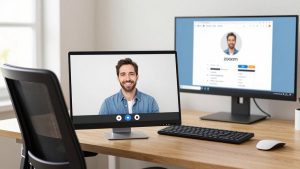
For basic office work, Reddit’s default answer is still a basic 1080p webcam from a known brand. Not 4K, not AI-tracking, not a $200 streaming camera. The reasoning is practical: Zoom, Teams, and Google Meet compress your video so heavily that most of the extra detail from a 4K sensor never reaches the other person. What does survive compression is good exposure, stable autofocus, and decent microphones if you do not use a headset.
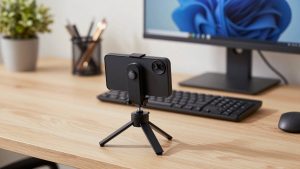
The second most common recommendation is to not buy a webcam at all. A lot of highly upvoted comments suggest using your phone as a webcam via Continuity Camera on Mac/iPhone or Camo, DroidCam, or EpocCam on Windows/Android. In good light, a three-year-old phone beats almost every sub-$100 webcam for sharpness and color. The trade-off is hassle. You need a mount, your phone is tied up during calls, and wireless modes can stutter or overheat on long meetings. For daily 4-5 hour call loads, most people go back to a dedicated webcam.
The third pattern: lighting matters more than the camera. Threads complaining about grainy or dark video usually end with “buy a $20 lamp, not a $150 camera.” A cheap sensor with a window in front of you or a simple desk light will look better than a premium sensor in a dark backlit room. That advice is repetitive because it is true.
Reddit consensus by use case
See also: Best Monitor for MacBook Air: Two USB-C 4K Screens and Six Adapter-Dependent Alternatives • Best Monitor for MacBook Pro: Eight Listings Sorted by Cable, Sharpness and Scaling
Reddit does not recommend one winner. It recommends different trade-offs for office calls, MacBooks, and streaming. Here is the short version:
| Use case | What Reddit usually suggests | Why | Watch out for |
|---|---|---|---|
| Daily Zoom/Teams work | Basic 1080p webcam with autofocus | Reliable, plug-and-play, good enough after compression | Bad low-light performance, narrow field of view on some models |
| MacBook / Mac Mini setup | USB webcam with Mac-compatible settings app, or Continuity Camera | macOS handles exposure differently, external control helps | Some Windows-first cameras lose features on Mac |
| Teaching, coaching, streaming | Higher-end 1080p/4K with larger sensor or mirrorless as webcam | Better depth of field and low-light control | Overkill for meetings, more CPU load, needs good USB port |
| Cheap / temporary fix | Phone-as-webcam | Best image for $0 | Mount hassle, battery heat, calls interrupt video |
If you live on video calls for work, stay in the first row. Only move down the table if you have a specific problem to solve, like a dark office, a Mac Mini with no camera, or you record video and need it to look good outside of Zoom.
Best for office work: keep it simple
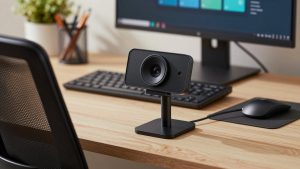
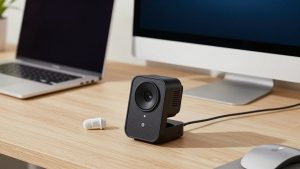
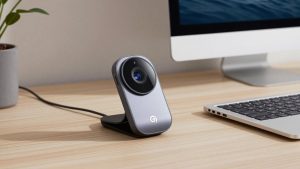
For a home office desk, the sweet spot Redditors keep coming back to is a fixed-focus or fast-autofocus 1080p webcam for office work with dual mics and a privacy shutter. Look for 1080p30, not 1080p60. The 60fps mode rarely helps on work calls and often forces a darker image because each frame gets less light.
Failure modes to know: cheap no-name 1080p cameras often lie about resolution. They take a 720p or 480p sensor and upscale it. Signs are waxy faces, focus hunting every 10 seconds, and robotic audio. Reddit threads are full of these returns. Stick to brands with real drivers and firmware updates. It does not guarantee perfection, but it means autofocus and white balance have actually been tested in Teams and Zoom.
Field of view matters more than people expect. Around 78-90 degrees suits one person at a desk. Wider than 95 degrees will show your messy room and make you look small. If you share an office or do whiteboard demos, wide is useful. For solo calls, it is a downside.
Be honest about audio: even good webcam mics sound hollow compared to a $30 USB headset or earbuds. If you are in a quiet room alone, webcam mics are fine. If you have echo, keyboard clatter, or a second person nearby, Reddit almost always says buy a headset first, camera second.
Mac and laptop-specific advice
Mac users complain about two things: dark image and no settings. Many webcams default to settings tuned for Windows, and on macOS you cannot always adjust exposure, zoom, or flicker. Before you buy, check that the vendor has a Mac app or browser-based controls. Without that, you can get stuck with an image that is too dark in FaceTime or Zoom with no slider to fix it.
For MacBook owners, a lot of Reddit threads recommend trying Continuity Camera before buying anything. Mount your iPhone on top of the laptop and use it as the Mac’s camera. Image quality is excellent, especially in mixed light. The catch is framing – phones sit higher and can look slightly off-angle – and Desk View / Center Stage can be distracting in formal meetings. Test it for a week. If the workflow annoys you, then buy a dedicated USB webcam for MacBook.
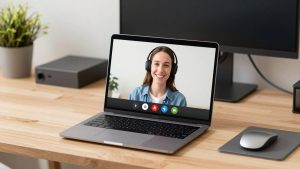
For Windows laptops with a terrible built-in camera, an external 1080p camera is almost always a visible upgrade. Built-ins are usually 720p with tiny sensors optimized for thin lids, not image quality. Put the external cam at eye level on a stand or on top of your monitor. Do not leave it looking up your nose from the laptop deck – that angle makes even good cameras look bad.
When 4K actually makes sense
Reddit is skeptical of 4K webcams for work, and mostly right. On a 2025-2026 home internet connection with Zoom compression, the other side often sees 720p anyway. Where 4K helps is cropping. A 4K webcam with digital zoom lets you crop in for a head-and-shoulders shot without turning to mush, and it holds up better if you record locally for YouTube, courses, or interviews.
Trade-offs are real: 4K needs more light, more USB bandwidth, and more CPU. On older laptops, especially MacBook Airs and thin Windows ultrabooks, 4K mode can cause fan noise, dropped frames, or the camera downgrading itself to 1080p without telling you. If you buy 4K for work calls, plan to run it at 1080p most days and use 4K only for recording. That is what a lot of teachers and creators on Reddit end up doing.
Cheaper is fine if you have good light and short calls. Spend more only if you are on camera for hours, work in a dim room you cannot change, or need manual controls for backlight and white balance.
What Reddit says to avoid
Three red flags come up repeatedly. First, ultra-cheap unbranded 4K cameras under $30. They overheat, have fake specs, and often have out-of-sync audio. Second, gimmicky AI tracking for office work. It sounds useful, but on calls it can drift, zoom at the wrong time, and annoy coworkers. Streamers like it; office workers usually turn it off. Third, buying a pro mirrorless camera just for standups. Image is great, but you add batteries, HDMI capture, heat limits, and complexity. Unless you also shoot video, it is not worth it.
Practical buying checklist from Reddit threads: 1080p30 minimum true resolution, autofocus that does not hunt, 78-90 degree FOV for solo use, physical shutter, tripod thread, USB-A or USB-C cable long enough for your desk, and settings you can actually access on your OS. Noise-canceling mics are a bonus, not a substitute for a headset.
FAQ
Do I need 4K for Zoom or Teams?
No, for most office work. Meetings compress video heavily, so a good 1080p camera with decent light looks the same to others. Get 4K only if you crop/zoom a lot or record locally.
Why do I look grainy even with a good webcam?
Usually low light or backlight. Face a window or put a lamp behind your monitor, and avoid a bright window behind you. Adding light fixes more grain than upgrading the camera.
Will any webcam work with Mac?
Most USB webcams show video on Mac, but settings like exposure, zoom, and flicker control may be Windows-only. Check for Mac software support if you need to tweak the image.
Is using my phone better than buying a webcam?
For pure image quality, often yes. For daily work, often no. Phones look sharper but tie up your phone, need a mount, and can overheat or drop on long wireless calls.