Last Updated: September 7, 2026
- Top Pick: Vaydeer All-in-One Dual Monitor Stand Riser with 2 Drawers, 8USB Ports and Wireless Charging Pad with LED Light Strip for 2 Monitors , Desk Organizer for PC, iMac (Metal, 39.3 inches)
- Best Value: Mac OS Shortcuts Cheat Sheet Mouse Pad, XL 31.5"x11.8"x0.12" | Large Keyboard Shortcut Desk Mat, Non‑Slip Rubber Base, Stitched Edges, Washable, for Office Home Use
- Premium Choice: UGREEN Vertical Laptop Stand Holder for Desk Compatible with MacBook Pro, MacBook Air Stand Vertical Aluminum Adjustable for Up to 17.3 Inch Gaming Laptop, Gray
A great Mac setup is about more than just a laptop and a desk. The right accessories can turn a cramped corner into a command center, whether you’re running dual 4K displays off a MacBook Pro or just need a cleaner way to charge your peripherals. In 2026, Apple’s M-series chips have made external monitor support and Thunderbolt connectivity better than ever, but your Mac still needs the right hardware around it to make the most of that power.
We rounded up six accessories that solve the most common pain points for Mac users: monitor height and cable clutter, ergonomic laptop positioning, port limitations, and even a few desk essentials that make daily use faster and more comfortable. Here’s what’s worth adding to your workspace.
As an Amazon Associate we earn from qualifying purchases at no extra cost to you.


⚡ Save on Your Next PC — Amazon Prime
Prime members get fast free shipping on the systems above, plus early access to Prime Day & Black Friday PC deals. New members get a 30-day free trial.
📄 In This Review
Watch: Desk Setup for Mac Users: Essential Peripherals for Productivity 2026 — Video Review
How to Choose
See also: Best Air Purifier For Bedroom Allergies • Desk Top Air Purifier
- Port compatibility: Confirm a hub or dock supports Thunderbolt 4 or at least USB-C 3.1 if you’re on an M-series Mac, since older USB-C accessories can bottleneck data speeds.
- Ergonomics first: Look for stands with adjustable height and viewing angle rather than fixed risers, since eye-level screen positioning reduces neck strain during long work sessions.
- Build material: Aluminum stands dissipate heat better than plastic, which matters for laptops that run warm under sustained load like video editing or compiling code.
- Desk footprint: Measure your desk depth before buying a monitor riser with drawers or a wide mouse pad, since oversized accessories can crowd out keyboard and mouse space.
- Cable management: Prioritize accessories with built-in USB or charging ports so you’re not running a separate power strip across your desk.
The Best Picks Reviewed
Vaydeer All-in-One Dual Monitor Stand Riser
This 39.3-inch metal riser is the centerpiece pick for anyone running a dual-monitor Mac setup. It combines two drawers, 8 USB ports, and a wireless charging pad with an LED light strip into one platform, which means your monitors, phone, and small accessories all have a home without extra cables snaking across the desk. The metal construction holds steady under two displays, and the drawers are deep enough for cables, a spare mouse, or a notebook.
UGREEN Vertical Laptop Stand Holder
For Mac users who dock their MacBook and work primarily off an external display, this vertical aluminum stand frees up significant desk space compared to a horizontal riser. It fits laptops up to 17.3 inches, so it handles a 16-inch MacBook Pro with room to spare, and the adjustable width accommodates different laptop thicknesses securely. Aluminum construction also helps the laptop chassis stay cooler when running clamshell mode for extended periods.
Anker USB-C Hub for MacBook
Modern MacBooks trimmed ports down to just USB-C, and this 7-in-2 hub is a practical fix. It outputs 4K at 60Hz over HDMI, supports Thunderbolt 4 speeds, and adds two USB-A 5Gbps ports plus additional USB-C for peripherals. It’s a smart pick for anyone connecting a single external monitor plus a handful of accessories like an external SSD, keyboard, or camera without hunting for adapters.
Nulaxy Ergonomic Adjustable Laptop Stand
This dual foldable stand is built for posture correction, with multiple height and angle settings that let you dial in an eye-level position whether you’re standing or seated. The heat-vent design is worth calling out specifically, since it helps a MacBook’s fans work less hard during demanding tasks like Final Cut Pro exports. It also folds flat for travel, which makes it a solid pick for hybrid workers who move between office and home.
Logitech Casa Pop Up Desk
This is the most complete all-in-one solution on the list. It combines a laptop stand, a Bluetooth keyboard, and a touchpad into a single unit that folds up for storage or travel. For MacBook users who want a proper external keyboard and trackpad experience without buying three separate peripherals, the Casa Pop Up covers laptops from 10 to 17 inches and pairs over Bluetooth with macOS without extra drivers.
Frequently Asked Questions
Do I need a Thunderbolt hub if I only use one external monitor?
Not necessarily. A single 4K display at 60Hz works fine over a standard USB-C hub with DisplayPort Alt Mode, like the Anker hub above. Thunderbolt 4 matters more if you’re driving multiple high-resolution displays or connecting fast external storage.
Will a laptop stand actually help my MacBook run cooler?
Yes, elevating the laptop improves airflow around the intake vents on the underside, which is where most MacBook models pull cool air. Stands with open designs or dedicated heat vents, like the Nulaxy stand, make a measurable difference during sustained workloads.
Can I use a wireless charging pad with an iPhone and Apple Watch at the same time?
Check the specific pad’s certification before assuming. Some multi-device charging stations support phone and watch charging simultaneously, but single-pad accessories like the one built into the Vaydeer riser are typically sized for one phone-format device at a time.
Is a mechanical keyboard or the Logitech Casa’s built-in keyboard better for Mac users?
It depends on your priorities. The Casa Pop Up’s keyboard is compact and travel-friendly with native macOS key mapping, while a dedicated mechanical keyboard offers better typing feel and durability for people who type heavily throughout the day.
Final Thoughts
If you’re building out a serious dual-monitor Mac workstation, the Vaydeer riser is the strongest anchor piece thanks to its storage and charging integration. For MacBook users who dock to an external display, pair the UGREEN vertical stand with the Anker USB-C hub to reclaim desk space and add the ports Apple left out. And if you want one purchase that solves laptop positioning, keyboard, and trackpad all at once, the Logitech Casa Pop Up Desk is the simplest path to a clean, functional setup.
Related Reviews & Guides

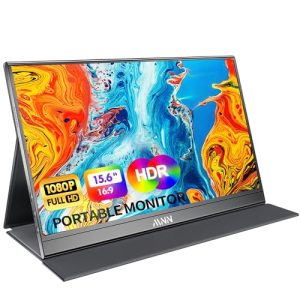
8 Best Portable Monitors for Laptops on the Go 2026

How to Create a Dual Monitor Setup for Maximum Efficiency 2026