Last Updated: September 7, 2026
- Top Pick: LIMKRIAN Desk Mat Pad Set, Large Mouse Pad with Wrist Rest, Stay Positive | Ergonomic Mouse Pad, Gaming Computer Keyboard Mat Wrist Support, Coaster, Home Office Desk Accessories Decor Supplies
- Best Value: MINSA Fashion Multifunction Utility Acrylic Transparent Computer Monitors Side Panel/Memo Pads/Message Boards/Sticky Boards for Computer Screen, 1 Set (Left & Right) (Transparent)
- Premium Choice: Joyberg 3PCS Monitor Memo Board, Memo Board for Computer Monitor, Monitor Memo Board Computer Monitor Sticky Note Holder, Office Desk Accessories
Working from home in 2026 means your desk setup has to work as hard as you do. With hybrid schedules, back-to-back video calls, and the same 6-by-4-foot rectangle serving as your entire office, the small accessories on your desk matter more than most people admit. A good desk mat protects your wrists through an 8-hour typing day, a monitor riser can save your neck from a slow, cumulative strain injury, and yes, even a joke sign or a rotating “busy” flag can save you from three interruptions during a client call.
We rounded up six desk accessories that solve real remote-work problems: wrist comfort, cable and clutter control, monitor ergonomics, and the low-key communication tools that keep coworkers from walking into your camera frame. None of these require a full desk overhaul or an electrician. Here’s what’s worth adding to your setup this year.
As an Amazon Associate we earn from qualifying purchases at no extra cost to you.


⚡ Save on Your Next PC — Amazon Prime
Prime members get fast free shipping on the systems above, plus early access to Prime Day & Black Friday PC deals. New members get a 30-day free trial.
📄 In This Review
Watch: Best Desk Accessories for Remote Workers 2026 — Video Review
How to Choose
See also: Best Air Purifier For Bedroom Allergies • Desk Top Air Purifier
- Wrist support: Look for a desk mat or mouse pad with at least a half-inch of memory foam padding at the wrist rest; anything thinner tends to flatten out within a few months of daily use.
- Desk footprint: Measure your available surface before buying a monitor riser or organizer. A riser with a drawer typically needs at least 20 inches of depth to sit comfortably behind your keyboard.
- Material durability: Acrylic and PU leather hold up better than fabric or basic plastic under daily wear, spills, and repositioning. Check for stitched edges on mats to prevent fraying.
- Actual function vs. novelty: Gag gifts and desk signs are fun, but prioritize ones that also solve a problem, like signaling availability during calls, over ones that just take up space.
- Easy cleanup and reinstallation: Adhesive-based accessories (memo boards, status flags) should use removable adhesive so you’re not left with sticky residue on a monitor bezel when you swap desks or upgrade screens.
The Best Picks Reviewed
LIMKRIAN Desk Mat Pad Set
This large mouse pad and wrist rest set is the easiest upgrade for anyone typing more than a couple hours a day. The extended mat covers both keyboard and mouse zones, so your wrists sit at a consistent, neutral angle instead of dropping down at the edge of a standard pad. The “Stay Positive” print is a small mood boost during long stretches of back-to-back meetings, and the included coaster keeps coffee rings off your desk surface. It’s a low-cost fix for the wrist fatigue that creeps in from all-day mouse use.
MINSA Acrylic Monitor Side Panels
These transparent side panels turn dead space next to your monitor into a sticky-note command center without cluttering your actual desk surface. Because they’re clear acrylic, they don’t block peripheral vision the way a bulky corkboard would, and the left-and-right pair means you can separate urgent tasks from reference notes. It’s a smart use of vertical space for anyone juggling multiple projects on a single monitor.
Joyberg 3PCS Monitor Memo Board
If you’d rather clip notes directly to your screen bezel, this three-piece memo board set attaches with adhesive backing and holds sticky notes flat against the monitor edge. Having three separate boards lets you assign one to each active project or one per family member if you’re sharing a workspace. It’s a simple, low-profile alternative to the acrylic panel setup, and better suited to tight desks where side space is limited.
Spacrea Desk Organizer with Monitor Riser
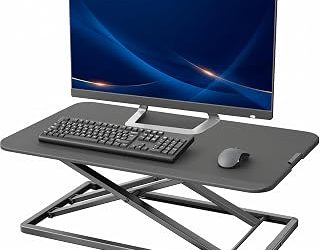
This is the closest thing to a desk overhaul without buying new furniture. The riser lifts your monitor to a healthier eye-line height, which matters if you’re staring at a screen for 6+ hours a day, while the built-in drawer and two pen holders swallow up the cables, chargers, and loose office supplies that usually pile up around a keyboard. For anyone working from a small apartment desk, this single piece replaces three separate organizers.
Monitor Status Flag Set
Nine rotating signs stick to your monitor bezel and flip between statuses like “on a call” or “do not disturb,” which is genuinely useful in a shared home office or open floor plan. It solves a real problem: no more roommates or kids walking into frame mid-meeting. It’s a small, funny accessory that also does actual work, which is rarer than it sounds in this category.
Frequently Asked Questions
Do I need a wrist rest if I already have an ergonomic mouse?
Yes. An ergonomic mouse changes hand angle but doesn’t eliminate wrist strain from resting on a hard desk edge for hours. A padded mat still reduces pressure points, especially during long typing sessions.
Will adhesive memo boards damage my monitor bezel?
Most use low-tack, removable adhesive designed for smooth plastic surfaces, so they come off clean under normal use. Avoid leaving them attached for over a year in direct sunlight, since UV exposure can make any adhesive harder to remove.
Is a monitor riser worth it if I already use a laptop stand?
If your laptop is your primary screen, a stand alone may be enough. But if you’re pairing a laptop with an external monitor, a riser for the second screen keeps both at matching eye level, which prevents the neck strain that comes from constantly looking down at one and up at the other.
Are funny desk signs actually useful for remote work?
They’re mostly for personality and desk decor, but pieces like rotating status flags cross over into genuinely functional territory by signaling availability without you having to type a Slack status every time you step away.
Final Thoughts
For most remote workers, the Spacrea Desk Organizer with Monitor Riser delivers the biggest ergonomic and organizational payoff in one purchase. Pair it with the LIMKRIAN Desk Mat Pad Set for wrist support, and add the Monitor Status Flag Set if you’re working in a shared space where interruptions are a daily issue. Together, these three cover comfort, clutter, and communication, the three things that quietly make or break a home office setup.
Related Reviews & Guides
Best Purifier For Bedroom
Top 3 Budget Monitors for Home Office Use 2026