Last Updated: October 6, 2026
- Why a Smart Student Desk Setup Matters in 2026
- Choosing the Right Student Desk
- Picking a Monitor for Study and Focus
- The Chair: Comfort for Long Study Sessions
- Lighting That Reduces Eye Strain
- Cooling for a Hot Home Office
- Cable Management for a Clean Setup
- Student Desk Setup Comparison
- Desk Setup Shopping List
- Putting It All Together
- Frequently Asked Questions
- Related reading
- Related Articles
- Related Guides
As an Amazon Associate, we earn from qualifying purchases.
Back-to-school 2026 season lands during one of the hottest summers on record, so students and remote workers face a double challenge: building a productive study zone while keeping a stuffy home office cool. This guide walks through the best student desk setups, smart cooling, and the exact gear that makes long study sessions comfortable.


📄 In This Review
- Why a Smart Student Desk Setup Matters in 2026
- Choosing the Right Student Desk
- Picking a Monitor for Study and Focus
- The Chair: Comfort for Long Study Sessions
- Lighting That Reduces Eye Strain
- Cooling for a Hot Home Office
- Cable Management for a Clean Setup
- Student Desk Setup Comparison
- Desk Setup Shopping List
- Putting It All Together
- Frequently Asked Questions
- Related reading
- Related Articles
- Related Guides
Why a Smart Student Desk Setup Matters in 2026
A well-planned student desk setup is more than furniture. It shapes posture, focus, and how long you can actually sit and work before fatigue kicks in. With back-to-school 2026 shopping in full swing and summer heat pushing home office temperatures up, the right combination of desk, monitor, chair, lighting, and cooling turns a cramped corner into a space you want to use every day.
Before you buy anything, measure your available space and decide whether you need a fixed desk or a standing option. Jump to the Desk Setup Shopping List if you already know what you want, or read on for how each piece fits together. See also our sections on cooling and cable management.
Choosing the Right Student Desk
See also: Best Racing Style Chairs: Ten Listings Compared by Footrest, Weight Rating and Fit • Wall Mounted Cable Organizer for Home Office: Raceways, Racks, Clips
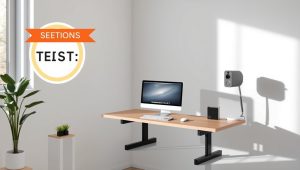
Your student desk is the foundation. For most students, a surface between 40 and 55 inches wide gives room for a monitor, laptop, notebooks, and a desk fan without feeling cramped. If your room is tight, an L-shaped or corner desk uses wall space efficiently and separates your writing zone from your screen zone.
Height matters too. A desk around 29 inches works for most people when paired with an adjustable chair, but if you share the space or plan to grow into it, a height-adjustable standing desk lets you alternate between sitting and standing through long study blocks. Standing breaks help fight the afternoon slump that summer heat makes worse.
Fixed vs. Standing Student Desk
Fixed desks are cheaper and rock-solid, ideal for a dedicated study room. Standing desks cost more but pay off if you spend six or more hours at the desk daily. Either way, prioritize a stable frame and a scratch-resistant top that can handle backpacks, coffee, and the occasional dropped textbook.
Picking a Monitor for Study and Focus
A dedicated monitor dramatically improves productivity over a laptop screen alone. For students, a 24 to 27 inch monitor with a 1080p or 1440p panel hits the sweet spot for reading documents, watching lectures, and multitasking. Look for an IPS panel for wide viewing angles and a stand that tilts, so you can dial in a neutral neck angle.
Position the monitor so the top of the screen sits at or just below eye level and about an arm’s length away. If your desk is shallow, a monitor riser reclaims surface space and lifts the screen to the correct height at the same time.
The Chair: Comfort for Long Study Sessions
A supportive chair is where your money quietly does the most work. A good ergonomic chair with adjustable height, lumbar support, and breathable mesh keeps you comfortable through marathon study sessions. Mesh backs matter even more in a hot home office because they let air circulate against your back instead of trapping heat.
Test that your feet rest flat on the floor and your knees sit at roughly a 90-degree angle. If your desk is tall, add a footrest. Cheap chairs feel fine for an hour but punish you by evening, so treat the chair as a core investment, not an afterthought.
Lighting That Reduces Eye Strain
Good lighting cuts eye strain and helps you stay alert late into the evening. Overhead room light alone creates glare and shadows on your work surface, so add a dedicated task light. An LED desk lamp with adjustable brightness and color temperature lets you switch to warm light at night and cool, focused light during study hours.
Place the lamp on the opposite side of your writing hand to avoid casting a shadow over your notes. If your monitor sits against a wall, a bias light behind the screen softens contrast and further reduces eye fatigue during long sessions.
Cooling for a Hot Home Office
Here is the part most back-to-school guides skip: summer heat wrecks focus. A warm, still home office makes you drowsy, sweaty, and slow. A quiet desk fan is the cheapest, fastest fix. Look for a small oscillating or clip-on fan with multiple speeds that you can aim directly at your seat without hogging desk space.
For bigger rooms, pair a desk fan with a tower fan or a compact air circulator to keep air moving. Position your fan so it pushes cooler air across your body rather than blowing hot air around, and crack a window in the early morning and evening to flush out heat. Keeping the room a few degrees cooler noticeably extends how long you can concentrate.
Cooling Tips That Cost Nothing
Close blinds during peak afternoon sun, keep the desk away from direct window glare, and give your laptop breathing room with a riser so it does not throttle from heat. Small changes stack up into a cooler, calmer workspace.
Cable Management for a Clean Setup
Nothing makes a desk feel chaotic faster than tangled cords. Good cable management keeps power strips, charger cables, and monitor wires tucked out of sight so your surface stays clear for studying. Use adhesive cable clips, a under-desk tray, or simple velcro ties to route everything to one corner.
Bundle the fan, lamp, monitor, and laptop chargers into a single surge protector, then anchor it under the desk. A tidy setup is not just about looks; loose cables collect dust, block airflow, and get knocked loose mid-lecture.
Student Desk Setup Comparison
| Item | Why it matters | Best for |
|---|---|---|
| Standing Desk | Sit-stand flexibility fights fatigue during long study blocks | Students working 6+ hours daily |
| 27-inch IPS Monitor | More screen space for lectures, docs, and multitasking | Research and multi-window study |
| Ergonomic Mesh Chair | Breathable support keeps you cool and comfortable | Marathon study sessions in the heat |
| Quiet Desk Fan | Direct airflow keeps focus sharp in a hot room | Summer home office cooling |
| LED Desk Lamp | Adjustable brightness cuts eye strain late at night | Evening study and reading |
Desk Setup Shopping List
Ready to build your back-to-school 2026 setup? Here is the core gear, each piece chosen to work together for a cool, focused, ergonomic student desk:
- Student Desk (40-55 inch) – your workspace foundation
- 24-27 inch Monitor – more room for lectures and docs
- Ergonomic Chair – all-day back support
- Desk Fan – beat the summer heat
- LED Desk Lamp – eye-friendly task lighting
- Monitor Riser – correct screen height, extra storage
Prioritize the chair and cooling first if your budget is tight, since comfort determines how long you can actually study. Revisit the comparison table to match each item to your needs.
Putting It All Together
Start with the desk and chair to set your ergonomic baseline, add the monitor and riser for screen comfort, layer in the LED lamp for eye-friendly lighting, then finish with a desk fan and tidy cable management. This order lets you build in stages if you cannot buy everything at once, and it keeps back-to-school 2026 shopping affordable and stress-free.
- ▸ Open a free Amazon Business account
- ▸ Start an Audible Premium Plus free trial
Frequently Asked Questions
What size student desk is best for a small room?
A 40 to 48 inch desk fits most small rooms while still holding a monitor, laptop, and desk fan. If floor space is tight, a corner or L-shaped desk uses wall space more efficiently and leaves room to move around.
How do I keep my home office cool during summer heat?
Aim a quiet desk fan directly at your seat, close blinds during peak afternoon sun, and raise your laptop on a riser so it does not overheat. For larger rooms, add a tower fan or air circulator to keep air moving across the space.
Do I really need a monitor if I have a laptop?
A dedicated monitor is one of the biggest upgrades for study productivity. It gives you more screen space for lectures and documents, and lifting the screen to eye level reduces neck strain during long sessions.
What is the most important item to buy first?
The chair. A supportive, breathable ergonomic chair determines how long you can comfortably study, and mesh models stay cooler in a hot room. Pair it with a desk fan for the biggest comfort gain per dollar.
Related reading
- How to Soundproof a Home Office: Block Noise and Cut Echo
- How to Set Up an Ergonomic Home Office
- How to Fix Back Pain From Sitting at a Desk
- Best Under Desk Treadmill For Home 2026
Related Reviews & Guides

6 Best Standing Laptop Stands For Desk 2026
6 Best Desk Chairs With Footrest Recliner 2026