Last Updated: September 27, 2026
The words “hub” and “dock” get used interchangeably on product pages, but they describe two different tools. A USB-C hub is a small, bus-powered adapter that turns one port into a handful of ports for travel or a light desk. A docking station is a powered box that turns a laptop into a full desktop with one cable: multiple monitors, wired network, charging and a pile of USB devices. Picking the wrong one either wastes $200 or leaves you with flickering monitors and a slowly draining battery. Here is how to tell which you need.
📄 In This Review
The core difference in one table
| Feature | USB-C hub | Docking station |
|---|---|---|
| Power source | Draws from the laptop | Own power brick (usually 90-230W) |
| Laptop charging | Pass-through only, typically 60-100W minus hub overhead | Supplies 65-100W directly |
| External displays | Usually one HDMI, often 4K 30Hz on budget models | Two or three, 4K 60Hz common |
| Ethernet | Sometimes, gigabit | Almost always, gigabit or 2.5GbE |
| Size | Pocketable, 50-120g | Desktop box, 300-800g plus brick |
| Typical price | $20-$80 | $120-$400 |
When a USB-C hub is enough
See also: Best Reclining Chairs: Nine Recliner Listings Compared by Mechanism, Fabric and Space Needs • Best Roku Streaming Deals Reviewed
You work from several places
If your laptop moves between home, office and coffee shop, a hub that lives in your bag is more useful than a dock chained to one desk. A 6-in-1 or 7-in-1 hub with HDMI, two USB-A ports, an SD reader and 100W pass-through covers most travel needs.

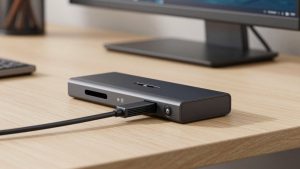
Anker USB C Hub, 5-in-1 USBC to HDMI Splitter with 4K Display
Included for 'USB-C hub vs docking station which do i need' because the listing specifies 5-in-1 USBC to HDMI Splitter with 4K Display, details this guide uses to compare options.
View on Amazon
Anker Laptop Docking Station Dual Monitor, 8-in-1 USB C Hub with 4K HDMI
Included for 'USB-C hub vs docking station which do i need' because the listing specifies 8-in-1 USB C Hub with 4K HDMI, details this guide uses to compare options.
View on AmazonYou only use one external monitor
A single 1080p or 1440p monitor is well within what a hub handles. For a 4K monitor, check the fine print: many budget hubs output 4K at only 30Hz, which feels laggy when moving the mouse. Look for “4K@60Hz” explicitly.
Your peripherals are light
Keyboard, mouse, a flash drive and maybe a webcam are fine on a bus-powered hub. Things that pull real power, such as a spinning external hard drive, can cause disconnects because the hub is sharing the laptop’s port budget, often around 7.5-15W total for all downstream devices.
When you need a docking station
Two or more monitors
Dual 4K 60Hz needs more display bandwidth than a typical USB-C Alt Mode hub can provide. Thunderbolt 4 and USB4 docks handle it natively on most Windows laptops; DisplayLink-based USB-C docks handle it on any laptop, including base-chip MacBooks that only support one native display.
You want one-cable desk arrival
The appeal of a dock is plugging in a single cable and having charging, network, monitors, speakers and a webcam all come alive. Because the dock has its own power supply, it can charge the laptop and run peripherals simultaneously without brownouts.
You rely on wired networking or fast storage
Video calls and large file syncs are steadier on Ethernet. Thunderbolt docks also give you a 40Gbps link, so an external SSD can run at 2,500 MB/s or more instead of the roughly 1,000 MB/s ceiling of a 10Gbps hub port.
A middle ground: powered hubs and compact docks
Some products blur the line. Compact USB-C docks with a small power adapter, around $80-$150, add dual display support through DisplayLink or MST and supply charging independently. They are a reasonable choice for a home office with two 1080p screens where you do not need Thunderbolt speeds. Check whether your laptop supports MST (most Windows machines do, macOS does not) before relying on it for two displays.
Quick decision checklist
- One monitor, mostly travel, under 5 USB devices: USB-C hub.
- Two monitors at 1080p or 1440p, one fixed desk: compact USB-C dock or DisplayLink dock.
- Two 4K monitors, fast storage, Ethernet, one-cable setup: Thunderbolt 4 or USB4 dock.
- MacBook with a base M1/M2 chip and two monitors: DisplayLink dock, because native output is limited to one display.
FAQ
Can a USB-C hub charge my laptop?
Only through pass-through. You plug your laptop charger into the hub’s power input, and the hub forwards most of that power to the laptop while keeping 10-15W for itself. A 100W charger through a hub may deliver around 85W, which is fine for most ultrabooks but can be short for gaming or workstation laptops.
Will a Thunderbolt dock work on a laptop with plain USB-C?
Many Thunderbolt 4 docks fall back to USB-C mode on non-Thunderbolt laptops, but you lose features: often only one display works and data speed drops to 10Gbps. If your laptop lacks Thunderbolt or USB4, buy a USB-C dock designed for that mode instead.
Bottom line
A USB-C hub is a portable port expander; a docking station is a desk that happens to connect with one cable. Buy the hub if you move around and run one screen. Buy the dock if you sit at the same desk every day, use two monitors, or want charging, Ethernet and peripherals to connect in one motion.