Last Updated: September 26, 2026
Most home offices are darker than they look. A room that feels bright to your eyes might offer only 100-200 lux at your desk, while a camera wants several hundred lux to produce a clean image. Small webcam sensors respond by cranking up gain, which adds grain, smears detail and drops the frame rate. A webcam built for low light will not turn night into day, but it can make an evening call look clean instead of muddy. Here is what to look for and which webcams are known for it.
📄 In This Review
Why webcams struggle in dim rooms
Tiny sensors
Many budget webcams use sensors around 1/4 to 1/3 inch. Each pixel collects little light, so the camera amplifies the signal, and amplification brings noise. Larger sensors, 1/2.8 inch and up, gather more light per pixel.
Frame rate trade-off
To collect more light, cameras lengthen exposure. Many drop from 30fps to 15fps in dim light, which makes motion stutter. Some let you lock the frame rate; others do it silently.
Aperture
A wider aperture, such as f/1.8 or f/2.0, admits more light than f/2.4 or narrower. Few webcams publish it, so it is a bonus when they do.
Webcams known for low-light performance
See also: Best Reclining Chairs: Nine Recliner Listings Compared by Mechanism, Fabric and Space Needs • Best Roku Streaming Deals Reviewed
| Webcam | Sensor | Resolution | Low-light strength |
|---|---|---|---|
| Razer Kiyo Pro | 1/2.8-inch Sony STARVIS (IMX327), f/2.0 | 1080p60, HDR at 30fps | Security-camera-derived sensor built for dim scenes |
| Insta360 Link | 1/2-inch | 4K30 | Large sensor, good dynamic range, gimbal tracking |
| Opal Tadpole | 1/2-inch Sony IMX582 48MP, f/1.8 | Outputs 1080p30 | Pixel binning on a large phone-class sensor |
| Elgato Facecam | Sony STARVIS | 1080p60 | Clean image with manual exposure control |
| Logitech Brio (4K) | Logitech sensor with RightLight 3 | 4K30, 1080p60 | HDR and auto light correction, less capable than larger sensors |
How to choose among them
For evening video calls
The Razer Kiyo Pro and Opal Tadpole are strong picks. The Kiyo Pro’s STARVIS sensor was designed for surveillance cameras working in low light, and its HDR mode at 30fps helps when a lamp sits in the frame. The Tadpole’s 48MP sensor bins pixels down to 1080p for a cleaner image, and it is small enough to travel with a laptop.
For presenters who move
The Insta360 Link pairs a 1/2-inch sensor with gimbal tracking, so you stay in frame and reasonably clean even in a dim classroom or studio.
For streaming in a dark room
Elgato’s Facecam and the Kiyo Pro both hold 60fps better than most webcams when the light drops, and their manual controls let you trade a little brightness for less noise.
Settings that rescue a dim image
- Turn off auto low-light compensation if it halves your frame rate; a slightly darker 30fps image looks better than a bright 15fps one.
- Lower sharpening in the camera app; oversharpened noise looks worse than soft noise.
- Set exposure manually and raise gain only until your face is readable.
- Use your monitor as fill light: a white document window at 30-50% brightness adds soft light to your face.
The cheapest fix: add light
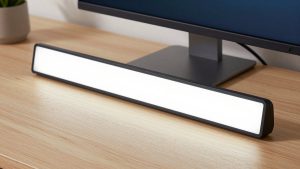
Even the best low-light webcam improves dramatically with a small LED light. A $25-$60 bi-colour panel or monitor-mounted light raising your face to 300-500 lux cleans up any camera. If you often work at night, budget for a light alongside the webcam.
How to test low-light performance at home
If you buy from a retailer with easy returns, test the webcam in your real conditions within the first few days. Record a one-minute clip at your usual evening lighting, then compare it with your old camera side by side. Look for three things: grain on flat areas like walls, whether the frame rate stays smooth when you wave a hand, and whether skin tones turn orange or grey. A good low-light webcam keeps motion smooth and colours believable even when the image is slightly darker.
FAQ
Do 4K webcams perform better in low light?
Not automatically. A 4K webcam with a small sensor can be noisier than a 1080p webcam with a larger one. Sensor size and pixel binning matter more than resolution for dim rooms.
Does “low-light correction” in software actually work?
It brightens the image, but it does so by raising gain and sometimes lowering frame rate, which adds noise and motion blur. It helps in moderately dim rooms; it cannot replace a larger sensor or extra light.
Bottom line
For low light, choose a webcam with a large sensor: the Razer Kiyo Pro, Opal Tadpole and Insta360 Link are proven options. Lock your frame rate, tame sharpening, and add a small LED light if you regularly call after sunset; that combination beats any single piece of hardware.