Last Updated: September 29, 2026
Insurance agents working from home juggle an unusual combination of tasks: comparing quotes across several carrier portals at once, talking clients through coverage options on the phone, collecting and storing sensitive personal information, and keeping records that may need to stand up to compliance reviews. Independent agents may log into half a dozen carrier systems in a single quote. A good home office for an insurance agent is built around multi-portal quoting, clear phone communication and disciplined data protection.
📄 In This Review
Screen space for multi-carrier quoting
Quoting is where agents lose the most time to window switching. With the agency management system, a comparative rater and several carrier portals open, even two monitors can feel tight. Many independent agents find three screens, or two monitors plus the laptop display, the right balance.
| Layout | Typical cost | Best for |
|---|---|---|
| Laptop plus one 27-inch monitor | $200–$350 | Captive agents using one carrier system |
| Two 24–27-inch monitors | $250–$600 | Agency system plus one carrier at a time |
| Three monitors or two plus laptop | $400–$900 | Independent agents comparing multiple carriers |
| Ultrawide plus portrait monitor | $500–$900 | Side-by-side quotes plus full-page policy documents |
A portrait screen is valuable for reading policy forms, declarations pages and applications at full-page size. Check that your laptop or dock supports the number of displays you plan to connect.
Phone setup and call quality
See also: Best Reclining Chairs: Nine Recliner Listings Compared by Mechanism, Fabric and Space Needs • Best Roku Streaming Deals Reviewed
Most agents still sell and service primarily by phone. A softphone or VoIP system integrated with the agency management system lets you click to dial and log calls automatically. Pair it with a noise-cancelling headset that connects to both computer and mobile phone. If your agency or state requires call recording for certain transactions, confirm that your phone system supports it and that you follow applicable consent rules, which vary by state and country.
Quiet matters for trust
Clients discussing a claim or a health question want to feel they are speaking privately. Background noise, such as a television or children, undermines that. A room with a door and soft furnishings helps as much as the headset does.
Protecting client data
Agents handle dates of birth, driver’s licence numbers, medical details for life and health lines, and sometimes bank information. Regulators and carriers expect reasonable safeguards, and many jurisdictions have specific insurance data security rules. At home that means:
A dedicated work computer not shared with family, with full-disk encryption, automatic screen lock and up-to-date security software. A password manager and multi-factor authentication on every carrier portal. A router with a strong password and current firmware, and ideally a separate network for household devices. A lockable file cabinet for any paper applications and a cross-cut shredder for disposal. Screens positioned so they are not visible from windows or doorways. Check your agency’s and carriers’ specific requirements, since contracts often spell out obligations.
Documents and signatures
E-signature platforms have replaced most paper applications, but some clients still mail or hand over documents. A compact duplex scanner that files directly into your agency management system saves time. Keep a clear retention routine: scan, attach to the client record, then store or shred the original according to your agency’s policy.
Comfort for long quoting sessions
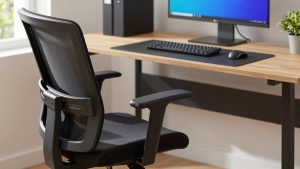
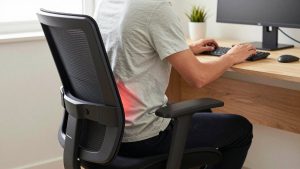
Quoting and service work involve long periods of reading and typing. A fully adjustable chair, a keyboard with a numeric keypad for entering vehicle identification details, premiums and dates, and a mouse with a comfortable grip reduce strain. A sit-stand desk helps during long service calls. Good task lighting makes paper forms readable without leaning toward them.
Continuity during renewal season and storms
Claims spikes after storms and renewal peaks bring heavy call volumes. A UPS for the computer and router keeps you online during short outages, and a mobile hotspot provides a fallback connection when clients need you most.
FAQ
How many monitors does an independent insurance agent need?
Two is a practical minimum; three screens, or two plus a laptop display, suits agents comparing several carriers regularly.
Can I use my personal laptop for insurance work?
It is better to keep a dedicated work device. Shared personal computers increase the risk of exposing client data, and some carrier agreements set expectations about device security.
Bottom line
Equip an insurance home office for multi-portal quoting with three screens or a screen plus portrait monitor, integrate a softphone with a quality headset, lock down client data with encryption, MFA and physical security, and plan for continuity during busy seasons.
Related Reviews & Guides

best ergonomic office chair for hip pain
Home office setup for streamers