

Last Updated: September 29, 2026
A streaming setup is a home office that happens to be broadcast. It has to work as a desk for hours of gaming, creative work or conversation, and at the same time it is a small television studio with a camera, lights, audio and a network connection that viewers judge in real time. The difference between a stream that looks amateur and one that looks professional is rarely the price of the camera. It is usually layout, audio and upload bandwidth.
📄 In This Review
Plan the frame before the furniture
Decide what viewers will see. Sit where you will stream and look at what is behind you; that is your set. Leave at least 1–1.5 m between you and the back wall if you can, which lets the background fall slightly out of focus and gives room to light it separately. Shelves, a plant, a practical lamp or a subtle light strip give depth. Avoid a window behind you; the camera will expose for the bright window and turn you into a silhouette.

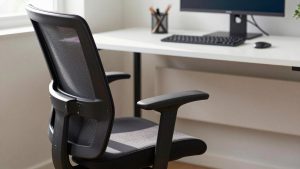
HUANUO Ergonomic Office Chair with 3D Armrests and Lumbar Support
Included for 'Home office setup for streamers' as a relevant option in this category; details come from the product listing.
View on AmazonThe core gear, by priority
See also: Best Reclining Chairs: Nine Recliner Listings Compared by Mechanism, Fabric and Space Needs • Best Roku Streaming Deals Reviewed
| Priority | Item | Typical range | Why it matters |
|---|---|---|---|
| 1 | Microphone and mounting arm | $100–$300 | Viewers tolerate mediocre video far longer than bad audio |
| 2 | Key light (soft, dimmable) | $60–$200 | Lighting improves any camera more than a camera upgrade |
| 3 | Wired Ethernet connection | $10–$60 | Stable upload beats higher peak speed on Wi-Fi |
| 4 | Camera | $70–$250 webcam, more for mirrorless | Sharpness and low-light performance |
| 5 | Stream control deck | $80–$250 | Scene switching without alt-tabbing |
| 6 | Acoustic treatment | $50–$200 | Removes room echo from the mic |
Audio: the part viewers notice most
Dynamic microphones reject more room noise than condenser mics, which is why they are popular with streamers who have keyboards, fans and family noise nearby. The Shure MV7 family and similar USB/XLR hybrid dynamic mics are common choices. Mount the mic on a boom arm, 5–15 cm from your mouth and slightly off-axis, so it stays close without blocking your face. Mechanical keyboards are loud on stream; quieter switches or a desk mat help. Soft furnishings, a rug and a few acoustic panels at the first reflection points reduce echo more than any software filter.
Lighting the streamer
A single soft key light at about 45 degrees to one side and slightly above eye level gives shape to your face. A second, dimmer fill light on the other side, or a white wall bouncing light back, softens shadows. Keep colour temperature consistent: if the key light is 5000K, avoid a warm 2700K ceiling bulb in shot. Monitor glow changes colour as the game does; a strong key light keeps that from dominating your face.
Computer and encoding
Modern GPUs include dedicated hardware encoders (NVIDIA NVENC, AMD AMF and Intel Quick Sync) that encode the stream with minimal impact on game performance. That makes a single-PC setup viable for most streamers. Two-PC setups with a capture card are still used for heavy games or high-quality local recordings, but they add cost and complexity. For 1080p60 streaming, platforms commonly recommend upload bitrates of roughly 4.5–6 Mbps, so plan for at least 10 Mbps of stable upload to leave headroom. Check your platform’s current guidance before configuring.
Desk layout for a stream
Streamers often need two screens: one for the game or main content and one for chat, alerts and the broadcast software. Put the camera just above or below the main screen’s centre so you appear to look at viewers when looking at the game. A desk of 140–160 cm wide leaves space for the mic arm on one side and the control deck on the other. Route the camera, mic and lighting cables along a single arm or rear channel so they are not visible in the shot.
Comfort for long sessions
Streams frequently run three to six hours. A supportive chair matters, and a sit-stand desk lets you do talk segments standing, which often improves energy on camera. Keep water within reach but away from the mic and electronics.
FAQ
Should I buy a mirrorless camera instead of a webcam?
Only once lighting and audio are solved. A mirrorless camera with a capture card gives better background blur and low-light quality, but it costs several times more and adds power and heat management issues for long streams.
Can I stream on Wi-Fi?
You can, but dropped frames are more likely. A wired connection, or a powerline or mesh backhaul if cabling is impossible, is one of the cheapest reliability upgrades available.
Bottom line
Build a streaming office in this order: frame and background, microphone, key light, wired network, then camera and control deck. Keep audio clean and upload stable, and viewers will forgive almost everything else.
Related Reviews & Guides

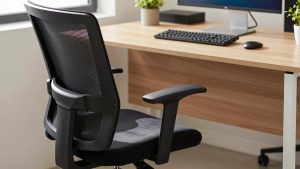

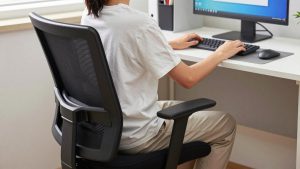
best ergonomic office chair for students
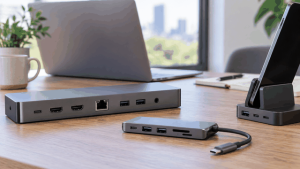
Why does my docking station keep disconnecting










