Last Updated: September 27, 2026
The Steelcase Gesture was designed around a simple observation: people no longer sit at desks in one posture. We hold phones, lean into tablets, recline to read and sit forward to type. The Gesture answers with unusually flexible armrests, a back that moves with the spine and a seat that stays supportive across those positions. This review looks at whether that flexibility is worth a premium price and who benefits most.
📄 In This Review
The standout feature: the arms
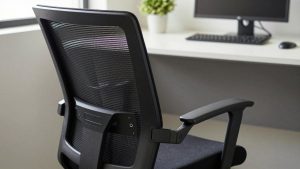
The Gesture’s armrests pivot and move in a way that mimics the human arm, supporting forearms whether you are typing, holding a phone at chest height or leaning back with a tablet. They adjust in height, width, depth and rotation, and they can tuck in close for narrow workspaces.

Steelcase Gesture Office Chair, Carpet Floors, Graphite Gray
Included for 'Steelcase Gesture Review' because the listing specifies Carpet Floors and Graphite Gray, details this guide uses to compare options.
View on Amazon
Steelcase Gesture Office Chair, Carpet Floors, Licorice
Included for 'Steelcase Gesture Review' because the listing specifies Carpet Floors and Licorice, details this guide uses to compare options.
View on Amazon
Steelcase Gesture Office Chair with Head Rest, Carpet Floors, Era Onyx
Included for 'Steelcase Gesture Review' because the listing specifies Carpet Floors and Era Onyx, details this guide uses to compare options.
View on Amazon
Steelcase Gesture Office Chair with Head Rest, Hard Floors, Licorice
Included for 'Steelcase Gesture Review' because the listing specifies Hard Floors and Licorice, details this guide uses to compare options.
View on AmazonWhy it matters
Unsupported forearms push work onto the shoulders and neck. If you spend a lot of time on devices other than the keyboard, arm support that follows you is the difference between finishing the day relaxed and finishing it with tight traps.
Back, seat and recline
See also: Best Reclining Chairs: Nine Recliner Listings Compared by Mechanism, Fabric and Space Needs • Best Roku Streaming Deals Reviewed
The back uses a flexible system that tracks the spine as you move between upright and reclined positions, with adjustable lumbar support. The seat adjusts in depth and has a flexible edge to reduce thigh pressure. Recline tension and a recline limiter let you set how far and how easily the chair tilts.
Upholstery and cushioning
The Gesture uses an upholstered back rather than mesh, which feels plush and supportive but holds more heat than an open mesh chair in warm rooms.
Fit range
The seat and back suit a wide range of adults. Very tall users can add an optional headrest in some configurations; confirm availability on the listing.
Steelcase Gesture evaluation
Criteria-based summary of where the chair excels and where it trades off.
| Criterion | What we check | How it tends to land |
|---|---|---|
| Arm support | Range, stability across postures | Best-in-class flexibility |
| Back support | Tracking during recline | Excellent, adjustable lumbar |
| Seat depth | Adjustment | Adjustable, flexible edge |
| Breathability | Heat after 2 hours | Upholstered back runs warmer than mesh |
| Headrest | Availability | Optional on some configurations |
| Longevity | Build, warranty, resale | Commercial-grade, strong resale |
| Price tier | Market position | Premium, often $1,000 or more new |
Durability and ownership
Like other Steelcase flagship chairs, the Gesture is built for commercial use with long warranty coverage. Many owners keep these chairs for a decade or more, and the second-hand market for refurbished units is healthy, which can bring the cost down considerably.
It is a heavy chair, and assembly usually comes pre-done from the factory, so plan on help moving the box.
Who it is for
Hybrid device users, people who alternate between focused typing and relaxed reading, and anyone with shoulder or neck tension will get the most from the Gesture. Budget-focused buyers who mainly type, or people in hot rooms who want mesh, may be better served elsewhere.
New versus refurbished: a practical buying note
Because the Gesture is built for commercial fleets, large numbers of lightly used units return to the market when offices downsize. A reputable refurbisher will replace the gas cylinder, casters and worn upholstery, clean the mechanism and offer its own warranty. That can put a Gesture in the price range of a new mid-tier chair.
When buying used, check that the arms hold their position without drooping, the recline tension knob changes resistance noticeably across its range, and the seat-depth slider travels smoothly. Ask whether the manufacturer’s warranty transfers; often it does not, so the refurbisher’s coverage is what you rely on. If you are buying new, compare configuration options carefully, since headrest, upholstery and base finish all change the final price more than most people expect.
Whichever route you choose, spend the first hour setting arm height and width properly. The Gesture’s arms are its reason to exist, and leaving them at a generic height wastes most of the benefit.
FAQ
Is the Steelcase Gesture worth it over the Leap?
If you use phones and tablets heavily or change posture often, the Gesture’s arms make a real difference. If you mostly type in an upright posture, the Leap delivers similar core support.
Does the Gesture work for small desks?
Yes. The arms can swing inward and tuck under many desks, and the base is a standard size.
Bottom line
The Steelcase Gesture is the chair for people whose work does not stay on a keyboard. Its adaptable arms, responsive back and commercial-grade build justify the premium for multi-device users and anyone battling shoulder tension. If you only type, sit upright and want to save money, a simpler premium chair or a refurbished unit is the smarter route.
Related Reviews & Guides
Branch Ergonomic Chair Review
best ergonomic office chair for pregnancy