Last Updated: September 29, 2026
Clipping a webcam to the top of a monitor works until you put that monitor on an arm. Then the camera wobbles every time you touch the screen, the clip slips off thin bezels, and every height adjustment changes your framing. Mounting the webcam to the arm itself, or to a small accessory attached to the arm, solves those problems and keeps the camera at eye level wherever the screen goes. Here are the practical mounting options and how to set each up.
📄 In This Review
Check what your webcam supports
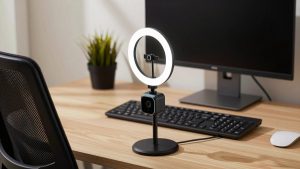
Look underneath your webcam’s clip. Most mid-range and premium webcams, including the Logitech Brio, Razer Kiyo Pro and Insta360 Link, have a standard 1/4″-20 tripod thread. That thread is the key to every clean mounting option. If your webcam has no thread, you are limited to the built-in clip or an adapter that grips the clip.
Mounting options compared
See also: Best Reclining Chairs: Nine Recliner Listings Compared by Mechanism, Fabric and Space Needs • Best Roku Streaming Deals Reviewed
| Mount type | How it attaches | Stability | Typical cost | Best for |
|---|---|---|---|---|
| Monitor-top clip (stock) | Hooks over bezel | Fair; wobbles with touch | Included | Thick bezels, fixed monitors |
| VESA-sandwich webcam bracket | Plate between arm and monitor VESA holes, rises above screen | Very good | $15-$30 | Single monitors on arms |
| Pole-clamp mini arm | Clamps to arm or pole, 1/4″ screw on top | Good | $15-$35 | Pole-style or dual arms |
| Magic arm / articulating arm | Clamp on arm or desk, adjustable joint | Good if tightened | $15-$40 | Off-axis angles, overhead shots |
| Behind-screen telescoping mount | Adhesive or VESA plate, telescoping rod | Very good | $20-$40 | Curved and ultrawide monitors |
Option 1: VESA bracket between arm and monitor
- Detach the monitor from the arm’s VESA plate.
- Place the webcam bracket’s plate against the monitor’s VESA holes; it must match your pattern, usually 75×75 or 100x100mm.
- Reattach the arm plate over the bracket, using longer screws if the bracket adds thickness. Most brackets include them; do not force short screws.
- Extend the bracket’s upright so the webcam sits just above the top bezel, then screw the camera onto the 1/4″ thread.
- Rebalance the arm’s gas spring; the extra 100-300g of camera and bracket can make the monitor sag slightly.
Option 2: Clamp to the arm or pole
For pole-mounted dual-monitor arms, a small clamp with a ball head attaches to the pole above the monitors and centres the camera between screens. For single arms, clamp to the upper arm segment close to the VESA head so the camera moves with the screen. Tighten the clamp enough that tapping the monitor does not shake the image, and use a rubber pad to protect the arm’s finish.
Option 3: Articulating arm for flexible angles
An articulating “magic arm” with a clamp lets you set the camera slightly off-axis, above the screen, or pointing down at your desk for product demos. Its single locking knob makes it quick to reposition, but it can creep if the joint is overloaded, so keep heavier cameras close to the clamp.
Cable management
Route the webcam cable along the arm’s cable channel or with Velcro ties, leaving a loop at every joint so full arm movement does not tug the cable. Plug the camera into a USB 3.0 port on your dock, hub or computer. If the cable is too short, use an active USB 3.0 extension rather than a passive one over 2m.
Framing tips after mounting
- Position the lens at or slightly above eye level and 50-80cm from your face.
- For dual monitors, centre the camera over the screen you look at most, or between them if you split time equally.
- Recheck framing after raising a standing desk; the arm moves with the desk but your posture changes.
FAQ
Will a webcam mount affect my monitor arm’s weight capacity?
Slightly. Most webcams weigh 80-200g and brackets 50-150g. Arms rated for your monitor with a margin handle it, but you may need to increase spring tension to keep the monitor from drifting down.
Can I mount a webcam on an ultrawide monitor arm?
Yes. Curved ultrawides often have no flat top for a clip, so a VESA bracket or telescoping behind-screen mount is the cleanest option.
Bottom line
If your webcam has a 1/4″ thread, a VESA sandwich bracket or a pole clamp gives the steadiest result on a monitor arm. Use an articulating arm when you need unusual angles, rebalance the arm afterwards, and route the cable with slack at every joint.