Last Updated: September 29, 2026
A remote manager’s day looks very different from that of the people on their team. Individual contributors may spend six hours in focused work and one in meetings; managers often reverse that ratio, moving from one-on-ones to planning sessions to stakeholder updates with only minutes between. The home office has to support being present on camera for most of the day, juggling messages and notes during calls, and still carving out time for thinking. The setup that serves a manager best is built around the meeting, not the keyboard.
📄 In This Review
Priorities for a meeting-heavy role
| Need | Setup element | Why managers need it more |
|---|---|---|
| Natural eye contact | Camera at eye level near the centre of the main screen | One-on-ones depend on trust and attention |
| Clear, tiring-free audio | Comfortable headset or quality speaker-mic in a quiet room | Six or more hours of calls a day |
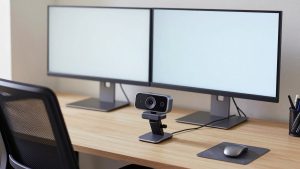
| Multitasking during calls | Second screen for notes, docs and chat | Reference material without sharing your screen by accident |
| Visual explanation | Tablet with stylus or digital whiteboard | Sketching plans and org charts live |
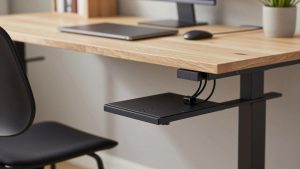
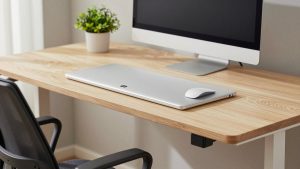
| Physical variation | Sit-stand desk | Long sedentary stretches between meetings |
| Private conversations | A door, or at minimum a headset | Performance and personal discussions |
Camera placement for connection
See also: Best Reclining Chairs: Nine Recliner Listings Compared by Mechanism, Fabric and Space Needs • Best Roku Streaming Deals Reviewed
When the camera sits on top of a large monitor and the other person’s face appears lower on the screen, you seem to look slightly down and away. For a manager holding sensitive conversations, that small disconnect matters. Place the video window directly under the camera, keep the main screen’s top at eye level so the camera sits near eye height, or consider a camera mounted at the centre of the screen on a thin arm. Framing at head and shoulders, with a little space above your head, looks most natural.
Light your face, not the wall
A soft light in front and slightly to one side is enough; the aim is that your expressions read clearly, which helps in conversations where tone matters.
Audio for a full day of calls
Comfort is the priority. A lightweight headset with a boom microphone gives the clearest sound but can become uncomfortable after hours; many managers alternate between a headset for noisy times and a speaker-microphone or a good external microphone with open speakers when alone. Keep a backup: a wired headset in a drawer saves a meeting when the wireless one runs flat.
The two-screen meeting workflow
A second display changes how meetings run. The primary screen holds the video call and anything you share; the second holds your notes, the team’s project board and chat. That separation reduces the risk of sharing the wrong window and lets you take notes while maintaining eye contact with the main screen. If you share screens often, share a single application window rather than an entire display.
Notes that live in one place
Managers accumulate commitments in every meeting. A consistent note-taking system, digital or a paper notebook within reach, prevents action items from getting lost between calls. Many people find handwriting during one-on-ones feels less distracting to the other person than typing.
Whiteboarding and explaining
Explaining a plan, a reorganisation or a process often goes faster with a sketch. A tablet with a stylus, joined to the meeting as a second device or shared through a whiteboard app, lets you draw live. A physical whiteboard behind the desk visible on camera is a lower-tech alternative for quick diagrams.
Protecting thinking time
Block focus time in the calendar and treat it as a meeting. Some managers use a separate area, such as an armchair with a notebook, for thinking and reading, so the desk stays associated with calls. A sit-stand desk helps break the monotony of back-to-back meetings; taking alternate meetings standing keeps energy up late in the day.
FAQ
Do remote managers need a better webcam than their team?
Not necessarily a more expensive one, but good placement and lighting matter more for someone on camera most of the day. A 1080p webcam at eye level with soft front light is sufficient for most managers.
How can I reduce video call fatigue?
Hide self-view when appropriate, schedule 25- or 50-minute meetings to leave gaps, stand for some calls, and take audio-only calls when video adds little.
Bottom line
Build a remote manager’s office around meetings: eye-level camera and soft light for connection, comfortable audio with a backup, two screens to separate the call from notes, a way to sketch live, a sit-stand desk and protected thinking time.