Last Updated: September 29, 2026
Real estate agents spend much of their working life away from the desk: showings, listing appointments, inspections and closings. That makes the home office a base camp rather than a place to sit all day. It has to let you plug in quickly after a morning in the car, process listing photos and paperwork fast, run virtual tours and client consultations, and send you out the door again with everything charged and packed. A setup for agents is built around transitions.
📄 In This Review
The base-camp model
Think of three functional zones: a docking zone where the laptop, phone and tablet reconnect and recharge instantly; a production zone for marketing, photo editing and document work; and a staging zone near the door where your field bag, signs and lockbox gear live. Separating them saves minutes every time you come and go.
| Zone | Key equipment | Typical cost |
|---|---|---|
| Docking | USB-C or Thunderbolt dock, multi-device charging station | $100–$300 |
| Production | 27-inch or larger monitor, colour-reasonable IPS panel, comfortable chair | $250–$600 |
| Documents | Duplex document scanner or multifunction printer | $200–$500 |
| Client calls and virtual consults | Webcam, key light, headset | $150–$300 |
| Staging | Wall hooks, shelf or cabinet for field gear | $30–$150 |
Docking in seconds
See also: Best Reclining Chairs: Nine Recliner Listings Compared by Mechanism, Fabric and Space Needs • Best Roku Streaming Deals Reviewed
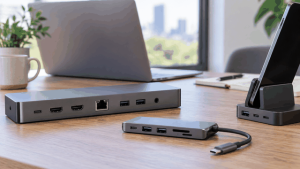
Coming back from a showing, you should be able to drop the laptop, connect one cable and be working on a large screen with keyboard, mouse and network. A single-cable dock with power delivery does this. Put a charging station for phone, tablet and a spare power bank right next to it, so field devices are always ready for the next appointment.
Marketing and listing production
Agents who handle their own listing marketing spend significant time on photos, floor plans, flyers and social media. A larger monitor, ideally 27 inches with good sRGB coverage, makes photo selection and basic editing faster and more accurate than a laptop screen. Brokerage and design tools run in the browser, so a mid-range laptop is usually adequate; the monitor is where to spend. If you shoot video tours, fast storage and a reliable cloud backup keep large files safe.
Paperwork
Most transactions now use e-signatures, but paper still arrives: inspection reports, disclosures signed in person, and older documents from sellers. A duplex document scanner that scans straight to cloud folders speeds up file preparation. If you still print listing flyers or open house materials, a colour laser multifunction printer is more economical over time than an inkjet for regular volume. A lockable file drawer protects client documents with personal and financial details.
Virtual consultations and tours
Buyer consultations, listing presentations and remote tours for relocating clients increasingly happen on video. An eye-level webcam, a soft key light and a tidy, branded or neutral background give a professional impression. A headset or good external microphone keeps your voice clear, particularly when you are walking a client through a presentation deck. For live remote tours from a property, a phone gimbal and a small wireless microphone improve quality far more than a new phone.
The staging zone
Keep field gear organised near the exit: a bag with tape measure, laser distance meter, spare lockbox keys or codes, disinfectant wipes, shoe covers, business cards, pens and a charged power bank. A checklist on the inside of a cabinet door avoids forgotten items. Directional signs and open-house materials can live in a dedicated bin in a garage or closet.
Staying reachable
Agents live on the phone. A headset that pairs to both phone and computer lets you take a call and pull up a listing without switching devices. Good mobile reception in the office matters; if the signal is weak, enable Wi-Fi calling or consider a carrier-approved signal booster.
FAQ
Do real estate agents need a desktop computer?
Usually not. A reliable laptop with a dock and a larger external monitor covers both field and office work. A desktop only makes sense for heavy video editing.
Is a printer still necessary for agents?
Less than it used to be, but many agents still print open-house materials and occasional documents. If you print regularly, a colour laser multifunction printer is cost-effective.
Bottom line
A real estate agent’s home office is a base camp: one-cable docking and charging for fast turnarounds, a large monitor for listing marketing, a scanner for paperwork, a camera-ready corner for virtual consults and a staging area so you leave for every showing fully equipped.
Related Reviews & Guides
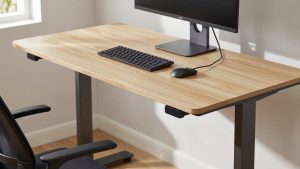
Fezibo Standing Desk Review

Ergonomic Chair Pros and Cons