Last Updated: September 29, 2026
Lighting is the most overlooked part of a desk setup. People spend hundreds on a monitor and chair, then work under a single ceiling light that throws glare onto the screen and shadows onto the desk. Good desk lighting reduces eye fatigue, makes paperwork easier to read, improves how you look on video calls and helps you wind down in the evening. This page is our starting point for desk lighting: the principles, the main light types, and where to find our detailed guides.
📄 In This Review
Three layers of desk lighting
Lighting designers talk about layers. At a desk, three matter.
| Layer | Purpose | Typical sources | Rough target |
|---|---|---|---|
| Ambient | General room brightness; reduces contrast between screen and surroundings | Ceiling lights, floor lamps, daylight | About 200-300 lux in the room |
| Task | Light on the work surface for reading and writing | Desk lamps, monitor light bars | About 500 lux on the desk, per common office guidance |
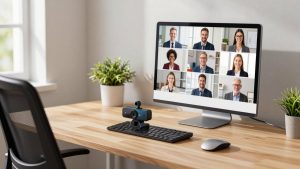
| Camera/face | Even light on your face for video calls | Key lights, light bars aimed at face, soft lamps | Face brighter than background, without squinting |
A fourth, optional layer is bias lighting behind the monitor, which softens the contrast between a bright screen and a dark wall.
Key specs explained
See also: Best Reclining Chairs: Nine Recliner Listings Compared by Mechanism, Fabric and Space Needs • Best Roku Streaming Deals Reviewed
Colour temperature
Measured in kelvin. Around 2,700-3,000K looks warm and relaxing; 4,000K is neutral; 5,000-6,500K is cool and daylight-like. Many lamps let you adjust across this range. Cooler light suits focused daytime work; warmer light suits evenings.
Colour rendering (CRI)
How accurately a light shows colours. CRI 90+ is a sensible minimum for desk work; 95+ is common on premium lamps and light bars and matters for photo, art and colour-sensitive tasks.
Flicker
Some cheap LEDs flicker at frequencies you cannot see but may still cause fatigue or show up as banding on camera. Look for flicker-free claims, ideally with reference to IEEE 1789 or similar.
Glare control
The light source should not be visible to your eyes or reflected in the screen. Asymmetric optics in monitor light bars and shaded lamp heads help.
Main desk light types
- Monitor light bars: sit on top of the monitor and light the desk in front of it without reflecting on the screen. Ideal for small desks.
- Architect and swing-arm lamps: flexible, reach over large desks, good for paperwork.
- Wide-head task lamps: cover larger areas evenly, suitable for dual monitors and mixed paper and screen work.
- Key lights and panels: designed for video, lighting your face evenly.
- Smart lamps and bulbs: app or voice control, schedules and colour temperature automation.
Common mistakes
- Working in a dark room with only the monitor lit.
- Placing a lamp so it reflects in the screen.
- Putting a bright window behind you on video calls.
- Using very cool light late into the evening.
- Choosing lamps for looks over light quality.
Where to go next on this site
For choosing a lamp, see our desk lamp buying guide and our advice on where to position a lamp. For compact desks, read our monitor light bar guides and reviews, including the BenQ ScreenBar. For video calls, see our guides to lighting a home office for meetings and our key light reviews. For evening work and sleep, see our circadian lighting guide. For glare problems, see our guide to reducing screen glare with desk lighting.
A simple starter setup
If you are starting from scratch, a practical first step is a warm-to-cool adjustable ceiling or floor light for ambient light, plus a monitor light bar or side-mounted task lamp on the desk. Add a small key light or diffused lamp in front of you if you are on camera often. Budget roughly $60-$150 for a good task light and $30-$80 for tunable bulbs, then adjust positions for a week before buying more.
FAQ
How bright should my desk lighting be?
Around 500 lux on the work surface is a common office guideline for reading and computer work, with the room itself not too dark. Older eyes and detailed tasks may need more. Adjustable lamps make it easy to find your comfortable level.
Is a monitor light bar enough on its own?
For many screen-focused desks, a light bar plus modest room lighting is enough. For large desks, paperwork or crafts, a desk lamp with wider reach may be needed alongside or instead.
Bottom line
Good desk lighting combines modest ambient light, focused task light around 500 lux without glare, and even light on your face for calls. Pick lights with high CRI, no flicker and adjustable colour temperature. Start with the layer you are missing, and use our detailed guides to choose the right lamp, light bar or key light for your desk.