Last Updated: September 29, 2026
Building a home office that actually supports eight-plus hours of focused work is less about buying the single most expensive gadget and more about how a handful of components fit together: the desk, the chair, how your screens float in front of you, and the small accessories that quietly reduce friction all day. This guide walks through every major category of a modern work-from-home setup, explains the specifications that separate durable gear from disposable gear, and gives you selection criteria you can apply on any budget.
📄 In This Review
Start with the desk surface and height range
A sit-stand desk is the backbone of an ergonomic setup because posture problems usually trace back to a fixed surface that is wrong for your body. Dual-motor electric frames adjust roughly from 24″ up to 50″ of height, cover most people from 5’0″ to 6’6″, and lift 220–350 lb without stalling. Look for a transit speed around 1.4″–1.5″ per second, at least three or four programmable memory presets, and an anti-collision sensor. Single-motor and crank desks cost less but are slower, wobblier at full extension, and rated for lighter loads.
Deck size and stability
A 48″ wide by 30″ deep top comfortably holds a laptop, a 27″ monitor, and a notebook; go 60″–72″ if you run dual monitors. Lateral sway at standing height is the number people underestimate—wider feet, thicker steel columns, and a crossbar all reduce it.
Monitor arms and screen positioning
See also: Best Reclining Chairs: Nine Recliner Listings Compared by Mechanism, Fabric and Space Needs • Best Roku Streaming Deals Reviewed
The top of your primary display should sit at or slightly below eye level, about an arm’s length away. A gas-spring monitor arm frees desk space, lets you tune height and tilt instantly, and clamps to tops up to roughly 3.5″ thick. Match the arm to your panel: single arms typically support 4.4–19.8 lb and screens up to 32″–34″, so verify VESA pattern (75×75 or 100×100) and weight before buying.
Ergonomic chairs
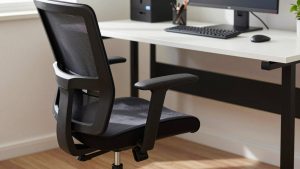
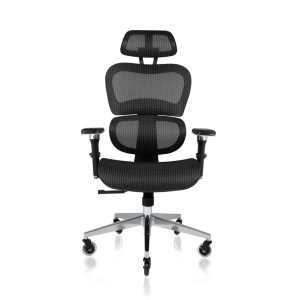
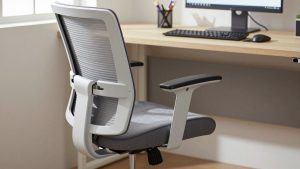
You spend more hours in the chair than touching any other item, so it earns the largest share of a budget. The essentials are adjustable lumbar support, seat-height and seat-depth adjustment, and armrests that move in at least two directions. Better chairs add 4D arms, adjustable recline tension, and a forward tilt.
Selection criteria by category
| Category | What to prioritize | Typical range |
|---|---|---|
| Standing desk | Dual motor, 220–350 lb lift, memory presets | $300–$800 |
| Monitor arm | Gas spring, correct VESA, weight rating | $40–$180 |
| Ergonomic chair | Lumbar, seat depth, 3D/4D arms | $250–$1,600 |
| Keyboard/mouse | Low-force switches, palm support, tilt | $60–$250 |
| Dock/hub | Wattage delivery, port mix, dual-display | $60–$350 |
| Desk lighting | Adjustable color temp, glare control | $40–$200 |
| Webcam | 1080p/4K, low-light handling, autofocus | $50–$300 |
Keyboards, mice, and input comfort
Wrist strain usually comes from reaching and from high-force keys. A low-profile or split keyboard keeps wrists neutral, while a vertical or contoured mouse reduces forearm pronation. If you type all day, prioritize a light actuation force and a negative-tilt or flat angle over flashy features.
Docks, hubs, and cable management
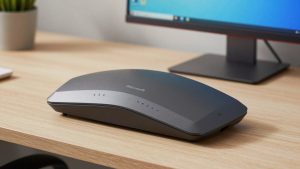
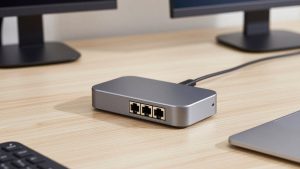
A single-cable dock is what makes a laptop setup feel like a desktop. For a modern laptop, look for USB-C or Thunderbolt delivering 85–100W of charging so one cable powers the machine and drives your peripherals. Confirm it supports the display count and resolution you need—dual 4K at 60Hz is a common target. For cables, an under-desk tray, a few reusable ties, and a magnetic clip to park charging cords eliminate most of the clutter that makes a desk feel chaotic.
Lighting and webcam for calls and eye comfort
Overhead lighting alone creates glare and shadows. A desk lamp with adjustable color temperature (roughly 2700K warm to 5000K cool) and a bar light positioned above the monitor reduce eye fatigue and improve how you look on camera. Pair it with a 1080p or 4K webcam that handles low light gracefully; resolution matters less than a sensor that does not turn grainy in a dim room.
Putting it together for WFH productivity
Sequence your upgrades by hours of contact and impact on health: chair and desk first, then screen positioning, then input devices, then lighting and connectivity. A coherent setup pays back in fewer aches, cleaner video calls, and less daily friction—which is the real productivity dividend.
FAQ
How much should I budget for a solid first home office?
A dependable starting setup—an electric standing desk, a mid-range ergonomic chair, one monitor arm, and a basic hub—typically lands in the $700–$1,400 range. You can stage purchases over time; prioritize the chair and desk, since those affect your body most and hold value longest.
Do I really need a standing desk, or is a good chair enough?
A great chair solves most seated posture issues, but the benefit of a sit-stand desk is movement variety across the day, which reduces stiffness. If you only buy one, buy the chair; add height adjustment when budget allows.
Bottom line
Treat your workspace as a system, not a pile of gadgets. Get the desk height, screen height, and seat support right first, then layer in input comfort, connectivity, and lighting. Spend where you make the most contact—chair and desk—and you will feel the difference every single working hour.