Last Updated: September 27, 2026
Thunderbolt 4 and USB4 use the same USB-C connector, often the same 40Gbps signalling, and in many cases the very same controller chips. So why do docks carry one badge or the other, and does it matter which one you buy? The short answer: Thunderbolt 4 is a certified, fully loaded version of the USB4 feature set, while USB4 lets manufacturers leave some features out. This guide explains what that means for a docking station on your desk.
📄 In This Review
How the two standards relate
USB4 is the base specification
USB4 was built on Intel’s Thunderbolt 3 protocol and published by the USB Implementers Forum. It allows 20Gbps or 40Gbps operation, tunnels DisplayPort and PCIe, and supports USB Power Delivery. The catch is that several capabilities are optional: 40Gbps speed, PCIe tunnelling and dual-display support are not guaranteed on every USB4 port.

CalDigit E5 - Thunderbolt 5 Element 5 Hub - 9 Ports, 4 x Thunderbolt 5/USB4 v2, 3 x USB-A & 2 x USB-C 10Gb/s, Single 8K, Dual 6K/8K, or Two 4K@240Hz Displays, 90W Charging, 0.8m Cable 180W PSU
Included for 'Thunderbolt 4 vs usb4 docking station' because the listing specifies Thunderbolt 5 Element 5 Hub and 9 Ports, details this guide uses to compare options.
View on Amazon
UGREEN 8-in-1 Thunderbolt 4 Docking Station, Dual 4K@60Hz, 3xTBT4, 40Gbps
Included for 'Thunderbolt 4 vs usb4 docking station' because the listing specifies Dual 4K@60Hz and 3xTBT4, details this guide uses to compare options.
View on Amazon
Plugable 16-in-1 Thunderbolt 4 Dock – Dual 4K Monitors, 100W Charging
Included for 'Thunderbolt 4 vs usb4 docking station' because the listing specifies Dual 4K Monitors and 100W Charging, details this guide uses to compare options.
View on AmazonThunderbolt 4 is a stricter certification
Thunderbolt 4 requires the maximum USB4 capabilities plus extra rules. Every Thunderbolt 4 port must run at 40Gbps, support two 4K displays or one 8K display, provide 32Gbps PCIe for storage, support hubs with up to four ports, and pass Intel certification. That consistency is the real value of the logo.
Side-by-side comparison
See also: Best Reclining Chairs: Nine Recliner Listings Compared by Mechanism, Fabric and Space Needs • Best Roku Streaming Deals Reviewed
| Requirement | USB4 (minimum) | USB4 40Gbps (typical) | Thunderbolt 4 |
|---|---|---|---|
| Link speed | 20Gbps | 40Gbps | 40Gbps mandatory |
| PCIe tunnelling | Optional | Usually yes | 32Gbps required |
| External displays | At least one | Often two | Two 4K or one 8K required |
| Laptop charging on a port | Optional | Common | Required on at least one port |
| Wake from sleep via dock keyboard | Optional | Varies | Required |
| Intel certification | No | No | Yes |
What this means for dock buyers
On an Intel Thunderbolt laptop
A Thunderbolt 4 dock is the safe choice. You get guaranteed dual 4K 60Hz output, predictable wake-from-sleep, and downstream Thunderbolt ports that run external SSDs at full speed. USB4 docks will usually work too, but features vary by model.
On an AMD USB4 laptop
AMD Ryzen 6000 and later mobile chips expose USB4 ports, some at 40Gbps. Thunderbolt 4 docks are designed to be compatible with USB4 hosts, and most work well, but a handful of features, such as certain firmware update tools or daisy-chaining, may not. Check the dock maker’s compatibility list for your laptop model.
On an Apple Silicon Mac
Apple lists its ports as Thunderbolt 3, Thunderbolt 4 or Thunderbolt 5 / USB4 depending on the model. Any Thunderbolt 4 dock works, but display count is set by the chip, not the dock: base M1 and M2 Macs support one external display natively, while Pro and Max chips support two or more.
The price gap and why it exists
Certified Thunderbolt 4 docks typically cost $230-$400. USB4-branded docks from newer brands sometimes undercut that by $50-$100 because they skip certification fees or use alternative controllers. That can be a good deal if your laptop is a USB4 AMD machine and the reviews confirm dual displays work. It is a worse deal if you need the guaranteed behaviour of Thunderbolt for a fleet of work laptops.
What about Thunderbolt 5 and USB4 version 2?
USB4 Version 2.0 doubles the ceiling to 80Gbps, and Thunderbolt 5 is Intel’s certified implementation of it, with a 120Gbps asymmetric boost for display-heavy setups and up to 240W charging support in the spec. Thunderbolt 5 docks are backward compatible, so a TB5 dock will run on a Thunderbolt 4 laptop at 40Gbps. Buy one only if your laptop has Thunderbolt 5 or you want to future-proof a desk for several years.
How to read a dock’s spec sheet
- Look for “40Gbps” explicitly; “USB4” alone may mean 20Gbps.
- Check the number of downstream Thunderbolt or USB4 ports. Two or three lets you chain an SSD and a monitor at full speed.
- Confirm the host charging wattage, usually 85-98W on 40Gbps docks.
- Read the display section for your operating system; many docks list different maximums for Windows and macOS.
FAQ
Is a USB4 dock slower than a Thunderbolt 4 dock?
Not if both run at 40Gbps. A USB4 40Gbps dock on a USB4 40Gbps laptop moves data about as fast as a Thunderbolt 4 dock. The difference is that a USB4 label does not guarantee 40Gbps, PCIe or dual displays, while Thunderbolt 4 does.
Can I use a Thunderbolt 4 dock with a Thunderbolt 3 laptop?
Yes. Thunderbolt 4 docks are backward compatible with Thunderbolt 3 hosts. You may lose some features, such as dual displays on older single-stream Thunderbolt 3 controllers, so check your laptop’s display support first.
Bottom line
Thunderbolt 4 is USB4 with every important option switched on and a certification to prove it. If your laptop has Thunderbolt 4, buy a Thunderbolt 4 dock and stop worrying. If you run an AMD USB4 laptop and want to save money, a well-reviewed USB4 40Gbps dock is fine, provided the spec sheet confirms the display and charging features you need.
Related Reviews & Guides


Desk and home-office setup (standing desks, monitor arms, ergonomic chairs, keyboards/mice, docks/hubs, cable management, desk lighting, webcams, accessories, WFH productivity)
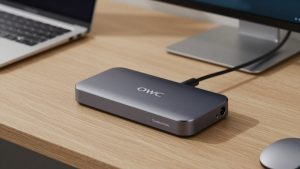
OWC Thunderbolt Dock review