Last Updated: September 18, 2026
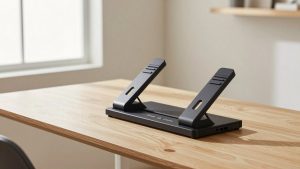
- Top Pick: VIVO Black 32 in Standing Desk Converter, DESK-V000K
- Best Value: HUANUO 48″ x 24″ Electric Standing Desk with 2 Drawers, C-Clamp Mount Compatible, Height Adjustable Computer Desk, Home Office Stand Up Desk with 4 Preset Heights & 2 Hooks, Black
- Premium Choice: Veken 55 Inch Large Electric Standing Desk, Gaming Table, White
Choosing the right standing desk dimensions for two monitors is mostly a matter of width, depth, monitor-arm clearance, and the amount of equipment you keep on the surface. A desk can physically hold two screens and still feel cramped if the keyboard, mouse, speakers, laptop, and other accessories have nowhere to go.
For most two-monitor setups, a desk measuring at least 48 inches wide by 24 inches deep is the practical starting point. A 55- to 60-inch-wide desk offers a more comfortable arrangement, while a 72-inch model is better for large monitors, bulky speakers, paperwork, or a desktop computer tower.
As an Amazon Associate we earn from qualifying purchases at no extra cost to you.


📄 In This Review
The Short Answer
The best standing desk size for two monitors is usually 55 to 60 inches wide and 24 to 30 inches deep—about 140 to 152 centimeters wide and 61 to 76 centimeters deep. This gives two standard 24- to 27-inch monitors enough room while preserving space for a keyboard and mouse.
- Minimum workable size: 48 x 24 inches (122 x 61 cm)
- Best all-around size: 55 or 60 x 24 to 30 inches (140 or 152 x 61 to 76 cm)
- Comfortable large setup: 72 x 30 inches (183 x 76 cm)
- Recommended desk height range: approximately 27 to 47 inches (69 to 119 cm), depending on the user
- Useful weight capacity: at least 100 pounds (45 kg), including monitors, mounts, computer equipment, and accessories
A 48-inch desk can work well with two compact monitors on stands or a dual monitor arm. However, it leaves limited room for speakers and paperwork. If you use two 27-inch screens, a monitor arm, and a full-size keyboard, 55 inches is a more comfortable minimum.
Standard Sizes
See also: Ergotron WorkFit-TL: Desk Depth, Weight Math and Who It Suits • Best 49 Inch Monitor: Eight Super Ultrawides Compared by Bandwidth and Desk Depth
The table below compares common standing desk footprints for a two-monitor workstation. Width is measured from left to right, while depth runs from the front edge to the wall.
| Desk size | Metric size | Two-monitor fit | Best for |
|---|---|---|---|
| 48 x 24 in | 121.9 x 61 cm | Compact but workable | Two 24-inch monitors, laptops, small home offices |
| 55 x 24 in | 139.7 x 61 cm | Comfortable | Two 24- or 27-inch monitors with a monitor arm |
| 60 x 30 in | 152.4 x 76.2 cm | Roomy | Two large monitors, speakers, documents, and accessories |
| 72 x 30 in | 182.9 x 76.2 cm | Very spacious | Ultrawide setups, desktop towers, printers, or shared work areas |
Depth matters because monitors should not sit too close to your eyes. A 24-inch-deep desk generally works when screens use a monitor arm or compact stands. A 30-inch depth provides more flexibility, especially if your monitors have deep factory bases or you prefer to place the screens farther back.
Monitor width also affects the choice. Two 24-inch monitors placed side by side typically need about 43 to 45 inches of horizontal space, depending on bezel width and viewing angle. Two 27-inch monitors generally need about 48 to 51 inches. A dual monitor arm can reduce the footprint, but its clamp usually needs an unobstructed section at the back of the desk.
Common products illustrate the range. A 32-inch standing desk converter, such as the VIVO DESK-V000K, is intended to sit on an existing desk and is better suited to compact screens or a laptop-plus-monitor arrangement than two large monitors. A 48 x 24-inch electric desk, such as the HUANUO model with two drawers, is a practical minimum for a standard dual-screen setup. A 55-inch desk, including large electric and U-shaped formats from brands such as Veken and OffiGo, provides noticeably more room. Example prices for these categories commonly range from about $110 to $170, while a 32-inch converter may cost around $140. Prices vary by retailer, finish, motor system, and included accessories.
How to Measure Your Space
- Measure the wall or open area. Record the usable width in inches, then subtract at least 2 inches on each side for easier installation and cable access. For a 60-inch desk, plan for roughly 64 inches of clear wall space.
- Check the depth. Measure from the wall to the nearest furniture, doorway, or walking path. Allow 30 to 36 inches (76 to 91 cm) behind the chair or standing position so you can move comfortably.
- Account for baseboards and outlets. A baseboard can keep the desktop from sitting flush against the wall. Locate outlets before choosing a desk so the power cable and monitor cords are not sharply bent.
- Measure the monitor footprint. Add the widths of both monitor stands, or measure the total span of the screens when positioned at your preferred angle. Include the monitor arm clamp and any rear cable hub.
- Check the height range. While standing, your elbows should be close to a 90-degree angle when your hands rest on the keyboard. Your monitor’s top edge should be around eye level, though larger screens may be positioned slightly lower.
- Measure the underside. Make sure the frame, crossbar, drawers, and keyboard tray do not interfere with your knees or chair arms. Check whether a computer tower, footrest, or treadmill will fit beneath the desk.
- Calculate total load. Add the weight of both monitors, monitor arms, computer, speakers, desk accessories, and anything stored in drawers. Choose a desk with a capacity comfortably above that total rather than exactly matching it.
By Room or Use Case
Small bedroom or apartment office
A 48 x 24-inch desk is usually the safest choice when floor space is limited. Use a dual monitor arm to free the back portion of the desktop and choose screens with narrow bezels. Keep the computer tower on a stand beside the desk if the underside is crowded. A compact desk converter can be useful when you already have a sturdy 48- to 60-inch table, but measure its platform carefully before placing two monitors on it.
Standard home office
A 55 x 24-inch desk offers the best balance for most home offices. It can accommodate two 24- or 27-inch monitors, a full-size keyboard, mouse, speakers, and a notebook. Two-drawer models add storage without requiring a separate filing unit, but confirm that the drawers do not reduce legroom or block a monitor-arm clamp.
Gaming and creative work
Choose at least 55 inches wide, and consider 60 x 30 inches if you use a desktop tower, audio equipment, a drawing tablet, or a large mouse mat. A 30-inch depth is particularly useful for placing a monitor farther away or adding a third small display later. Look for a weight capacity of 120 pounds (54 kg) or more when the setup includes heavy speakers and multiple accessories.
Shared or spacious work area
A 72 x 30-inch desk gives two users or one equipment-heavy user considerably more flexibility. It can support two monitors, a laptop, paper files, a printer, and a charging station without making the work surface feel crowded. Before buying, verify that the lifting columns are designed for the full desktop load and that the desk can raise evenly when weight is spread across the surface.
Common Sizing Mistakes
- Buying by screen size alone: Two 27-inch monitors may fit across the desktop but leave no space for a keyboard or speakers.
- Ignoring monitor stands: Factory stands can be wider and deeper than expected. Measure the complete footprint, not just the display panel.
- Forgetting the monitor-arm clamp: Rear drawers, cable trays, and thick back rails can prevent a clamp from attaching.
- Choosing a shallow desk: A 20-inch surface may force the monitors too close, particularly when using deep stands.
- Using the maximum weight rating as a target: A desk rated for 100 pounds should not routinely carry 99 pounds. Leave a reasonable margin for stability.
- Overlooking standing clearance: Make sure the raised desktop will not hit shelves, windows, wall art, or overhead cabinets.
FAQ
Is a 48-inch standing desk big enough for two monitors?
Yes, if the monitors are 24 inches or smaller and you use compact stands or a dual monitor arm. A 48-inch desk will feel tight with two 27-inch monitors, large speakers, or a desktop tower on the surface. For a more comfortable arrangement, choose 55 inches or wider.
How deep should a standing desk be for two monitors?
Choose at least 24 inches (61 cm) deep. This works for most setups with a monitor arm and compact accessories. A 30-inch-deep desk is preferable when monitors use large stands, screens sit farther away, or you need room for paperwork and speakers.
Should two monitors be side by side or angled?
Angling the monitors slightly inward can reduce the total width and keep both screens within a comfortable viewing area. Place the primary monitor directly in front of you and angle the secondary screen toward your position. Leave enough width for the stands, arm joints, and cable connections.
What standing desk size is best for two 27-inch monitors?
A 55 x 24-inch desk is a workable minimum, while a 60 x 30-inch desk is more comfortable. The larger option gives you room for a keyboard, mouse, speakers, and a laptop without pushing the monitors to the very edge. Check the desk’s height range and weight capacity as carefully as its surface dimensions.
Related Reviews & Guides

6 Best Anti-Fatigue Standing Mats 2026
ApexDesk Elite Series 71 x 33 Desk: Is the Extra Depth Worth It?