Last Updated: September 29, 2026
Headrests show up on everything from $120 gaming chairs to $1,500 executive models, so it is easy to assume they are essential. They are not. Whether a headrest helps you depends almost entirely on how much you recline during the day. If you type bolt upright for eight hours, a headrest will rarely touch your head. If you lean back to read, take calls or think, it can take real strain off your neck. Here is how to tell which camp you are in.
📄 In This Review
What a headrest actually does
An adult head weighs roughly 10 to 12 lb. Sitting upright with your ears over your shoulders, the neck muscles balance that load with little effort. As you recline, the head’s centre of gravity moves behind the spine and the muscles at the front of the neck work to keep your chin from tipping up. Past about 20 to 25 degrees of recline, most people either hold their head forward (tiring) or let it rest against something. A headrest provides that something.

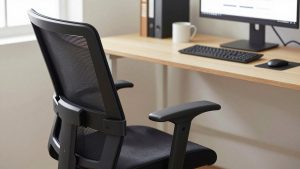
HUANUO Ergonomic Office Chair with 3D Armrests and Lumbar Support
Included for 'Do I Need a Headrest on My Office Chair' as a relevant option in this category; details come from the product listing.
View on AmazonIt is worth separating a headrest from a high backrest. Many high-back chairs extend to shoulder-blade height without true head support. A proper headrest sits behind the occipital area, the base of the skull, and ideally adjusts in height and angle.
When a headrest is worth having
See also: Best Reclining Chairs: Nine Recliner Listings Compared by Mechanism, Fabric and Space Needs • Best Roku Streaming Deals Reviewed
You recline for meaningful parts of the day
Reading long documents, reviewing code, video calls where you are listening rather than typing, and short thinking breaks are all natural recline moments. If you spend an hour or more a day leaned back 15 degrees or further, a headrest lets your neck muscles switch off.
You already have neck or upper-back tension
People with desk-related neck stiffness often benefit from occasional supported recline because it offloads the muscles that hold the head forward during screen work. The key is that the headrest meets the head without pushing it forward, which is why adjustability matters.
You are tall
Users above roughly 6’1″ frequently find that a standard backrest ends at the shoulder blades. A height-adjustable headrest effectively extends the back for them, which makes recline far more comfortable.
When you can skip it
You work in an upright, forward posture
Designers, video editors and anyone working close to the screen tend to sit at 95 to 105 degrees. At that angle the head is forward of the backrest and a headrest does nothing except add cost and height.
The headrest is fixed and sits wrong
A non-adjustable headrest that lands on your upper neck or the top of your head pushes the chin forward when you lean back. That is worse than no headrest. If you cannot adjust it and it does not naturally meet the base of your skull, it is a liability.
Space and style constraints
A headrest adds 6 to 10 inches of overall chair height. In a room with a low window sill, shelving behind the desk or a desk hutch, it can clash physically and visually.
Headrest decision guide
| Your habit | Typical recline | Headrest value | What to look for |
|---|---|---|---|
| Upright typing all day | 95 to 105 degrees | Low | Skip; invest in lumbar and arms instead |
| Mix of typing and reading | 100 to 115 degrees | Moderate | Height-adjustable, removable headrest |
| Frequent calls and review work | 110 to 125 degrees | High | Height and angle adjustment, 2 to 3 inch travel |
| Recline for breaks or gaming | 120 degrees plus | Very high | Padded or mesh headrest with angle lock |
How to judge a headrest before buying
Look for at least 2 to 3 inches of vertical travel and 15 to 30 degrees of angle adjustment. Mesh headrests stay cool; padded ones feel softer but can get warm. Check whether the headrest is an add-on: several popular ergonomic chairs sell the headrest as a $70 to $150 accessory, which means you can buy the chair now and add it later if recline turns out to be part of your routine. That is often the smartest path if you are unsure.
Also check your chair’s recline range. A headrest on a chair that only reclines a few degrees is mostly decorative. Pair it with a tilt mechanism that offers several lock positions and adequate tension control so you can relax into it rather than fight a loose backrest.
Setting a headrest correctly
Sit fully back in the chair, recline to your usual reading angle, then slide the headrest until its centre meets the curve just below the back of your skull. Angle it so it supports without pushing your chin toward your chest. When you return upright, a small gap of an inch or two between head and headrest is normal and correct; you are not meant to press your head into it while typing.
FAQ
Is a headrest bad for posture?
Only when it is fixed in the wrong position and pushes the head forward. A properly adjusted headrest used during recline supports neutral neck posture; while upright typing, it simply should not be in contact with your head.
Can I add a headrest to a chair that did not come with one?
Some manufacturers sell official add-ons for specific models, and universal clamp-on headrests exist for mesh backs. Universal units vary in stability, so check that it clamps to a solid frame member rather than just the mesh.
Bottom line
You need a headrest if you recline for reading, calls or breaks for an hour or more a day, are tall, or already carry neck tension. You do not need one if you sit upright and forward most of the time. When in doubt, choose a chair that offers the headrest as an adjustable, removable add-on so the decision can follow your real habits.