Last Updated: September 29, 2026
The biggest fear people have when buying a split keyboard is not the price; it is the week of hunting for keys while deadlines pile up. A drop from 80 words per minute to 25 feels unbearable when you type for a living. The good news is that the slowdown can be managed. With the right keyboard choice, a staged transition and focused practice, most people keep working productively during the switch and return to their old speed within a few weeks. Here is a practical plan.
📄 In This Review
Why speed drops, and how much
Split keyboards break three habits at once. First, keys are divided between hands, which exposes any key you currently cross over to hit (commonly B, 6 and Y). Second, many split boards are columnar, so the diagonal finger motion you have practised for years no longer lands on the right key. Third, keys like Backspace, Enter and Space may move under your thumbs.
| Keyboard type | Habits broken | Typical temporary slowdown | Typical recovery time |
|---|---|---|---|
| Fixed split, staggered (e.g. Ergo K860, Sculpt) | Crossover keys only | Small (10-20%) | Days to 1-2 weeks |
| Fully split, staggered | Crossover keys, hand spacing | Moderate | 1-2 weeks |
| Fully split, columnar (e.g. Moonlander) | Crossover, columns, thumb keys | Large (often 50%+ at first) | 2-4 weeks |
| Columnar with key wells (e.g. Advantage360) | All of the above plus reach | Large | 2-4+ weeks |
These ranges vary from person to person, but they are a useful guide for planning.
Before you start: fix your touch typing
See also: Best Reclining Chairs: Nine Recliner Listings Compared by Mechanism, Fabric and Space Needs • Best Roku Streaming Deals Reviewed
If you hunt-and-peck or type with a non-standard hand split, a split keyboard will expose it immediately. Spend a few days on a free typing tutor to confirm which hand should hit which keys. In particular, T, G and B belong to the left index finger and Y, H and N to the right. This one step removes a large share of early errors.
The staged transition plan
Week 1: learn without pressure
Keep your old keyboard for urgent work. Use the split board for 20-30 minutes of deliberate practice each day plus low-stakes tasks such as chat or personal email. Leave the layout at defaults; do not start remapping yet.
Week 2: primary for routine work
Switch the split board to primary use for most of the day, keeping the old board nearby for crunch moments. Continue short practice sessions focused on your weakest keys.
Week 3: commit and customise
Retire the old keyboard to a drawer. Now customise: move modifiers, add layers for symbols, set thumb keys to the actions you use most. Make one change at a time and give each a few days.
Week 4 onward: refine
Measure speed weekly on the same test. Most people are at or near their old speed by now on fully split columnar boards; many are faster with fewer errors on symbols thanks to layers.
Practice techniques that work
- Accuracy before speed. Slow down until you hit 95%+ accuracy; speed follows.
- Drill problem keys. Use tutors that let you target specific letters or bigrams.
- Short, frequent sessions. 15-20 minutes twice a day beats an hour once.
- Don’t look down. Blank keycaps are optional, but not looking is not.
- Track progress. A simple weekly log keeps motivation up when the first week feels slow.
Physical setup matters
Start with the halves slightly closer together than shoulder width and with little or no tenting, then widen and tent gradually over the first two weeks. Introducing every ergonomic change at once adds unfamiliar sensations on top of the new layout. Keep the keyboard at elbow height or slightly below.
FAQ
Can I use a split keyboard and a normal keyboard without getting confused?
Many people switch between a split board at home and a laptop keyboard on the road without problems once the split layout is well learned. During the first two to three weeks, however, alternating slows learning, so limit use of the old keyboard during that period.
Should I remap my layout from day one?
No. Learn the default layout first so you have a baseline. Once you are typing comfortably, add changes one at a time. Changing everything at once makes it hard to know which change helps.
Bottom line
Switching to a split keyboard costs speed temporarily, but a staged plan keeps you productive. Fix touch-typing habits first, practise daily in short sessions, keep your old keyboard for urgent work during the first two weeks, and only customise after the basics are automatic. Within a month most typists are back to full speed on a more comfortable keyboard.
Related Reviews & Guides

Best Ergonomic Office Chair Under 200 Dollars
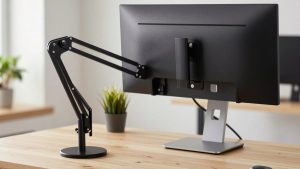
Best cheap monitor arm under 40 dollars