Last Updated: September 29, 2026
The Anker Prime docking station is aimed at the person with a laptop and a desk full of gear who is tired of juggling dongles. It promises to replace a pile of chargers and adapters with a single Thunderbolt-class hub that powers the laptop, drives multiple monitors, and fans out to storage, peripherals, and wired networking. This review breaks down the ports, the power delivery, and the real-world use cases where a dock like this pays for itself.
📄 In This Review
Why a powered dock
Bus-powered USB-C hubs are fine for travel, but they steal wattage from your laptop and choke on bandwidth when you add displays. A desktop dock like the Anker Prime brings its own power brick, so it can charge a laptop at high wattage and run several high-bandwidth devices at once without throttling. That single-cable “dock and go” experience is the whole point.
Ports and connectivity
The Prime dock leans on a Thunderbolt/USB4 upstream connection and exposes a wide mix of downstream ports. Exact counts vary by model, but the layout typically looks like this.
| Port type | Typical count | What it drives |
|---|---|---|
| USB-C upstream to laptop | 1 | Data + power, single cable |
| Downstream USB-C (data/PD) | 2–3 | SSDs, phones, peripherals |
| USB-A (5–10 Gbps) | 3–4 | Keyboard, mouse, drives |
| HDMI / DisplayPort | 1–2 | External monitors |
| Ethernet (RJ45) | 1 | Wired 1–2.5 GbE |
| SD / microSD reader | 1–2 | Camera offloads |
| 3.5mm combo audio | 1 | Headset |
Power delivery and displays
See also: Best Reclining Chairs: Nine Recliner Listings Compared by Mechanism, Fabric and Space Needs • Best Roku Streaming Deals Reviewed
Power is where a Prime-class dock separates from cheap hubs. The upstream port commonly delivers 90–100W USB-C PD to the host laptop, which is enough for most 14–16″ machines to charge while working. Total dock output is higher still, so the downstream ports can fast-charge a phone or feed a second USB-C device without starving the laptop.
| Spec | Typical range |
|---|---|
| Upstream PD to laptop | 90–100W |
| Total power budget | 150–250W |
| Single-display support | Up to 4K/8K depending on model |
| Dual-display support | Dual 4K60 (Thunderbolt hosts) |
| Data bandwidth | Up to 40 Gbps (USB4/TB) |
| Ethernet | 1–2.5 GbE |
| Warranty | 18–24 months typical |
Display behavior depends heavily on your laptop. Thunderbolt and USB4 hosts can usually run dual 4K60 monitors cleanly. Machines that only support DisplayPort Alt Mode—many Windows laptops and all M-series MacBooks with base chips—may be capped at a single external display or need DisplayLink to add more, regardless of how many video ports the dock has. Check your laptop’s spec sheet before assuming dual 4K.
Best use cases
The single-monitor professional
If you dock one 4K monitor, a keyboard, a mouse, and a wired network, almost any Prime-class dock handles it effortlessly and charges the laptop at the same time. This is the sweet spot.
The multi-display power user
Two 4K displays plus fast external SSDs is where the Thunderbolt/USB4 bandwidth matters. Here the dock’s 40 Gbps upstream keeps storage and video from competing for the same lane.
The creator
Built-in SD/microSD readers and 10 Gbps USB-C ports make quick work of camera card offloads and fast portable drives, which is why photographers gravitate to these docks.
Desk setup and cable management
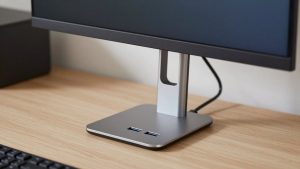
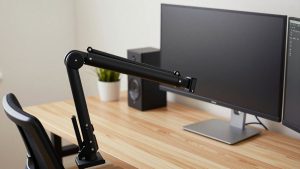
Because everything routes through one upstream cable, a dock like this dramatically cleans up a desk. You leave the power brick, monitor cables, Ethernet, keyboard, and mouse permanently connected to the dock, then plug a single Thunderbolt cable into the laptop when you sit down. Undocking is one unplug. Position the dock at the back edge of the desk or mount it under the surface so the port cluster faces you; the compact vertical designs take up little footprint. A short, high-quality Thunderbolt cable matters here—cheap or overlong cables are the most common cause of dropped displays and reduced bandwidth, so use the cable that ships with the dock or a certified replacement of the same rating.
FAQ
Will the Anker Prime dock charge my laptop fully?
For most 13–16″ laptops, yes. The 90–100W upstream output matches or exceeds what these machines draw, so they charge while docked. Very high-performance 16″ workstations under full CPU and GPU load can occasionally draw more than the dock supplies, in which case the battery may hold steady rather than climb during heavy tasks.
Do I need Thunderbolt to use it?
You can plug it into a standard USB-C port, but you will not get the full experience. Dual 4K60 output and 40 Gbps data require a Thunderbolt or USB4 host. On a plain USB-C laptop the dock still works for charging, USB devices, Ethernet, and usually one external display.
Bottom line
The Anker Prime docking station is a strong one-cable command center for a modern desk: 90–100W of laptop charging, a deep bench of USB-A and USB-C ports, wired Ethernet, card readers, and dual-4K potential on the right host. The one thing to verify before buying is your laptop’s display capability, since that—not the dock—usually decides how many monitors you can run. Match it to a Thunderbolt or USB4 machine and it removes almost every dongle from your desk.