Last Updated: September 29, 2026
Sales is a performance job, and a remote sales rep’s home office is the stage. Prospects hear your energy before they see anything, dialling sessions stretch across hours, and the pace of switching between the CRM, email, a sequencing tool and a live call is relentless. A good setup for sales reps does three things: it keeps your voice clear and your energy high, it keeps every piece of prospect information one glance away, and it makes you look sharp on the video calls that close deals.
📄 In This Review
Audio is revenue
On a cold call, the prospect decides within seconds whether to keep listening, and muddy audio or background noise makes that decision easier in the wrong direction. A professional headset with a noise-cancelling boom microphone is the single most important purchase. Look for a comfortable fit for four to six hours of wear, a physical mute button you can find without looking, and a busy light if you share a space. Wireless headsets with DECT or Bluetooth let you stand and move during calls, which many reps find improves delivery. Expect $100–$300 for business-grade options.
| Setup element | Recommended spec or range | Sales benefit |
|---|---|---|
| Headset | Noise-cancelling boom mic, mute button, 8+ hour battery | Clear voice, freedom to move |
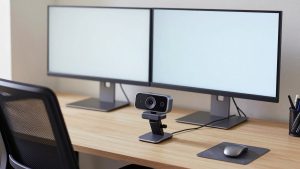
| Monitors | Two screens, 24–27 inches | CRM and dialer side by side |
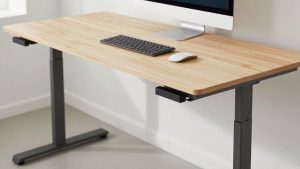
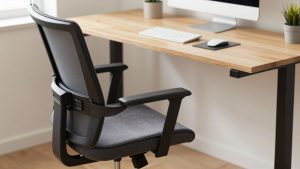
| Sit-stand desk | Electric, memory presets | Standing calls with more energy |
| Webcam and light | 1080p camera, soft front key light | Polished demos and discovery calls |
| Internet | Wired, stable upload of 10 Mbps or more | No dropped calls or frozen demos |
| Acoustic softening | Rug, curtains, a couple of panels | Less echo, more professional sound |
Screen layout for high-velocity work
See also: Best Reclining Chairs: Nine Recliner Listings Compared by Mechanism, Fabric and Space Needs • Best Roku Streaming Deals Reviewed
Sales reps juggle more applications during a single call than almost anyone else. A proven layout puts the dialer or video call and your notes on the main screen, and the CRM record, LinkedIn profile and email thread on the second. That way you can see the prospect’s history while talking and log notes without switching windows. A third screen, or the laptop screen, can hold the team chat and calendar. Keep the call window closest to the webcam so your eyes stay near the camera.
Stand up and move
Many sales trainers encourage standing for calls because posture affects breathing and vocal projection. An electric sit-stand desk with presets makes switching effortless between call blocks. An anti-fatigue mat reduces discomfort during long standing sessions. If you prefer to pace, a wireless headset with good range is essential, and a script or talk track taped at eye level on the wall keeps key points in view.
Looking the part on video
Discovery calls and demos increasingly happen on video. A tidy, neutral background, a camera at eye level and soft light on your face create a professional impression. Avoid a blurred virtual background during demos, since it can smear your hands and screen-share transitions. If you run product demos, rehearse the screen share: close unrelated tabs, hide notifications, and increase font size in the product.
Protect your voice
Talking for hours strains the voice. Keep water on the desk (in a spill-proof bottle away from the keyboard), take short breaks between call blocks, and use the headset’s sidetone feature if available; hearing your own voice helps you avoid speaking too loudly. A humidifier can help in dry winter rooms.
Stay organised between calls
A notepad for quick handwritten notes during calls, later transferred to the CRM, keeps you focused on listening. A whiteboard with the day’s targets or pipeline goals keeps motivation visible. A small timer helps structure power-hour dialling sessions.
Keep the connection boring
Nothing kills momentum like a dropped call halfway through a pitch. Run Ethernet to the desk, keep the router on a small UPS, and close cloud sync or large downloads during call blocks so upload bandwidth stays free for voice and video. If your dialer runs in the browser, give it a dedicated browser profile with few extensions; that keeps it faster and less likely to crash mid-call.
FAQ
Wired or wireless headset for sales calls?
Wireless gives freedom to stand and move, which many reps prefer. Wired never runs out of battery. Many reps use wireless as the main headset and keep a wired one as a backup.
Do I need two monitors for sales?
For most roles, yes. Seeing the CRM and the call simultaneously saves time on every call and reduces mistakes in logging activity.
Bottom line
For sales reps, invest first in a noise-cancelling headset and a wired connection, then two screens for CRM and calls, a sit-stand desk for energetic standing calls, and a clean, well-lit camera setup for demos. Protect your voice and keep targets visible.
Related Reviews & Guides
Best webcam for two monitors
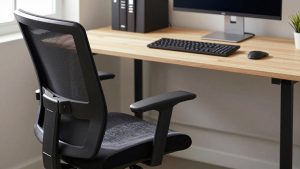
best ergonomic office chair for standing desk pairing