Last Updated: September 27, 2026
At around $1,000, a home office stops being a set of compromises and starts being a proper workstation. This is the budget where an electric standing desk becomes realistic, two monitors fit comfortably, and you can afford a chair with meaningful adjustability rather than just a seat that goes up and down. The risk at this level is different: it is easy to blow half the budget on one showpiece item and neglect the basics. This plan divides the money so every part of the setup pulls its weight, assuming you already own a laptop or desktop.
📄 In This Review
A balanced $1,000 plan
| Category | Suggested budget | What that buys |
|---|---|---|
| Electric standing desk | $250–$350 | Single or dual motor frame, 120–140 cm top, memory presets |
| Ergonomic chair | $250–$350 (or used premium) | Adjustable lumbar, 3D/4D armrests, seat depth |
| Monitors | $250–$350 | Two 24-inch 1080p or one 27-inch 1440p plus laptop screen |
| Monitor arm | $40–$80 | Single or dual clamp arm |
| Keyboard and mouse | $60–$100 | Ergonomic mouse, comfortable wireless keyboard |
| Webcam or headset | $50–$100 | Whichever your calls need more |
| Lighting and cable management | $50–$80 | Monitor light bar or lamp, tray, power strip |
| Total | About $950–$1,410 | Use the lower end of each range to land near $1,000 |
Standing desk: the big upgrade at this budget
See also: Best Reclining Chairs: Nine Recliner Listings Compared by Mechanism, Fabric and Space Needs • Best Roku Streaming Deals Reviewed
Entry-level electric standing desks from established makers commonly sell in the $250–$400 range. At this level, check the lifting capacity (look for at least 70–80 kg to handle two monitors and arms), the height range for your own height in both sitting and standing positions, and stability at full height. Dual-motor frames are steadier and quieter but usually cost more; a single-motor frame is acceptable if the specifications show a sensible load rating. Check the current spec sheet before buying, because frames are revised often.

SIHOO M18 Ergonomic Office Chair, Mesh Back Desk Chair with Headrest
Included for 'Budget home office setup under 1000 dollars' because the listing specifies Mesh Back Desk Chair with Headrest, details this guide uses to compare options.
View on Amazon
SIHOO B100 PRO Ergonomic Mesh Office Chair with Footrest
Included for 'Budget home office setup under 1000 dollars' as a relevant option in this category; details come from the product listing.
View on Amazon
SIHOO B100 Mesh Ergonomic Office Chair with Adaptive Lumbar Support
Included for 'Budget home office setup under 1000 dollars' as a relevant option in this category; details come from the product listing.
View on Amazon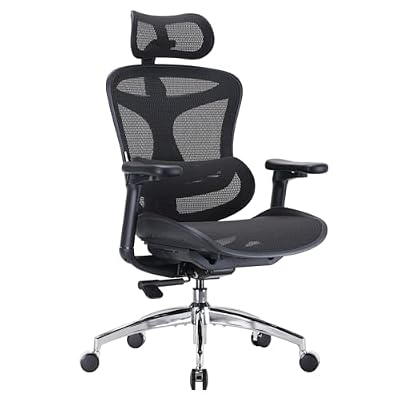
SIHOO Doro C300 Ergonomic Office Chair with Ultra Soft 3D Armrests
Included for 'Budget home office setup under 1000 dollars' as a relevant option in this category; details come from the product listing.
View on AmazonChair: adjustability over looks
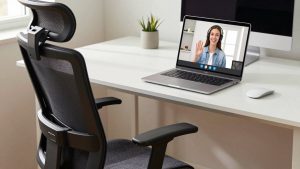
With $250–$350, a new mesh chair can offer adjustable lumbar support, armrests that move up, down, forward and inward, and seat depth adjustment. Seat depth is the feature most often missing on cheaper chairs and it matters for anyone taller or shorter than average. As with smaller budgets, used premium chairs remain excellent value; spending $300 on a refurbished high-end chair and saving elsewhere is a smart move.
Monitors: two screens or one sharp one
Two 24-inch 1080p monitors give a lot of space for multitasking at low cost. One 27-inch 1440p screen next to a raised laptop is cleaner and sharper. Choose based on work: spreadsheets, coding and research benefit from two screens; design and reading-heavy work benefit from the sharper single display. Either way, a monitor arm frees desk space and makes positioning easy on a standing desk, where eye height changes when you stand.
Peripherals: protect your hands
An ergonomic mouse, such as a sculpted or vertical design, is worth prioritising if you use a mouse all day. A quiet, full-travel wireless keyboard is fine for most people; mechanical keyboards in the $60–$100 range are an option if you enjoy them. Put a desk mat under both to define the zone and reduce noise.
Calls, light and cables
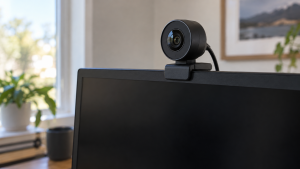
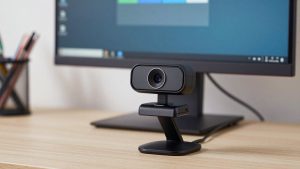
If you are on video calls several times a day, a 1080p webcam with decent low-light performance and a monitor light bar will do more for your appearance than a 4K camera in a dim room. If you mostly do voice calls, a wired or wireless headset with a good microphone is the better use of that money. Finish with an under-desk cable tray and a surge-protected strip mounted to the desktop so everything rides with the standing desk.
What not to buy at this budget
Skip RGB accessories, desk gadgets and premium webcams until the basics are covered. Avoid the cheapest standing desks with no clear load rating, and avoid chairs that list “ergonomic” without any adjustment details.
FAQ
Is it better to spend more on the chair or the desk?
If you have to choose, the chair. A standing desk is used part of the day; the chair supports you whenever you sit. Many ergonomists recommend alternating positions, but the chair still carries most hours.
Can I include a computer in a $1,000 budget?
Not without heavy compromises. If you need a computer too, spend on that first and build the rest of the setup gradually using a smaller budget plan.
Bottom line
A $1,000 home office should include an electric standing desk with a real load rating, an adjustable chair, a sensible monitor setup with an arm, ergonomic peripherals and basic lighting and cable management. Spread the money evenly across these, and resist spending it all on one headline item.
Related Reviews & Guides
Olipop Flavors Ranked: Best Tastes from Worst to Best
Best Ergonomic Office Chair for Video Calls