Last Updated: September 29, 2026
Programming is an unusual kind of desk work. You read far more than you type, you hold complex structures in your head for long stretches, and a single interruption can cost twenty minutes of context. A programmer’s home office should therefore optimise for three things: vertical screen space for reading code, input devices that stay comfortable over thousands of keystrokes and shortcuts, and an environment that protects focus. Flashy RGB and ultra-high refresh rates are nice to have; they are not what makes a coding setup good.
📄 In This Review
Displays: optimise for lines of code
Code is tall and narrow. The metric that matters is how many readable lines you can see and how many files you can place side by side. Pixel density matters too, because crisp text at a comfortable size reduces eye fatigue during long reading sessions.
| Display option | Typical price range | Strength for coding | Trade-off |
|---|---|---|---|
| 27-inch 1440p | $200–$350 | Good value, two panes side by side | Text less crisp than 4K |
| 27-inch 4K | $280–$500 | Sharp text with 150% scaling | Needs a capable GPU or port for high refresh |
| Second monitor in portrait | $150–$300 extra | Up to twice the visible lines | IPS panels needed for good off-axis viewing |
| 34-inch ultrawide 1440p | $350–$700 | Three panes: editor, terminal, docs | Lower vertical resolution than 4K |
| 32-inch 4K | $350–$800 | Large, sharp, one-screen setup | Deep desk needed for comfort |
A popular and effective combination is one landscape 27-inch 4K screen for the editor and a second monitor rotated to portrait for documentation, logs or pull request reviews. A monitor arm makes rotation easy and frees desk depth.
Keyboard: comfort over clicks
See also: Best Reclining Chairs: Nine Recliner Listings Compared by Mechanism, Fabric and Space Needs • Best Roku Streaming Deals Reviewed
Programmers lean heavily on modifier keys and shortcuts, which strains the pinky and thumb more than normal typing. Consider a keyboard that lets you remap keys, either in firmware (QMK or VIA-compatible boards) or in software. Moving Ctrl to Caps Lock, or putting layers under your thumbs on a split keyboard, reduces awkward stretches. Tenkeyless and 75% layouts bring the mouse closer to your body, which helps the shoulder. Split and tented keyboards cost more, often $150–$400, and take a couple of weeks to adjust to, but many developers with wrist or shoulder pain find them worth it.
Switches and noise
If you pair program over video calls or share a room, loud clicky switches will annoy others. Linear or quiet tactile switches, or a low-profile board, keep the microphone clean.
Mouse and navigation
A mouse with programmable side buttons can map back and forward navigation, or IDE commands like “go to definition”. Vertical or ergonomic mice suit people with forearm discomfort. Many programmers minimise mouse use entirely with keyboard-driven editors and window managers, which is the cheapest ergonomic upgrade of all.
Compute and connectivity
Local builds, containers and test suites reward RAM more than raw CPU speed for many developers; 32 GB is a comfortable baseline for container-heavy work, with 16 GB workable for lighter stacks. Use a wired Ethernet connection if you push large repositories or work over remote development environments; latency spikes on Wi-Fi make remote shells feel sluggish. If you switch between a work laptop and a personal machine, a dock or a KVM switch lets both share the same monitors and peripherals.
Chair, desk and posture
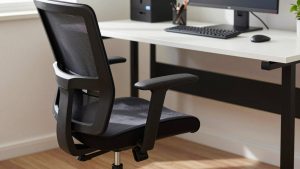
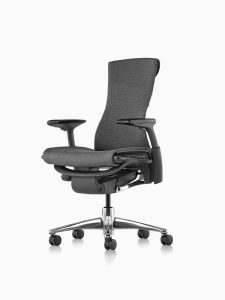
Coding involves long, still periods, which is exactly when poor seating hurts most. Prioritise an adjustable chair with good lumbar support and adjustable armrests that let your forearms rest at desk height. A sit-stand desk helps break up those still stretches; even alternating every 45–60 minutes reduces stiffness. Aim for the top of the main monitor at or slightly below eye level, roughly an arm’s length away.
Protecting focus
A door that closes is the most valuable feature of any programmer’s office. Beyond that, noise-cancelling headphones, a visible “in focus” signal for household members, and notifications batched rather than instant all protect deep work. Keep a small whiteboard or notepad within reach; sketching data structures by hand is often faster than diagramming tools.
FAQ
Is a curved ultrawide good for programming?
It works well for side-by-side panes, but you trade vertical pixels. If you mostly read long files, a 4K screen or a portrait monitor usually shows more code per glance.
Do programmers need a high refresh rate monitor?
Not for productivity. Smooth scrolling at 120–144 Hz is pleasant, but sharpness and screen area matter more for reading code. Prioritise resolution and panel quality first.
Bottom line
Build a coding office around reading, typing and focus: a sharp 4K or ultrawide main screen plus a portrait second screen, a remappable keyboard that spares your hands, enough RAM for your stack, a supportive chair, and a door or headphones that protect deep work.