Last Updated: September 27, 2026
The Uplift V2 has been one of the reference standing desks for years, known less for flashy features than for its enormous configuration options and long warranty. You choose frame style, leg stages, top material and size, and then add from a large catalogue of accessories. This review covers how the V2 is built, what the configuration choices mean for you, and where newer frames have caught up.
📄 In This Review
The V2 in a nutshell
The V2 is a dual-motor frame offered in two-stage and three-stage versions, with a C-frame as the standard layout and T-frame and four-leg variants for larger or commercial setups. Uplift quotes a load rating of around 355 lb for the standard two-leg frame, with four-leg versions going much higher. The brand’s warranty, widely advertised at 15 years on many components, is among the longest in the consumer market. Pricing lands in the mid-range for the frame plus a basic laminate top, rising quickly as you add premium tops and accessories.

UPLIFT DESK V3 2-Leg Black Laminate Wood Standing Desk – Adjustable Height, Advanced 1-Touch Memory Keypad, Under Desk Cable Management, Wire Grommets & Rocker Board (Black C-Frame, 60 x 30 inch)
Included for 'Uplift V2 Review' because the listing specifies Adjustable Height and Advanced 1-Touch Memory Keypad, details this guide uses to compare options.
View on Amazon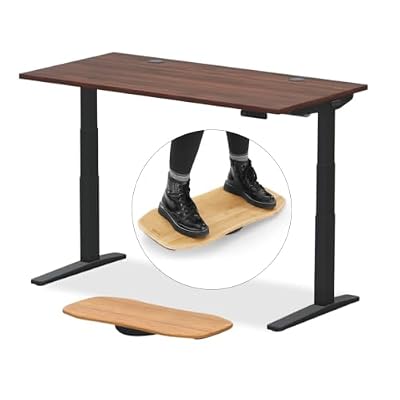
UPLIFT DESK V3 2-Leg Walnut Laminate Wood Standing Desk – Adjustable Height, Advanced 1-Touch Memory Keypad, Under Desk Cable Management, Wire Grommets & Rocker Board (Black C-Frame, 60 x 30 inch)
Included for 'Uplift V2 Review' because the listing specifies Adjustable Height and Advanced 1-Touch Memory Keypad, details this guide uses to compare options.
View on Amazon
UPLIFT DESK V3 2-Leg Maple Laminate Wood Standing Desk – Adjustable Height, Advanced 1-Touch Memory Keypad, Under Desk Cable Management, Wire Grommets & Rocker Board (Black C-Frame, 48 x 30 inch)
Included for 'Uplift V2 Review' because the listing specifies Adjustable Height and Advanced 1-Touch Memory Keypad, details this guide uses to compare options.
View on Amazon
UPLIFT DESK V3 2-Leg Black Laminate Standing Desk – Adjustable Height, Advanced 1-Touch Memory Keypad, Under Desk Cable Management, Wire Grommets (Black C-Frame, 48 x 30 inch)
Included for 'Uplift V2 Review' because the listing specifies Adjustable Height and Advanced 1-Touch Memory Keypad, details this guide uses to compare options.
View on AmazonConfiguration choices that matter
See also: Best Reclining Chairs: Nine Recliner Listings Compared by Mechanism, Fabric and Space Needs • Best Roku Streaming Deals Reviewed
Two-stage or three-stage legs
The two-stage frame covers most users from roughly 5’3″ to 6’3″. Three-stage legs extend the range at both ends and move faster, which suits shorter users who need a low seated height and tall users who need 48 inches or more standing. If two people of very different heights share the desk, three-stage is the safer pick.
C-frame or T-frame
The C-frame sets the columns toward the rear, giving more leg room and letting you sit closer. The T-frame centres the columns on the feet and can feel slightly more balanced front to back with deep tops. Most home offices prefer the C-frame for comfort.
Top options
Uplift offers laminate, bamboo, solid wood, eco-friendly composites and more, in widths from compact to very large. Laminate is the most practical: durable, easy to clean and cheaper. Solid wood looks superb but adds weight and needs occasional care.
Uplift V2 configuration guide
| Your need | Recommended V2 setup | Reason |
|---|---|---|
| Single user, 5’5″ to 6’1″ | Two-stage C-frame, 60 x 30 in laminate | Covers range at the lowest cost |
| Short user or big height gap between users | Three-stage C-frame | Lower minimum and higher maximum height |
| Deep top of 32 to 36 in | T-frame or crossbar add-on | Better front-to-back balance |
| Very wide or heavy setup | Four-leg V2 | Much higher capacity and span |
Strengths
- Customisation: few brands match the range of sizes, finishes and accessories.
- Warranty: the long coverage reduces long-term risk on motors and frame.
- Keypad: the advanced keypad offers memory presets and optional sit-stand reminders.
- Accessories: cable trays, grommets, drawers, monitor arms and anti-fatigue mats designed to fit.
Weaknesses
- Price creep: it is easy to add several hundred dollars in extras.
- Standing-height sway: like most two-leg desks, some side-to-side motion is noticeable at full height on the two-stage frame, especially with vigorous typing. The optional crossbar reduces it.
- Newer competition: rivals and Uplift’s own V3 now offer integrated cable management and refined styling that the V2 lacks.
Who the V2 suits today
The V2 still makes sense if you want a proven frame with a strong warranty and are happy to configure it carefully. It is especially good for people who want a particular top size or material and a matching accessory ecosystem. Deal-hunters may find FlexiSpot’s upper models cheaper during sales, and buyers who want the latest refinements should compare it with the V3, since the price gap has narrowed at times.
Dialling in the V2 after assembly
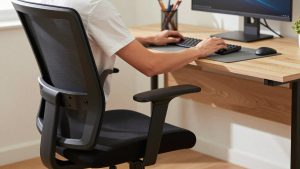
Once built, spend five minutes on setup rather than guessing heights. Sit with shoulders relaxed and elbows at roughly 90 degrees, lower the desk until the keyboard sits just below elbow height, and save that as preset one. Stand in the shoes you normally wear, repeat the process and save preset two. Many V2 owners then set the keypad’s reminder to prompt a switch every 45 to 60 minutes. Finally, run the desk through its full travel once with every cable connected; if anything tightens before the top of the range, add slack at the wall end rather than stretching leads across the frame.
FAQ
Is the Uplift V2 still worth buying now that the V3 exists?
Yes when it is noticeably cheaper and you do not need the V3’s refinements. The V2’s core mechanics and warranty remain competitive.
Do I need the Uplift crossbar?
If you type hard at standing height, use a deep top or run heavy monitor arms, the crossbar is a worthwhile addition. Light setups rarely need it.
Bottom line
The Uplift V2 is a dependable, highly configurable dual-motor desk with one of the best warranties in the category. Choose three-stage legs if you are short or share the desk, keep accessory spending in check, and compare the current V3 price before you commit.