Last Updated: September 29, 2026
Customer success sits between sales and support. A CSM onboards new accounts, runs business reviews, walks customers through features on screen share, spots churn risk in usage data and advocates for the customer internally. That mix means the home office must handle long relationship calls, detailed product walkthroughs and a lot of data work, often across time zones. When a whole CS team works remotely, consistency across everyone’s setup also matters, because customers notice when one CSM sounds and looks polished and another does not.
📄 In This Review
What makes customer success setups different
| CS activity | Setup requirement | Recommended approach |
|---|---|---|
| Onboarding and training sessions | Clean, readable screen shares | Dedicated sharing screen at 1080p or 1440p with large fonts |
| Quarterly business reviews | Professional presence on camera | Eye-level webcam, soft key light, neutral backdrop |
| Health score and usage analysis | Data dashboards visible alongside CRM | Second monitor or ultrawide |
| Escalation handling | Quick access to tickets and internal chat | Persistent sidebar window layout |
| Global customer base | Early and late calls | Adjustable lighting and quiet headset |
Build a dedicated “share screen”
See also: Best Reclining Chairs: Nine Recliner Listings Compared by Mechanism, Fabric and Space Needs • Best Roku Streaming Deals Reviewed
The most useful habit a CSM can adopt is keeping one display purely for sharing. That screen contains only the customer’s product environment and the presentation; notes, internal chat, account health dashboards and email stay on the other screen. It prevents the accidental share of internal notes about the customer, which is one of the most damaging mistakes in CS. Set that screen to a resolution that looks crisp on the customer’s side; sharing a 4K screen at 100% scaling produces tiny text for viewers on laptops, while 1080p or 1440p with scaling reads well.
Audio and camera for relationship work
Customer success conversations run long and are often sensitive, such as renewals, escalations and executive business reviews. A comfortable headset or a high-quality USB microphone with headphones gives natural sound. Position the webcam at eye level and look at it when making key points; it creates a stronger sense of attention than looking at the customer’s thumbnail. A small key light keeps you visible on early morning calls with customers in other regions when the room is still dark.
Data work between calls
CSMs regularly analyse usage trends, prepare QBR decks and update success plans. Two monitors or an ultrawide make this easier: dashboard on one side, CRM record or slides on the other. A comfortable keyboard and a mouse with a horizontal scroll help when working in wide spreadsheets or analytics tools.
Team consistency
For CS leaders equipping a remote team, a standard kit reduces variation in customer experience and simplifies support. A typical standard kit might include a business headset, a 1080p webcam, a small key light and a second monitor, with a stipend for an ergonomic chair. Budget roughly $400–$800 per person for peripherals, excluding the laptop. Document recommended settings, such as the camera framing and headset noise suppression, so every CSM appears consistent.
Shared backgrounds and branding
Some teams use a subtle branded virtual background or a real neutral backdrop. A real background usually looks better than a virtual one, particularly during product walkthroughs where hand movements can glitch the edges.
Handling time zones
CSMs covering global accounts may have calls at 7 a.m. and 8 p.m. in the same day. A dimmable desk lamp and key light with adjustable colour temperature let you look natural at both ends. Keeping the home office separate from the bedroom, even as a corner, helps protect rest when schedules stretch.
Ergonomics for long days
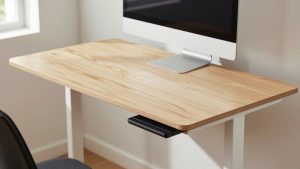
Back-to-back calls and data work mean long sitting stretches. A good chair, a sit-stand desk and a reminder to stand for internal meetings keep energy up. Place the main camera screen straight ahead and the secondary screen angled to the side, so you do not turn your neck constantly toward data while talking.
FAQ
How is a CSM setup different from a support agent setup?
Support agents often handle many short interactions and need speed across ticket queues. CSMs run fewer, longer and more strategic conversations, so camera presence, screen sharing and data analysis matter more.
Should customer success managers use virtual backgrounds?
A tidy real background is usually better, especially during demos. If a virtual background is required, use good lighting and a solid-colour wall behind you to minimise edge artefacts.
Bottom line
A customer success home office is built for long, visible, data-rich conversations: a dedicated share screen, eye-level camera and soft light, comfortable audio, a second display for dashboards, and a consistent kit across the team.
Related Reviews & Guides
Best Ergonomic Office Chair for Wide Hips

Home office setup for small bedroom