Last Updated: September 29, 2026
After years of home offices tuned exactly to their owners, many people returning to an office desk find it a step backwards: the chair was set by someone else, the air conditioning is set for someone else, and the noise level is set by whoever sits nearest. The office provides the furniture and the network, but it rarely provides comfort. The essentials below are the small, mostly inexpensive items that make an office desk feel like yours again, whether you have an assigned seat or book a desk each morning.
📄 In This Review
Comfort items the office will not supply
| Essential | Typical cost | Problem it solves |
|---|---|---|
| Portable lumbar cushion | $20–$45 | Office chairs with weak or badly positioned lumbar support |
| Footrest | $20–$50 | Desks and chairs that leave shorter people’s feet dangling |
| Light layer kept at the desk | Already owned | Aggressive air conditioning |
| Insulated water bottle | $15–$40 | Fewer trips to the kitchen, better hydration |
| Noise-cancelling earbuds or headphones | $80–$350 | Open-plan chatter and phone calls |
| Monitor privacy filter | $30–$70 | Screens visible to people walking past |
| Desk wipes | $5–$10 | Shared keyboards and surfaces |
Make the chair fit you in two minutes
See also: Best Reclining Chairs: Nine Recliner Listings Compared by Mechanism, Fabric and Space Needs • Best Roku Streaming Deals Reviewed
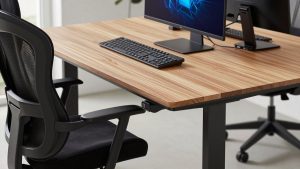
Office chairs are adjusted once and then left however the last person used them. Learn the controls on your office’s chair model: seat height so your thighs are roughly level, seat depth so two or three fingers fit between the seat edge and the back of your knees, backrest tension so it supports without pushing you forward, and armrests level with the desk. If the chair lacks lumbar adjustment, a portable cushion fills the gap. If your feet do not rest flat after setting the correct height for the desk, a footrest is the fix; lowering the chair instead forces your shoulders up.
Handling noise
Open offices are the biggest adjustment for people used to working alone. Noise-cancelling headphones are the obvious answer, but they also signal “do not disturb”, which is sometimes the point. For quieter focus without isolation, earplugs designed to reduce volume while keeping speech intelligible are an alternative. Booking quiet rooms or phone booths for calls helps both you and neighbours.
Etiquette for calls at the desk
If you must take calls at your desk, use a headset with a boom microphone rather than the laptop microphone. It picks up your voice at a normal volume, so you do not need to raise it, and it filters out neighbours better.
Personalising a desk you do not own
Small personal items make an office desk feel less anonymous, and research on workplace wellbeing often links a sense of control over one’s workspace to satisfaction. A small plant, a photo or a favourite mug helps. With hot-desking, keep these in a locker or a small desk caddy you can carry to whichever seat you book. Make sure anything left overnight complies with your office’s clear-desk policy.
Screen position and visibility
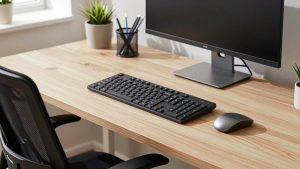
Office monitors are often fixed on basic stands at a height suitable for no one. If the monitor has no height adjustment, a riser or a stack of reams under the stand is an acceptable fix. Check the screen’s visibility from walkways: if confidential information shows, a privacy filter narrows the viewing angle so only the person in front can read it.
Food, energy and breaks
Commutes and meetings disrupt eating patterns. A small drawer stash of non-perishable snacks avoids the vending machine, and a reusable cup saves money on coffee runs. Office days tend to include more walking than home days, which is a benefit; use the natural breaks to rest your eyes and move rather than checking your phone.
Security and hygiene
Lock your screen whenever you step away. If your office has lockers, use them for a laptop rather than leaving it on the desk overnight. Shared desks and peripherals collect germs quickly; a quick wipe of the keyboard, mouse and desk surface at the start of the day is a reasonable habit, especially in cold and flu season.
FAQ
Should I bring my own keyboard and mouse to the office?
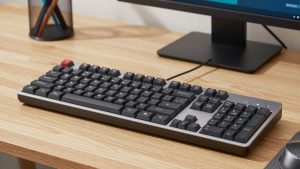
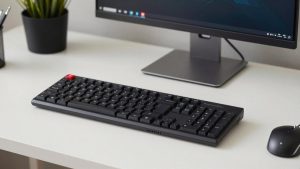
If the office’s peripherals are uncomfortable or shared, yes. A compact keyboard and mouse fit in a laptop bag and give you the same feel as at home.
Is a footrest really necessary?
For many people under about 170 cm working at a standard 72–75 cm desk, yes. It lets you set the chair high enough for the desk while keeping your feet supported.
Bottom line
Back at the office, the furniture is not yours, but the comfort can be. A lumbar cushion, a footrest, good headphones, a privacy filter and a few personal and hygiene items, combined with two minutes of chair adjustment each day, turn a generic desk into a workable one.