Last Updated: September 29, 2026
Generic “perfect home office” lists fail because they assume everyone does the same job in the same room. A developer staring at code for nine hours, a therapist running confidential video sessions and a sales rep making sixty calls a day need very different things from a desk, even if they share the same budget. The space matters just as much: a spare room, a bedroom corner and a kitchen alcove impose different limits on noise, light and footprint. This guide is a framework for working out your own priorities by combining two questions: what does your work demand, and what does your space allow?
📄 In This Review
Step 1: Identify your work profile
Most remote jobs fall into a handful of profiles based on where they put strain. Find the one closest to your day, even if your job title differs.
| Work profile | Examples | Top priority | Second priority | Can skimp on |
|---|---|---|---|---|
| Deep screen focus | Developers, analysts, writers | Monitor space and keyboard | Chair for long sitting | Webcam, lighting for camera |
| Voice-heavy | Sales, support, recruiters | Headset and quiet room | Chair and sit-stand option | Monitor size |
| On-camera | Managers, coaches, therapists, trainers | Lighting, camera, acoustics | Background and privacy | Peripheral upgrades |
| Visual production | Video editors, designers, photographers | Colour-accurate display, compute power | Controlled room lighting | Headset |
| Paper and numbers | Accountants, bookkeepers, agents | Deep desk and task lighting | Scanner and storage | High-refresh displays |
Step 2: Identify your space type
See also: Best Reclining Chairs: Nine Recliner Listings Compared by Mechanism, Fabric and Space Needs • Best Roku Streaming Deals Reviewed
Dedicated room
A spare room with a door gives you acoustic control and room for a full-size desk of 140–180 cm. The main risks are overspending on furniture and poor lighting if the room was never designed as an office.
Shared room corner
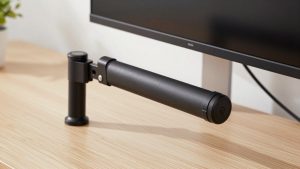
Bedroom or living room corners limit desk width to around 100–120 cm and bring noise and visual clutter into calls. Wall-mounted shelves, a monitor arm to free surface area and a folding screen or tidy backdrop matter more than a bigger desk.
Transitional spaces
Kitchen tables, alcoves and hallway nooks work for part-time or hybrid workers. The goal is a setup that packs away in minutes: a laptop stand, a compact keyboard, a portable monitor and a single charging hub.
Step 3: Combine profile and space
Most planning mistakes come from ignoring one of the two. A voice-heavy worker in a shared living room needs acoustic treatment and a noise-cancelling headset before any monitor upgrade. A visual production worker in a bright bedroom corner needs blackout blinds or bias lighting before a colour-calibrated display will be worth its price. A deep-focus worker in a dedicated room can put nearly the whole budget into the desk, chair and screens.
Where to spend first
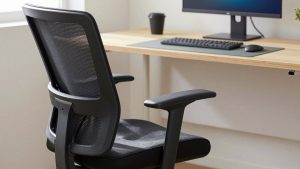
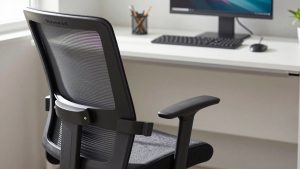
Spend first on what touches your body for the most hours, which for most people is the chair, then on whatever limits your specific work. A good rule is to allocate 30–40% of the budget to seating and desk, 25–35% to displays and computing accessories, and the remainder to lighting, audio and cable management, then shift the split toward your profile’s top priority.
Step 4: Check the constraints nobody mentions
Electrical capacity matters in old buildings: a space heater and a gaming PC on the same circuit can trip a breaker. Wi-Fi coverage in back bedrooms is often weak, making a wired connection or mesh node the most important upgrade for video-heavy roles. Renters may not be able to drill, which rules out some monitor mounts and grommets. Families need to consider noise in both directions: your calls disturbing others and their noise reaching your microphone.
How to use persona guides
Once you know your profile and space, persona-specific setup guides become far more useful because you can skip advice aimed at a different profile. A programmer does not need a ring light, and a teletherapist does not need a 240 Hz monitor. Read for the priorities that match your row in the table, then adapt the equipment to your room.
FAQ
What if my job fits two profiles?
Many do. A remote manager is both on-camera and deep-focus. Prioritise the profile that fills the most hours, then cover the other with the cheapest effective fix, such as a basic key light instead of a full lighting kit.
Should I set up for my current space or the one I plan to move to?
Buy portable essentials now, such as the chair, monitor and peripherals, and delay space-specific purchases like large desks or wall shelving until the move.
Bottom line
A good work-from-home setup is the intersection of your work profile and your space. Identify where your job puts strain, identify what your room limits, and spend in that order. Everything else is an upgrade, not a necessity.