Last Updated: September 3, 2026
- Top Pick: Acer 21.5in FHD 1920×1080 100Hz Office Monitor KB220Q H2bi
- Best Value: KTC 24 Inch Monitor 100Hz, FHD 1080P Computer Monitor, 4000:1, H24V27
- Premium Choice: ViewSonic VA2456A-MHD 24 Inch 1080p Monitor, IPS Display with 120Hz for Enhanced Home and Office Productivity, Eye Care Technology, HDMI, DisplayPort, and VGA Inputs
Home offices in 2026 don’t need premium ultrawides or 4K panels to be productive — they need a monitor that’s sharp enough for spreadsheets and video calls, easy on the eyes during an 8-hour workday, and priced sensibly. The good news is that the budget monitor category has matured fast: even sub-$150 panels now ship with IPS color accuracy, 75-120Hz refresh rates, and flicker-free backlighting that used to be reserved for gaming monitors twice the price.
Below we’ve rounded up the three best budget monitors for home office use this year, plus two solid runner-ups if you want a bigger screen or a frameless multi-monitor setup. All picks stay comfortably within typical home-office budgets while still covering the specs that actually matter for daily work.
As an Amazon Associate we earn from qualifying purchases at no extra cost to you.




⚡ Save on Your Next PC — Amazon Prime
Prime members get fast free shipping on the systems above, plus early access to Prime Day & Black Friday PC deals. New members get a 30-day free trial.
📄 In This Review
Watch: Top 3 Budget Monitors for Home Office Use 2026 — Video Review
How to Choose
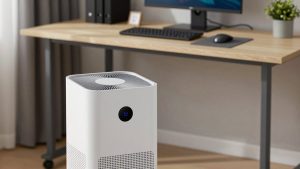
See also: Best Air Purifier For Bedroom Allergies • Desk Top Air Purifier
- Resolution & Sharpness: 1920×1080 is still the sweet spot on 21.5 to 24-inch screens, delivering crisp text for docs and spreadsheets without the price jump of 1440p or 4K panels.
- Refresh Rate: Look for at least 75Hz, ideally 100-120Hz. Smoother scrolling and cursor movement reduce eye fatigue during long work sessions, even if you never touch a game.
- Panel Type: IPS panels give accurate colors and wide viewing angles, which matter for video calls and screen sharing. VA panels trade some viewing angle for higher contrast ratios, which can make text pop more on dark backgrounds.
- Ports & Connectivity: HDMI and DisplayPort cover modern laptops and docks, while a VGA input is worth having if you’re pairing the monitor with older office hardware or a docking station at work.
- Eye Care Features: Flicker-free backlighting and built-in blue light filters aren’t gimmicks — they genuinely cut down on eye strain over an 8-hour shift at a desk.
The Best Picks Reviewed
KTC 24 Inch Monitor H24V27
The KTC H24V27 is the strongest all-around value in this roundup. It packs a 24-inch FHD panel with a 100Hz refresh rate and a 4000:1 contrast ratio, which is well above the 1000:1 you typically see on budget IPS monitors. That higher contrast makes black text on white backgrounds look noticeably crisper, and the extra refresh rate smooths out scrolling in long documents or browser tabs. For anyone building a no-frills productivity setup, this is the pick to beat.
ViewSonic VA2456A-MHD
If color accuracy and connectivity flexibility matter more to you, the VA2456A-MHD earns its spot with a 24-inch IPS panel running at 120Hz — the highest refresh rate on this list. It also includes ViewSonic’s eye care technology and three video inputs (HDMI, DisplayPort, and VGA), making it easy to slot into almost any desk setup, from a single laptop to a docking station with legacy peripherals.
Acer KB220Q H2bi
For the tightest budgets or smallest desks, the Acer KB220Q H2bi is a 21.5-inch FHD monitor running at 100Hz. Its smaller footprint makes it an easy choice for dual-monitor setups where desk space is limited, and it still delivers the same 1920×1080 sharpness and smooth refresh rate you’d want for everyday office work.
Acer EZ321Q wi
Want more screen real estate without leaving budget territory? The Acer EZ321Q wi steps up to a 31.5-inch IPS panel at 75Hz. It’s the largest monitor here, and the IPS panel keeps colors consistent even at that size, making it a good fit for anyone who wants a single big-screen setup instead of two smaller monitors side by side.
ViewSonic VA2256-MHD
The VA2256-MHD is a 22-inch frameless IPS monitor, and that thin-bezel design is the main draw. If you’re running a two or three-monitor array, the minimal bezels make the transition between screens far less distracting, while the 1080p IPS panel still holds up well for text and video call clarity.
Frequently Asked Questions
Is 1080p still good enough for office work in 2026?
Yes, for screens in the 21.5 to 24-inch range. Text, spreadsheets, and video calls all look sharp at 1080p on these sizes. Higher resolutions like 1440p only become noticeably better once you move to 27-inch or larger displays.
IPS vs VA panel — which is better for a home office?
IPS panels are generally the better default for office work because of their accurate colors and wide viewing angles, which help on video calls and when sharing your screen. VA panels offer higher contrast ratios, which can make text look punchier, but viewing angles narrow more if you’re not sitting dead-center.
Do I need a high refresh rate for a work monitor?
You don’t need triple-digit refresh rates the way gamers do, but 75-120Hz noticeably smooths out scrolling and cursor movement compared to a standard 60Hz panel, which can reduce eye strain over a full workday.
Should I add a monitor light bar to my setup?
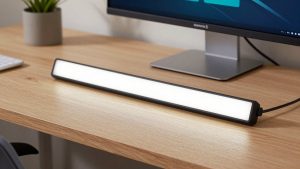
It’s a worthwhile low-cost upgrade. Something like the SAMPHON Monitor Light Bar clamps onto the top of your display, lights your desk without adding screen glare, and offers adjustable color temperatures — a small addition that can meaningfully cut down on eye fatigue during long sessions.
Final Thoughts
For most home offices, the KTC H24V27 is the best overall value thanks to its high contrast ratio and smooth 100Hz refresh rate. If you want the sharpest colors and most flexible connectivity, the ViewSonic VA2456A-MHD is worth the small step up, and the Acer KB220Q H2bi remains the top choice if desk space or budget is especially tight. Any of these three will handle a full workday comfortably without straining your wallet.
Related Reviews & Guides

Ultimate Guide to Cable Management for a Clean Desk Setup 2026
Ergonomic Mouse vs. Trackball Mouse: Which Offers Better Control? 2026