Last Updated: September 29, 2026
The Keychron K1 was one of the first slim, wireless mechanical keyboards to attract office workers rather than just enthusiasts. Low-profile switches, an aluminium frame and Mac-friendly layouts made it a mechanical alternative to Apple’s Magic Keyboard. Since then, the K1 name has grown into a family: the classic K1 in several versions, the cheaper K1 SE, the programmable K1 Pro and the triple-mode K1 Max. This review explains what the K1 does well, how the versions differ, and which one makes sense to buy today.
📄 In This Review
The K1 family at a glance
| Model | Connection | Notable features |
|---|---|---|
| K1 (Version 5) | Bluetooth 5.1 (3 devices) and USB-C wired | Full aluminium body about 18 mm thick, 2,000mAh battery, low-profile Gateron or Keychron optical switches |
| K1 Version 6 | Bluetooth 5.2 and wired | Adds QMK firmware, improved acoustic foam, shine-through PBT keycaps |
| K1 SE | Bluetooth and wired | Aluminium top, plastic bottom, hot-swap options; slightly cheaper |
| K1 Pro | Bluetooth and wired | QMK/VIA remapping, hot-swap low-profile switches, 1,000Hz wired |
| K1 Max | 2.4GHz, Bluetooth and wired | 4,000mAh battery, QMK/VIA, hot-swap |
Keychron updates this line regularly, and older versions such as V5 have been discontinued in some regions. Check Keychron’s current listings before buying.
Design and build
See also: Best Reclining Chairs: Nine Recliner Listings Compared by Mechanism, Fabric and Space Needs • Best Roku Streaming Deals Reviewed
The appeal of the K1 is its thinness. Low-profile switches are roughly half the height of standard mechanical switches, and the whole keyboard sits low enough to use without a wrist rest for many people. That reduces wrist extension compared with full-height mechanical boards, which is an overlooked ergonomic benefit. The aluminium frame keeps it rigid despite being slim, and the tenkeyless layout brings the mouse closer.
Typing experience
Low-profile switches
Low-profile Gateron switches have shorter travel than standard switches. Reds are light and linear, browns lightly tactile, and blues clicky. The feel sits between a laptop keyboard and a full mechanical board: more defined than scissor keys, less deep than full-height switches. Typists coming from a MacBook often adapt within a day.
Keycaps
Older K1 versions shipped with ABS low-profile keycaps that can develop shine over time. Newer versions and the Pro and Max models move to more durable keycaps. Replacement low-profile keycap sets are less common than standard ones, which limits customisation.
Wireless and battery
Bluetooth pairing with up to three devices is straightforward, with a dedicated key combination to switch. On Version 5, Keychron rated battery life at up to around 190 hours with the backlight off on the white-LED model, falling to a couple of days of heavy use with backlight on. The K1 Max’s 2.4GHz mode and larger battery make it the better choice if you want a more stable link and longer intervals between charges.
Strengths and weaknesses
- Strengths: slim, low wrist angle; Mac and Windows layouts; multi-device Bluetooth; tidy aluminium design; wide switch choice.
- Weaknesses: older versions had limited remapping and wobbly larger keys; low-profile keycaps are harder to replace; Bluetooth polling is lower than wired, which matters for gaming, not for office work.
Which K1 should you buy?
For most office users, the K1 Pro or K1 Max is the best buy: you get remapping through QMK/VIA and hot-swap switches. Choose the Max if you want a 2.4GHz dongle and longer battery life. Choose the Version 6 standard K1 if you want the classic slim design with improved sound and QMK support. The K1 SE makes sense only when it is noticeably cheaper.
Setup tips for the K1
Set the Mac/Windows toggle on the side before pairing, then assign the three Bluetooth slots to the devices you switch between most. If the board sleeps too quickly for your taste, newer QMK-based versions let you adjust behaviour in firmware. Place it flat, with the kickstand feet folded, and keep the front edge close to the desk edge so your wrists can hover. If you use a separate number pad, the tenkeyless layout leaves room to put it on either side.
FAQ
Is the Keychron K1 good for Mac users?
Yes. It ships with Mac keycaps and a hardware toggle between Mac and Windows modes. Function row media keys work with macOS without extra software.
Do I need a wrist rest with the Keychron K1?
Many people do not, because the low profile keeps the keys close to desk height. If you still feel wrist extension, a thin rest a few millimetres high is enough.
Bottom line
The Keychron K1 remains one of the best ways to get a mechanical feel in a slim, office-friendly format. Its low profile is kind to wrists, and wireless multi-device support makes it practical. Skip the older versions unless heavily discounted and buy a current K1 Pro, K1 Max or Version 6 for better firmware and sound.
Related Reviews & Guides
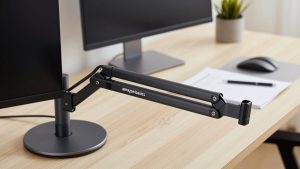
Amazon Basics monitor arm vs Vivo monitor arm
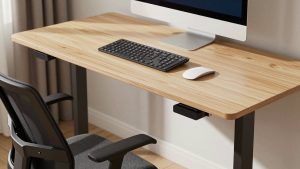
Best Standing Desk by Use-case