Last Updated: September 29, 2026
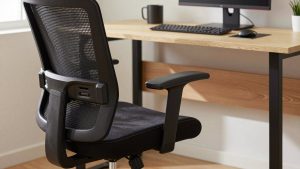
Armrests are one of the most overlooked adjustments on an ergonomic chair, yet they have a large effect on shoulder, neck and wrist comfort. Set too high, they push the shoulders up; set too low, they leave the forearms unsupported; set too wide, they pull the elbows away from the body. This guide explains the ideal armrest position and how to adjust each type of armrest.
📄 In This Review
Ideal armrest position
When seated with shoulders relaxed, your elbows should rest lightly on the armrests at about 90 to 100 degrees. The armrests should support your forearms without lifting your shoulders. Your elbows should stay close to your sides, and your wrists should be straight when typing.
Adjusting armrest height
See also: Best Reclining Chairs: Nine Recliner Listings Compared by Mechanism, Fabric and Space Needs • Best Roku Streaming Deals Reviewed
Most armrests have a button or lever on the outside or underside. Press and slide the armrest up or down. Start by letting your arms hang, then raise the armrests until they just touch your forearms.
Desk height matters
Armrests should be level with or slightly below the desk surface so the chair can slide in. If armrests collide with the desk, lower them or adjust desk height.
Armrest adjustment quick guide
Target positions for common tasks.
| Adjustment | Target position | Common mistake |
|---|---|---|
| Height | Elbows at 90 to 100 degrees, shoulders relaxed | Too high, shrugged shoulders |
| Width | Elbows close to body | Too wide |
| Depth | Supports forearm without blocking desk | Too far forward |
| Pivot | Angled inward for typing | Ignored |
| Desk relationship | Level with or below desk | Colliding with desk |
Adjusting width
Width adjustment moves armrests closer or farther from the seat. Bring armrests inward so elbows stay near your body. Some chairs adjust width with a lever, while others require loosening bolts under the seat.
Adjusting depth and pivot
Depth
Slide the armrest pad forward or backward. Forward positions support typing; backward positions allow the chair to move closer to the desk.
Pivot
Angle pads inward for typing, keeping forearms aligned with the keyboard, or straight for mousing and general use.
Common mistakes
Setting armrests too high, which causes shrugged shoulders; leaning heavily on armrests, which shifts weight to the elbows; setting them too wide, which strains shoulders; and ignoring them entirely, which leaves forearms unsupported. Recheck armrests when changing tasks or desk height.
Armrest types and how to handle them
Fixed armrests
They cannot be adjusted, so adapt around them. Change chair height and desk height together, or use a keyboard tray so your forearms land at the right level. If the arms block you from reaching the desk, many chairs let you remove them with a few bolts.
1D and 2D armrests
1D arms adjust in height only; 2D arms add depth or width. Prioritize height first, then bring them as close to your body as possible.
3D and 4D armrests
These add pivot and sometimes width. They let you fine-tune for different tasks, such as angling inward for typing or straight for mousing.
Flip-up armrests
They fold out of the way for cross-legged sitting and small desks. Check they lock firmly in the down position before leaning on them.
A quick self-check
After adjusting, type for five minutes and then look at your shoulders in a mirror or your webcam. They should be level and relaxed, not raised toward your ears. Your wrists should be straight rather than bent up or down, and your elbows should hover near your ribs rather than flaring out.
If one shoulder rises more than the other, one armrest is probably higher, or your mouse sits too far to the side. Bring the mouse closer and match armrest heights. Small corrections here often ease neck tension within a few days.
Repeat the check whenever you change desks, add a keyboard tray or switch to a different chair, because armrest settings rarely transfer perfectly between setups.
FAQ
Should armrests be level with the desk?
Ideally level with or slightly below the desk so forearms are supported and the chair can slide in.
Should I use armrests while typing?
Light support is fine, but avoid leaning heavily. Your forearms should rest lightly with relaxed shoulders.
Bottom line
Adjust armrests so elbows rest at 90 to 100 degrees with relaxed shoulders, keep them close to your body, set depth and pivot for your task and keep them level with or below the desk. Proper armrests reduce shoulder and neck tension throughout the day.
Related Reviews & Guides




Steelcase Leap V2 Review
Home office trends for hybrid work 2026